



Start with the GTM function, then assign the tool. A digital marketing manager should not be defined by “owns HubSpot” or “runs Marketo.” The better model is to connect each responsibility to a revenue motion: demand creation, lead capture, nurture, sales handoff, retention, reporting, and budget control.
TLDR: HubSpot is usually better for teams that want one clean system for CRM, email, landing pages, forms, and reporting. Marketo is stronger for complex enterprise nurture, scoring, segmentation, and governance. For example, a 25-person B2B SaaS team might use HubSpot to raise MQL-to-SQL conversion from 18% to 27% in one quarter by tightening forms, workflows, and sales alerts. A larger company with five regions and 40 nurture tracks may need Marketo tied to Salesforce, 6sense, and BI tools to keep GTM teams aligned.
Why category alignment matters
Digital marketing managers sit in an odd spot. They are asked to grow traffic, lower acquisition costs, fix tracking, support sales, launch campaigns, explain attribution, and “just make the numbers better.” That creates chaos unless responsibilities are grouped by GTM function.
Category alignment means each marketing role has a clear link to a business outcome. It answers a simple question: what GTM job does this responsibility serve?
- Demand generation: create qualified pipeline.
- Lifecycle marketing: move contacts from interest to action.
- Marketing operations: keep systems, data, scoring, and automation clean.
- Product marketing: sharpen messaging, offers, and audience fit.
- Revenue operations: align funnel definitions, routing, attribution, and reporting.
- Customer marketing: increase adoption, expansion, referrals, and retention.
Without this structure, tool ownership becomes political. One person “owns email.” Another “owns leads.” Sales complains about quality. Marketing complains about follow-up. Everyone opens a dashboard and sees a different truth.


Core responsibilities of a digital marketing manager
A strong digital marketing manager is part strategist, part operator, and part translator between marketing, sales, product, and leadership. The role should be practical, not vague.
- Campaign planning: set goals, audiences, offers, channels, timing, and success metrics.
- Channel management: oversee paid search, paid social, SEO, email, webinars, partner campaigns, and content distribution.
- Conversion optimization: improve forms, landing pages, CTAs, nurture paths, and demo request flows.
- Marketing automation: build workflows, scoring rules, segmentation, and alerts.
- Reporting: track CAC, conversion rates, pipeline sourced, pipeline influenced, velocity, and revenue impact.
- Data quality: manage field standards, lifecycle stages, UTMs, list hygiene, consent, and suppression rules.
- Sales alignment: define handoff criteria and keep feedback loops active.
- Experimentation: test subject lines, offers, creative, audiences, landing page structure, and sales follow-up timing.
The job is not to run every tool. The job is to make sure tools support GTM decisions.
HubSpot: best for speed, visibility, and simpler GTM teams
HubSpot works well when the team wants marketing, sales, service, CMS, and CRM data in one place. It is especially useful for startups, mid-market companies, and service businesses that need usable reporting without a six-month systems project.
Where HubSpot fits best:
- Inbound marketing programs with blogs, landing pages, forms, and email nurture.
- Small to mid-size sales teams that need fast lead alerts and simple lifecycle stages.
- Companies that want one shared view of contact history.
- Teams with limited marketing operations headcount.
HubSpot’s biggest strength is usability. A marketing manager can build a landing page, connect a form, trigger an email, assign a lifecycle stage, and update a dashboard without begging three admins for help.
The irritation comes later. Workflows can pile up fast. Naming gets messy. Lists duplicate. Properties spread like weeds. Honestly, it feels like half the job becomes finding the one workflow that changed a lead status three weeks ago. A strong governance plan fixes most of this, but many teams wait too long.
Marketo: best for complex nurture, scoring, and enterprise control
Marketo, now part of Adobe, is built for deeper marketing automation. It is common in larger B2B companies with long sales cycles, multiple regions, layered segmentation, and Salesforce-heavy processes.
Where Marketo fits best:
- Enterprise lead management with detailed scoring and routing needs.
- Long buying committees across accounts, products, and regions.
- Complex nurture tracks based on behavior, persona, lifecycle stage, and account fit.
- Teams with dedicated marketing operations staff.
Marketo gives skilled operators a lot of control. You can build advanced programs, tokens, scoring models, smart campaigns, and reusable templates. That is powerful when one field update needs to trigger different sales actions across regions.
Still, the learning curve is real. Expect to waste time on small tasks if the instance is old or poorly documented. It drives me crazy that a simple audit can take 30 seconds longer per asset because folders, naming, and inherited rules are unclear. Multiply that by 200 assets, and the pain is not theoretical.

HubSpot vs Marketo by GTM function
| GTM Function | HubSpot Fit | Marketo Fit |
|---|---|---|
| Lead capture | Excellent for forms, landing pages, chat, and CRM sync. | Strong, but often needs more setup and supporting tools. |
| Nurture | Good for clear, linear journeys. | Excellent for complex branching and deep segmentation. |
| Sales handoff | Very strong if using HubSpot CRM. | Strong with Salesforce, if sync rules are clean. |
| Reporting | Clear and accessible for most teams. | Powerful, but often needs BI support. |
| Operations governance | Good with discipline. | Strong for enterprise teams with admin support. |
Other tools that connect marketing roles to GTM functions
HubSpot and Marketo rarely work alone. The full GTM system usually includes tools that handle data, intent, analytics, sales activity, and project work.
- Salesforce: the system of record for many B2B sales teams. Best for opportunity stages, account ownership, forecasting, and pipeline inspection.
- GA4: useful for traffic, engagement, conversion paths, and website behavior. It needs clean events and UTMs to be worth trusting.
- Looker, Tableau, or Power BI: helpful when leaders need blended reporting across CRM, ad platforms, product usage, and finance data.
- 6sense or Demandbase: strong for account-based marketing, intent signals, account scoring, and sales prioritization.
- Sprout Social or Hootsuite: useful for social publishing, listening, and engagement workflows.
- Asana, Monday, or Jira: keeps campaigns moving, especially when creative, web, ops, and sales all touch the launch.
- Gong or Chorus: connects marketing to real sales calls, objections, win themes, and message gaps.
- Dreamdata, HockeyStack, or Bizible: supports attribution analysis when buying journeys span many contacts and channels.
A practical category alignment model
Use this simple model before assigning tools:
- Define the GTM function. Is the work meant to create demand, convert leads, support sales, retain customers, or explain performance?
- Name the owner. One primary owner should exist for each major motion.
- Set the metric. Pick numbers that matter, such as SQL rate, pipeline sourced, demo conversion, expansion revenue, or churn risk.
- Assign the tool. Choose the system that best supports the work, not the one with the loudest internal fan club.
- Review monthly. Audit workflows, fields, dashboards, routing rules, and conversion points.

Example: mapping roles to tools
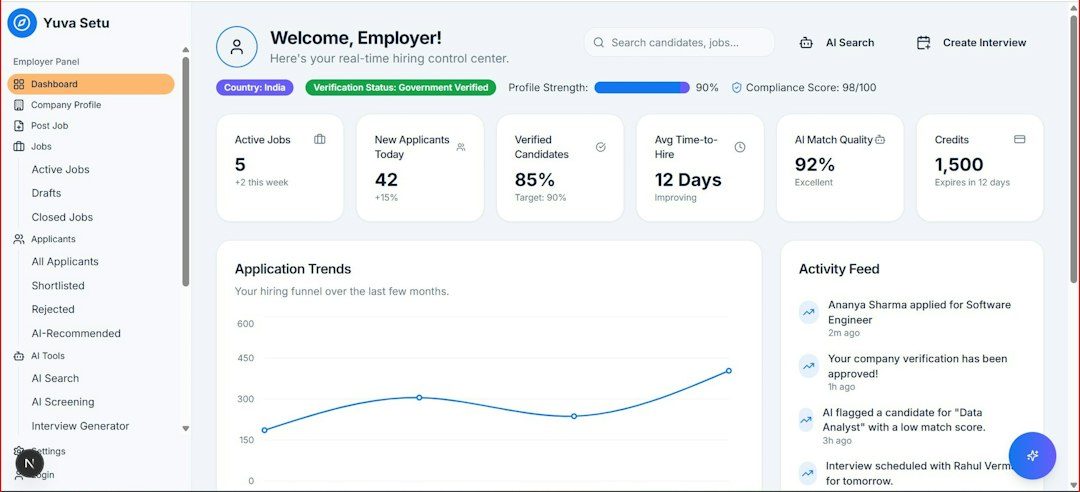
A B2B cybersecurity company with 80 employees might use HubSpot for web forms, email nurtures, lifecycle stages, and CRM visibility. The digital marketing manager owns campaign performance. Marketing operations owns workflows, UTMs, and data rules. Sales owns follow-up speed and opportunity updates. Leadership reviews one dashboard every Monday.
A global software company with 2,000 employees may use Marketo for nurture and scoring, Salesforce for pipeline, 6sense for account intent, Tableau for executive reporting, and Jira for campaign production. In that setup, the digital marketing manager does not “own everything.” They coordinate demand programs and make sure each GTM function has clear inputs, owners, and outcomes.
How to choose the right setup
Pick HubSpot if your team needs speed, simplicity, clean CRM visibility, and fewer admin layers. Pick Marketo if your GTM motion has many products, regions, stages, and scoring rules. Add BI, ABM, project, and sales intelligence tools only when the GTM function truly needs them.
The smartest digital marketing managers resist tool-first thinking. They build a role map, connect each responsibility to revenue work, and then choose software that makes the work clearer. That is how marketing becomes easier to manage, easier to measure, and much harder to ignore.