



Hotel Wi-Fi is convenient, but it can also be slow, limited, or blocked in ways that make normal work and travel tasks difficult. The safest approach is not to “hack around” the network, but to understand the rules, protect your privacy, and use lawful alternatives when the connection does not meet your needs.
TLDR: You can get around many hotel Wi-Fi limitations safely by using approved options such as paid speed upgrades, a mobile hotspot, a properly configured travel router, or a reputable VPN for privacy. Do not try to bypass payment pages, device limits, or security controls without permission. If access is blocked or unreliable, contact the hotel, use your own mobile data, or choose a business-friendly connection option.
Understand What “Restrictions” Usually Mean
Hotel Wi-Fi restrictions are usually designed to manage bandwidth, reduce abuse, or comply with the hotel’s internet provider policies. Common limitations include:
- Captive portals that require you to accept terms, enter a room number, or pay for access.
- Device limits that allow only a certain number of phones, laptops, or tablets per room.
- Bandwidth throttling that slows streaming, large downloads, or video calls.
- Blocked services such as peer to peer sharing, gaming servers, or certain streaming platforms.
- Session timeouts that force you to log in again after several hours.
Some of these restrictions are inconvenient, but they are often part of the service agreement. The legal and practical goal is to work within the rules or obtain permission to use a better connection, not to evade access controls.


Start With the Legitimate Options
The simplest solution is often the most reliable: ask the hotel what options are available. Many hotels have separate internet tiers for leisure guests, loyalty members, conference attendees, and business travelers. If you need stable access for work, a video meeting, or secure file transfers, explain that clearly.
You may be able to request:
- A premium Wi-Fi plan with higher speed or fewer restrictions.
- A wired Ethernet connection in the room or business center.
- A conference or business access code if you are attending an event.
- Additional device authorization for work equipment or family devices.
- Technical support if the login page is not loading correctly.
This may sound obvious, but it matters. A front desk or IT support team can often reset a session, remove a stale device registration, or provide the correct access method. That is safer than experimenting with settings that may violate hotel policy.
Use a VPN for Privacy, Not for Breaking Rules
A virtual private network, or VPN, is one of the most important tools for using hotel Wi-Fi safely. Public and semi-public networks can expose you to tracking, misconfigured devices, and malicious hotspots that imitate the hotel’s network name. A reputable VPN encrypts your traffic between your device and the VPN provider, reducing the risk of local snooping.
However, it is important to be precise: a VPN should be used for security and privacy, not to bypass payment requirements, illegal content blocks, or contractual restrictions. Some hotels also block or limit VPN traffic for network management reasons. If your VPN does not connect, try switching to another server or protocol within the VPN’s official app. If it still fails, ask the hotel whether VPN use is permitted on that network.
For best results, use a paid, reputable VPN provider with clear privacy policies, modern encryption, and support for multiple devices. Avoid unknown free VPNs, because some collect browsing data or inject advertising.
Consider a Mobile Hotspot
If hotel Wi-Fi is too limited, your own mobile data connection is often the cleanest legal alternative. A smartphone hotspot, portable 5G router, or travel SIM can provide a separate connection that is not subject to the hotel’s Wi-Fi restrictions.
This approach is especially useful when you need:
- Reliable video calls for work.
- Access to services blocked on the hotel network.
- A private connection for banking, administrative work, or sensitive communication.
- Connectivity during outages or in rooms with weak Wi-Fi signal.
Before relying on mobile data, check your plan’s roaming charges, hotspot allowance, and fair use limits. International travelers should consider an eSIM or local SIM from a reputable carrier. This is usually more predictable than struggling with an overloaded hotel network.

Use a Travel Router Responsibly
A travel router can be useful when a hotel allows only one connection or when you want to connect multiple trusted devices through a single private network. It can also improve convenience by letting your laptop, tablet, and streaming device connect to your own router instead of repeatedly logging into the hotel portal.
That said, it must be used responsibly. Do not use a travel router to avoid paying for required access, exceed a clearly stated device limit without permission, or conceal prohibited activity. Some hotels explicitly allow travel routers; others do not. If the rules are unclear, ask.
When using a travel router legally, follow these safety practices:
- Change the default administrator password before your trip.
- Use WPA2 or WPA3 encryption for your private network.
- Update the router firmware regularly.
- Disable remote administration unless you truly need it.
- Use a unique network name that does not reveal your room number or identity.
A travel router is not a magic solution for bad bandwidth. If the hotel’s connection is slow, your router cannot create more capacity. It can, however, make your own device setup more organized and secure.
Fix Common Access Problems Without Evading Controls
Some hotel Wi-Fi frustrations are caused by ordinary technical issues rather than intentional restrictions. If the login page will not appear, try these legitimate troubleshooting steps:
- Turn Wi-Fi off and on again.
- Forget the hotel network and reconnect.
- Open a non-secure website address, such as a basic informational site, to trigger the captive portal.
- Disable private relay, custom DNS, or VPN temporarily only until the login page appears, then reconnect protection afterward.
- Restart your browser or try a different browser.
- Ask the front desk to clear your device session if you are stuck at the login page.
These steps are meant to restore normal access, not defeat authentication. Avoid tactics such as impersonating another device, manipulating network identifiers, or attempting to bypass the portal. Those actions may breach terms of service and could create security concerns.
Protect Yourself on Any Hotel Network
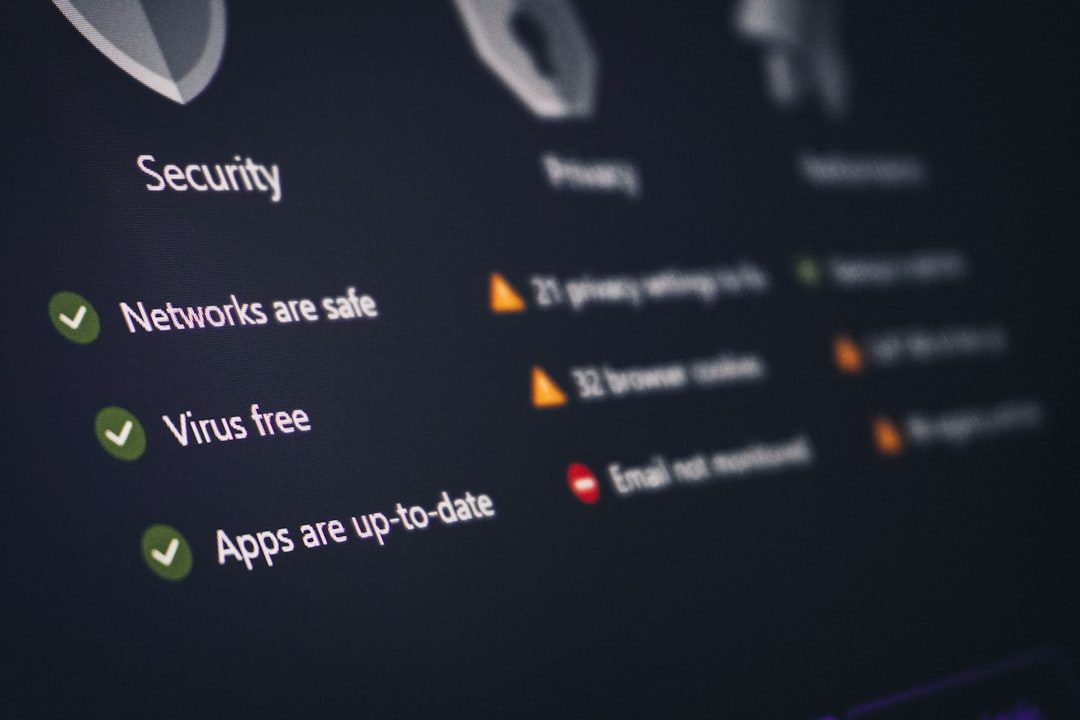
Even when the connection works well, hotel Wi-Fi should be treated as untrusted. You do not control the network, you do not know who else is connected, and you cannot verify every device between you and the internet.
Use these precautions whenever possible:
- Confirm the official network name with hotel staff before connecting.
- Enable your firewall on laptops.
- Turn off file sharing and device discovery in public network settings.
- Use HTTPS websites and avoid entering sensitive data on unsecured pages.
- Enable multifactor authentication for email, banking, and work accounts.
- Keep your operating system and apps updated.
- Use a VPN after completing any required captive portal login.

Know What Not to Do
It is important to draw a clear line. “Getting around restrictions” should mean choosing lawful alternatives, improving security, or resolving technical problems. It should not mean breaking access rules.
Avoid:
- Bypassing payment systems or premium access controls.
- Using another guest’s credentials without permission.
- Attempting to interfere with network equipment or captive portals.
- Running high bandwidth services that violate hotel policy.
- Using the network for unlawful activity or prohibited content distribution.
In many places, unauthorized access to computer networks can carry serious consequences. Even when enforcement is unlikely, it is still unprofessional and risky, especially for business travelers.
Choose Better Connectivity Before You Travel
If internet access is essential, plan ahead. Read hotel reviews that mention Wi-Fi quality, contact the property before booking, and ask whether rooms have strong signal, Ethernet, or business-grade options. Loyalty programs sometimes include premium internet, and conference hotels may provide dedicated connections for attendees.
For critical work, carry a backup: a mobile hotspot, an eSIM plan, or access to a nearby coworking space. The best strategy is redundancy. Hotel Wi-Fi can be useful, but it should not be your only option when a deadline, client call, or secure transaction matters.
Final Thoughts
The safest and most professional way to handle hotel Wi-Fi restrictions is to combine permission, privacy, and preparation. Ask for the access level you need, use a VPN to protect your traffic, rely on mobile data when the hotel network is inadequate, and use travel routers only when allowed. By staying within the rules, you protect yourself, respect the property’s network, and still get the connectivity you need while traveling.