



A video content management system should give your team one secure place to store, organize, find, publish, and measure every video asset. If your videos are scattered across cloud folders, hard drives, editing tools, and private links, you do not have a workflow. You have a risk. A proper system reduces wasted time, protects sensitive media, and helps viewers get the right video on the right screen.
TLDR: A video content management system, or video CMS, is software for hosting, organizing, searching, securing, and distributing video at scale. For example, a training team with 2,000 internal videos could cut search time from 10 minutes to under 60 seconds by using tags, transcripts, and role-based access. Companies also use video CMS platforms to track completion rates, viewer drop-off, and device usage. The best choice depends on your security needs, audience size, integrations, and reporting requirements.
What Is a Video Content Management System?
A video content management system is a platform built to manage video files across their full life cycle. It handles upload, encoding, storage, metadata, search, access rules, playback, sharing, analytics, and archiving.
Standard file storage can hold video. That does not mean it can manage video well. Video files are large. They need multiple resolutions, captions, thumbnails, permissions, player settings, and delivery controls. A video CMS brings those functions into one controlled environment.
Common users include:
- Marketing teams publishing product videos, webinars, and campaigns.
- Training departments managing employee learning libraries.
- Universities hosting lectures, student media, and recorded events.
- Media companies storing edited programs, clips, and archives.
- Enterprises sharing executive messages and internal updates.


Core Functions of a Video CMS
Hosting is the base layer. The system stores source files and prepares versions for smooth playback across browsers, phones, tablets, smart TVs, and learning portals. Good platforms support adaptive streaming, so viewers with weak connections receive a lower-quality stream instead of endless buffering.
Organization keeps large libraries usable. Folders help, but they are not enough. A serious video CMS supports categories, tags, custom fields, playlists, collections, owners, publish dates, and archive rules. Without that structure, expect to waste time on simple tasks like finding last quarter’s product demo or the approved version of a compliance video.
Search is where strong systems stand out. They should search titles, descriptions, tags, captions, transcripts, speaker names, and sometimes even on-screen text. Honestly, it feels like a broken process when a team has 800 recordings but can only search by file name. That is how useful content disappears.
Security controls who can view, download, edit, approve, embed, or share each video. This matters for HR videos, legal recordings, board communications, paid content, patient education, finance updates, and unreleased marketing assets.
Distribution gets video to the audience. A video CMS may publish to websites, intranets, apps, social platforms, email campaigns, learning systems, customer portals, or digital signage. The best systems let teams publish once and distribute to many channels without making five duplicate files.
Key Features to Look For
Not every video CMS is built for the same buyer. A school, a broadcaster, and a software company may need very different controls. Still, several features deserve close review.
- Adaptive bitrate streaming: Helps reduce buffering and improves playback on weak connections.
- Automatic transcoding: Converts uploads into web-ready formats and multiple resolutions.
- Metadata management: Adds context such as topic, speaker, campaign, department, rights, and region.
- Transcript and caption support: Improves accessibility, compliance, and search.
- Role-based access: Limits viewing and editing based on user roles or groups.
- Approval workflows: Prevents unfinished or unapproved videos from going live.
- Version control: Keeps teams from using outdated cuts or draft files.
- Analytics: Shows views, watch time, completion rates, drop-off points, and engagement.
- Integrations: Connects with SSO, LMS, CMS, CRM, DAM, marketing tools, and collaboration apps.
- API access: Supports custom publishing, automation, and internal systems.
The catch is that many platforms claim to support all of this, but the details vary. One system may offer captions only through a paid add-on. Another may have analytics, but only at the video level, not by viewer or group. Ask direct questions before signing.
Why Search and Metadata Matter So Much
Video libraries become messy faster than text libraries. A single webinar can create a full recording, clips, social edits, caption files, thumbnails, slide versions, and translated copies. If each file has a vague name like final edit v3 approved, your team will suffer later.
A strong metadata model should answer practical questions:
- Who owns this video?
- What audience is it for?
- Is it approved for public use?
- When does it expire?
- Which product, region, or department does it support?
- Does it contain restricted or regulated information?
Transcripts can make search even better. If a manager searches for “refund policy,” the CMS can find the exact moment that phrase was spoken inside a 45-minute training video. That saves real time. It also makes large archives useful again.

Security and Compliance Considerations
Security should not be treated as a checkbox. Video often contains faces, voices, internal strategy, customer data, medical details, product plans, or licensed content. A weak sharing model can expose material that was never meant to leave the company.
Look for these controls:
- Single sign-on: Uses company identity systems for easier and safer access.
- Granular permissions: Separates viewers, editors, publishers, admins, and external users.
- Private links with expiry dates: Reduces uncontrolled sharing.
- Download restrictions: Stops casual copying of sensitive media.
- Watermarking: Helps trace leaks and discourage misuse.
- Audit logs: Records who accessed, changed, shared, or deleted content.
- Encryption: Protects files in storage and during delivery.
- Data residency options: Supports legal or regional storage requirements.
For paid or licensed video, digital rights management may be needed. DRM helps protect premium content from unauthorized copying. It is common in entertainment, education, and subscription media.
Distribution: Getting Video Where It Needs to Go
A video CMS should not become another storage silo. Its value grows when it connects with the systems your audience already uses. Internal teams may need videos inside a learning management system, intranet, sales portal, or knowledge base. Public audiences may need embedded players on websites, landing pages, or product support pages.
Good distribution tools include embed codes, branded players, privacy settings, channel pages, playlist publishing, social sharing, RSS feeds, and API delivery. For global audiences, a content delivery network helps reduce delays by serving video from locations closer to each viewer.
Performance matters. If a video takes six seconds to start, many viewers leave. For marketing videos, that can mean lost leads. For training videos, it can mean lower completion rates and more support tickets.
Analytics That Help Teams Improve
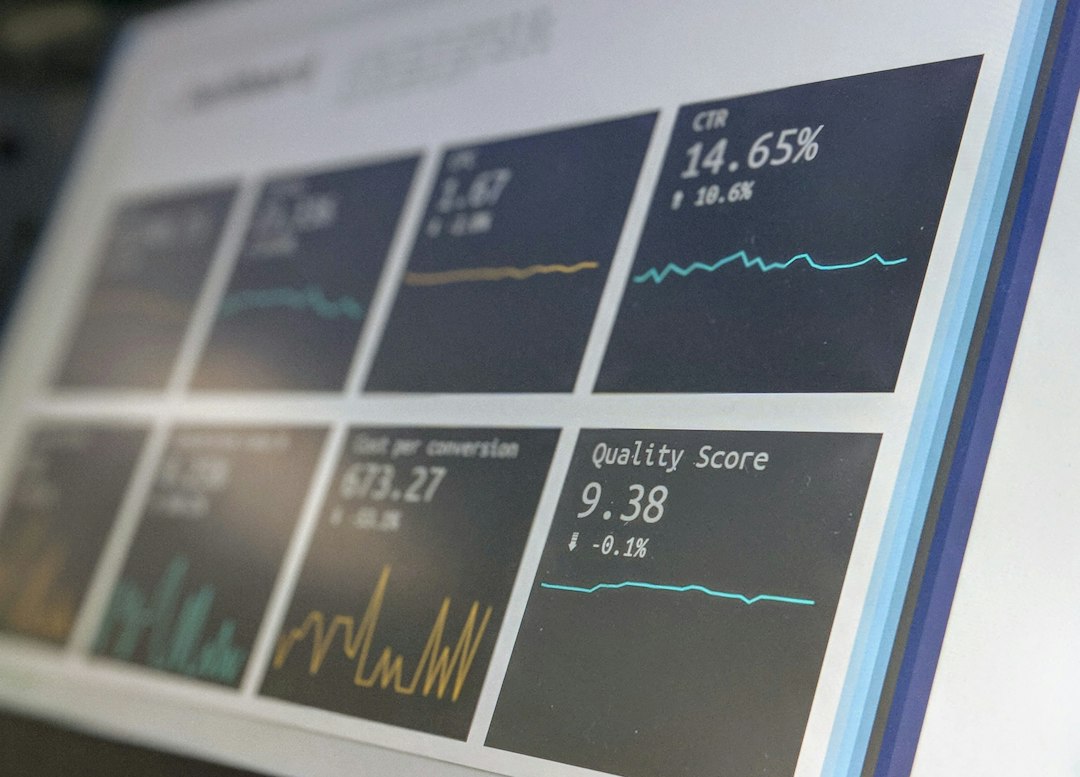
Basic view counts are not enough. A useful platform should show how people actually watch. Did viewers stop after 20 seconds? Did employees complete the safety module? Did customers replay the pricing section? These details guide better decisions.
Useful metrics include:
- Plays and unique viewers
- Average watch time
- Completion rate
- Viewer drop-off points
- Device and location data
- Engagement by department, account, or role
- Conversion events linked to video views
For example, if 62% of viewers drop off before a product demo reaches the pricing section, the video may be too slow. Shortening the opening by 30 seconds could improve retention without changing the whole campaign.

How to Choose the Right Video CMS
Start with your use case. Do not buy the largest platform just because it has a long feature list. Match the system to your content volume, security rules, audience size, workflow, and technical staff.
- Audit your video library. Count files, formats, storage size, owners, and active channels.
- Define access needs. Separate public, internal, restricted, and paid content.
- Map workflows. Include upload, review, approval, publishing, updates, and archiving.
- Test search quality. Upload real videos and check transcript, tag, and caption search.
- Review integrations. Confirm SSO, LMS, CMS, CRM, and analytics connections.
- Check reporting depth. Make sure metrics answer business questions, not just vanity tracking.
- Ask about migration. Moving years of video can take weeks if metadata is messy.
Pricing also needs care. Some vendors charge by storage, bandwidth, users, administrators, streams, transcription minutes, or security features. Ask for a cost estimate based on your real usage, not a generic plan.
Final Recommendation
A video content management system is worth considering when video becomes business-critical, hard to find, risky to share, or expensive to distribute. The right platform turns a pile of files into a controlled media library with search, security, publishing, and analytics built in.
Choose a system that solves your current pain first. Then check whether it can grow with your library, users, and channels. A trustworthy video CMS should make teams faster, protect sensitive assets, and give clear proof that video is being watched and used.