


People often forget their Jellyfin username because it isn’t tied to email or cloud accounts. Jellyfin uses local user accounts stored on the server. That design keeps things private, but it can feel confusing when you try to log in on a new device. This guide shows where to find your username, depending on what access you still have.
What is a Jellyfin Username?
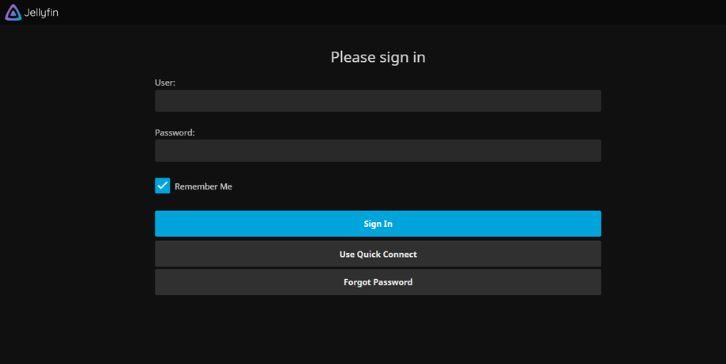
A Jellyfin username is the name you use to sign in to the Jellyfin server. It is not an email address. It is not linked to any online account. The server stores it locally and checks it during login.
This matters because there is no “forgot username” email. If you forget it, you must find it from a device that already has access or from the admin dashboard.
Where to Find Your Username When You Are Logged In?
If you are already logged in on any device, finding the username is simple.
On the Jellyfin web interface:
- Open Jellyfin in a web browser
- Look at the top-right profile icon
- Open the profile or account menu
- The username appears in the account details
This works because the web interface always shows the actual login username, not just the display name.
Finding a Jellyfin Username from the Admin Dashboard
If you are the server admin, this is the fastest method.
Steps from the dashboard:
- Sign in using an admin account
- Open the Jellyfin dashboard
- Go to the Users section
- View the list of all users
- Each entry shows the exact username
Admins can also edit user settings here. This view shows every local account stored on the server.
Username vs Display Name in Jellyfin
Many people confuse these two.
The username:
- Is used only for login
- Must be unique on the server
- Does not always appear in apps
The display name:
- Shows inside apps and profiles
- Can be changed freely
- Does not work for login
If you see a name on your TV app but can’t log in with it, that is likely the display name, not the username.
Where to Find Username on TV and Mobile Apps
Client apps behave a bit differently.
On smart TVs:
- The username is often hidden
- Apps auto-log in using saved sessions
- Profile screens may show only display names
On mobile apps:
- The server selection screen may list usernames
- Logged-in sessions usually hide login details
If the app does not show the username, check another device or use the admin dashboard.
What to Do If You Forgot Your Jellyfin Username
If you cannot find it directly, try these options.
- Check a browser or device where Jellyfin is still logged in
- Ask the server admin to look in the dashboard
- Check if multiple Jellyfin servers exist on your network
Jellyfin does not send usernames by email. I don’t know about any built-in username recovery outside admin access.
Common Mistakes When Looking for Jellyfin Username
These issues cause most confusion:
- Using email instead of username
- Confusing display name with login name
- Checking the wrong Jellyfin server
- Assuming cloud-based recovery exists
- Being logged in and not noticing it
- Having multiple user profiles on one server
Slow down and check one place at a time. Most users already have access somewhere.
Final Notes on Jellyfin Usernames
Jellyfin keeps usernames local for privacy and control. That’s good, but it means you must manage them yourself. If you run the server, keep a note of admin and user names. If you don’t, ask the admin when needed.
If this guide helped you recover your username, share it with others. If you found another place where Jellyfin shows usernames, leave a comment and help improve the guide.