


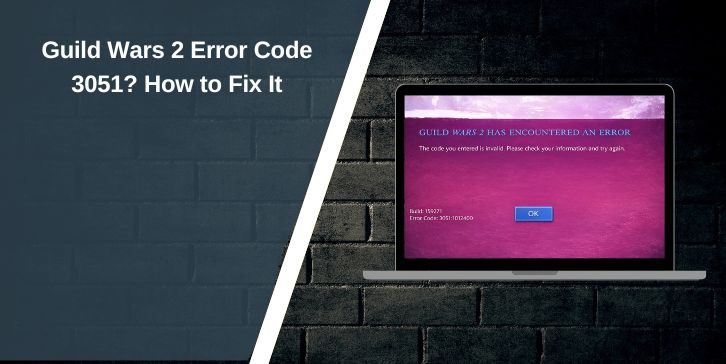
If Guild Wars 2 shows Error Code 3051 when you try to log in, the problem is tied to account access, not a normal lag or graphics issue. ArenaNet’s current support page for Error 3051:1012:0:0 says players who see this error need to update their password.
The good news is that this error usually has a clear fix path. This guide explains why it happens, what to do first, and what to try next if the password change does not solve the login problem.
Why am I seeing Guild Wars 2 Error Code 3051?
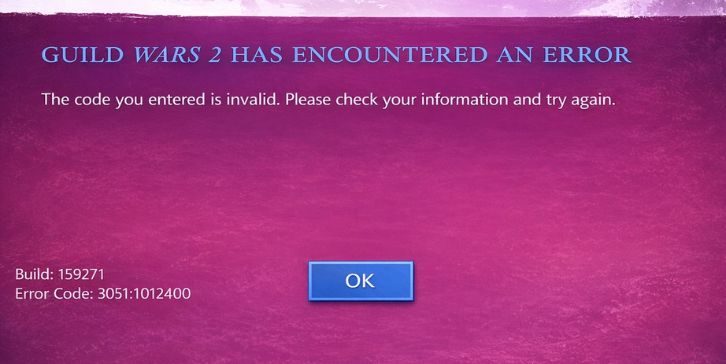
Guild Wars 2 Error 3051 is a login error. ArenaNet treats it as an account access issue and points players to a password update as the main fix. That means you should not treat this like a random connection problem or launcher crash.
Main reasons this error can block your login include:
- ArenaNet requires a password update
- Your account credentials need attention
- Extra verification may be needed
- The reset process may be happening from a new network
- Authentication can block the reset until you confirm access
- Support may be needed if the password change fails
How to fix Guild Wars 2 Error Code 3051
If you are seeing this error, start with the password update first. That is the official fix. After that, move to email checks, authentication, and support only if the login still fails.
1. Update your ArenaNet password
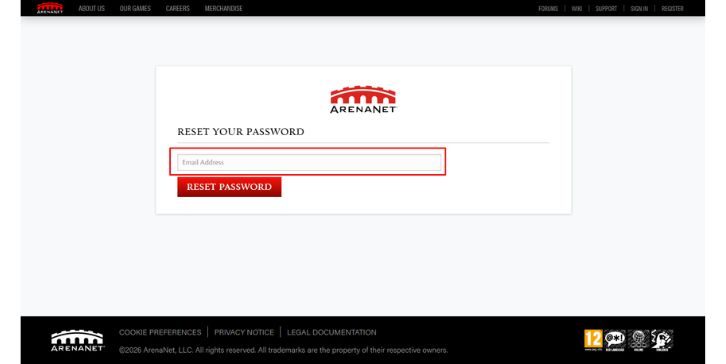
This is the first and most important step. ArenaNet says players who get Error 3051:1012:0:0 need to update their password. You can do that through the ArenaNet password reset process. ArenaNet also says passwords can be changed either through the password-reset page or through account management if you can still access the account.
Follow these steps:
- Open the ArenaNet password reset page
- Enter the email tied to your account
- Open the reset email
- Create a new password
- Return to the Guild Wars 2 launcher
- Try logging in again
Use a new password you have not just tried again and again. If the system accepts the reset, go back to the launcher and test the login right away.
2. Check the reset email carefully
If the password reset email does not show up, check your spam or junk folder first. Then make sure you are using the correct email tied to the ArenaNet account. ArenaNet’s recovery help also suggests searching old support messages, purchase emails, and receipts if you are not sure which email is linked to the account.
Try this:
- Check spam and junk folders
- Search your inbox for ArenaNet emails
- Search for purchase or receipt emails
- Check old support replies
- Confirm you entered the correct account email
If you are using the wrong email, the reset step will not help until that part is corrected.
3. Complete Any Authentication Step
Some accounts have extra security attached. ArenaNet says that if authentication is tied to your account, you may need to enter an authentication code during login or password recovery. ArenaNet also says resets requested from a new or unlisted network may require verification.
So if you see a code request:
- Open the authentication email or method
- Enter the code exactly as shown
- Finish the verification step
- Then try the password reset or login again
If you cannot complete the authentication step, move to support instead of retrying the same failed login over and over.
4. Try logging in again after the password change
Once the password is updated, go back to the Guild Wars 2 launcher and try again.
Enter the updated email and new password carefully. If the error was caused by the required password update, this is often the point where the login starts working again.
If it still fails, do not assume the reset did nothing. The next issue may be email mismatch, authentication trouble, or account recovery confusion.
5. Make Sure You Are Using the Right Account Email
If you have had the account for a long time, came back after a long break, or changed email accounts in the past, you may be trying to reset the wrong login email. ArenaNet’s recovery page recommends checking old emails, support messages, and game purchase details to confirm the correct account.
Check these:
- Old ArenaNet emails
- Guild Wars 2 purchase receipts
- Support ticket emails
- Game key or serial-related emails
- Any email address you may have used years ago
Sometimes the real issue is not the password itself. It is that the reset is being sent to the wrong account email.
6. Contact ArenaNet support if the password update fails
Its Error 3051 page says that if you have trouble updating the password, you should email support@arena.net. ArenaNet’s login help page also says to contact support if you cannot complete required authentication.
When you contact support, include:
- That you are seeing Error 3051:1012:0:0
- The email you believe is tied to the account
- Whether the reset email arrived
- Whether authentication is blocking you
- Whether you recently returned after a long break
That gives support a much better starting point.
How to prevent Guild Wars 2 Error 3051 from slowing you down again
These small steps can make future login trouble easier to handle:
- Keep your ArenaNet account email current
- Keep access to the email tied to the account
- Save old purchase receipts
- Maintain your authentication method available
- Update your password safely when needed
- Do not ignore account security notices
- Check account access before coming back after a very long break
ArenaNet’s account and login articles make clear that email access, password recovery, and authentication all play a big part in getting back into an account smoothly.
Final thoughts
Guild Wars 2 Error Code 3051 is mainly a login and password-update issue. The first thing to do is update your ArenaNet password. If that does not solve it, check the reset email, complete any authentication step, and confirm you are using the right account email before contacting support. ArenaNet’s official support guidance is very clear on that flow.
If this guide helped, leave a comment and share it with someone else trying to fix Guild Wars 2 Error 3051.