


The LA28 message “Something unexpected happened. Please try again. Error code: 403012” usually points to a broken or expired login session. Your browser may be holding an old cookie, the purchase link may have expired, or the wrong LA28 account may be active.
Start by checking your account and assigned purchase window. Then open the official ticket portal in a fresh browser session. Don’t clear cookies or refresh repeatedly if you already have tickets in a cart or have submitted payment. Check your account and email first, since repeating a payment can create a second charge attempt.
What Does LA28 Error Code 403012 Mean?
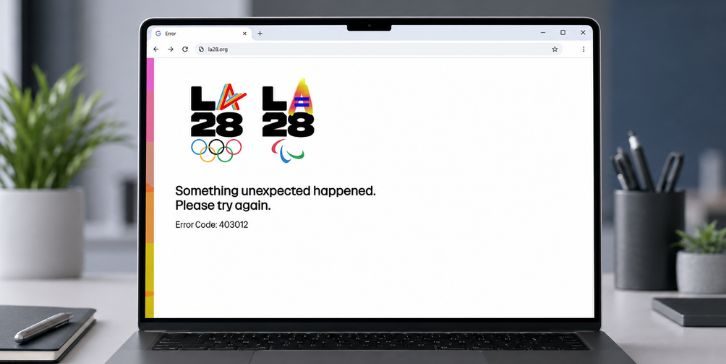
Error code 403012 is tied to an invalid user session. SAP Customer Data Cloud lists code 403012 as “No valid session.” In simple terms, the ticket portal received your request but couldn’t confirm a working login session. SAP Help Portal
This can happen when a session expires or a browser loses the cookie used to identify you. Conflicting tabs can cause it too. One tab may hold an older session while another has a newer login.
| What you notice | What it may mean |
|---|---|
| Error appears after leaving the page open | The session may have expired |
| Error appears from an old email link | The link or connected session may be stale |
| Private browsing works | Stored cookies or an extension may be interfering |
| Only one browser fails | The problem is probably local to that browser |
| Every browser and device fails | The account, purchase window, or ticket service may be involved |
| Error appears after switching accounts | The browser may have conflicting login data |
The code alone doesn’t prove that your account was suspended. It also doesn’t confirm that tickets are sold out. Treat it as a session problem first, then check account access and ticket eligibility.
Why Does “Something Unexpected Happened” Appear on the LA28 Ticket Site?
The LA28 ticket portal needs a working connection between your browser and LA28 ID. That connection can break when a page sits open for too long or an old link sends you back into an expired session. Browser privacy settings may also block the cookie or script needed to finish the sign-in process.
Common causes include:
- Your LA28 login session expired.
- You opened an older purchase email or access link.
- The wrong LA28 account is signed in.
- Several LA28 ticket tabs are open at the same time.
- Cookies or site storage are blocked.
- An ad blocker or privacy extension stopped part of the login page.
- The link opened inside an email app instead of a full browser.
- A VPN or proxy changed the connection during login.
- Your assigned ticket window hasn’t opened or has ended.
- The ticket portal is having a temporary service problem.
High traffic can make ticket sites slow or unstable, but error 403012 isn’t proof of an outage. A stale browser session can produce the same message when the site is otherwise working. That’s why it helps to test one thing at a time.
Does Error 403012 Mean LA28 Tickets Are Sold Out?
No, not by itself. Error 403012 concerns the session used to access the portal. Ticket inventory is a separate issue, so you may see the error even while tickets are still available.
| Message or situation | Likely meaning |
|---|---|
| Error code 403012 | The portal cannot confirm a valid session |
| Purchase option is missing | Your time slot may be inactive or tied to another account |
| Tickets currently unavailable | Inventory may be unavailable in that ticket drop |
| Checkout stops after payment | The order status needs to be checked before another attempt |
| Portal fails on every device | There may be an account or service-side problem |
LA28 explains that “currently unavailable” doesn’t always mean a session will never have more tickets. It can mean no tickets remain for that session in the current drop, while later drops may have more inventory. Availability is still subject to what LA28 releases. LA28 Ticket Support
Fix the login error first and then check the live ticket status. Changing browsers won’t create inventory or give an account access outside its assigned window.
How to Fix LA28 Error Code 403012?
Follow these fixes in order. Begin with the LA28 account and ticket window, then rebuild the browser session. Move to cookie, extension, and network changes only when the simpler checks don’t work.
If you’re already in a queue or have tickets in your cart, be careful. Closing tabs or deleting cookies may remove the local session tied to that activity. After submitting payment, check your order history and confirmation email before pressing the payment button again.
1. Confirm Your LA28 Account and Purchase Window
Check which email address is signed in to the LA28 ticket portal. It should match the address that received the ticket-draw or purchase-window email. People with several email addresses can easily enter the right password for the wrong LA28 ID. The login works, but the expected purchase option doesn’t appear.
Review the official email and check:
- The email address selected for the ticket draw
- The opening date and time of the purchase window
- The listed time zone
- The closing time
- The ticket drop named in the message
- Whether the access link came from the newest email
- Whether you’re already signed in under another account
Don’t create another account to work around the error. LA28 says users may not register for the draw or purchase through multiple accounts, and doing so may affect future participation. LA28 Ticket Support
Also check your device clock. A badly wrong date, time, or time zone can interfere with timed links and login requests. Automatic date and time is the safer setting for this test.
2. Open the Official LA28 Ticket Portal Directly
An email link may open inside Gmail, Outlook, or another email app. That small in-app browser can have different cookies from Chrome, Safari, Edge, or Firefox. You may be signed in through your normal browser but treated as signed out inside the email app.
Close the in-app page and open your normal browser. Type or use the official LA28 ticket address instead of following a forwarded, shortened, or copied link. Sign in there and check whether your account dashboard shows the current purchase option.
Look closely at the site address before entering your password or card details. Primary LA28 tickets are sold through LA28 and its official ticket service providers. A page copied from social media or an unofficial message may not be safe.
If the dashboard works but the email link fails, the link is probably old or tied to a session that no longer exists. Continue through the dashboard rather than returning to the broken link.
3. Sign Out, Close Duplicate Tabs, and Start a Fresh Session
Several ticket tabs can hold different versions of the same session. For example, one tab may have your current login while another still uses an expired token. Switching between them can send old session data back to the portal.
Use this order:
- Check whether you have an active cart, queue, or completed order. Don’t sign out yet if you may lose an active purchase session.
- If no purchase is active, sign out of the LA28 ticket portal. Close every LA28 tab after signing out.
- Fully close the browser. On a phone, remove it from the recent-apps screen instead of leaving it running in the background.
- Reopen the browser and visit the official portal. Sign in once with the correct LA28 ID.
- Keep only one ticket tab open. Avoid opening the email link in another tab while you shop.
This resets the session without deleting all browser data. It’s often enough when the error came from an old tab or a login left open overnight.
4. Try a Private or Incognito Window
Open a private or Incognito window and visit the official LA28 ticket portal. Sign in with the same account. Private browsing starts with a separate temporary cookie session and usually runs with fewer stored extensions or site settings.
If the portal works there, the normal browser probably has stale LA28 site data or an extension conflict. You can continue carefully in the private window or return to the normal browser and clear only the affected site’s cookies. If private mode shows the same 403012 error, move on to the account, network, and portal checks below.
Private browsing doesn’t give special access or move you ahead in a ticket queue. It’s just a clean test. Closing the private window may also end that session, so don’t close it during an active purchase.
5. Clear LA28 Site Cookies and Allow Required Browser Storage
Cookies help the ticket portal remember that you signed in. If an LA28 cookie is expired, damaged, or blocked, the site may keep returning error 403012. Clearing site-specific data forces the portal to create a new session.
Before doing this, make sure you don’t have an active cart or submitted payment. Clearing cookies signs you out and may remove browser-side purchase information.
Google Chrome or Microsoft Edge
Open the browser’s privacy or site settings and search for stored data connected to LA28. Delete only that site data, then close and reopen the browser. The exact menu name can differ between desktop and mobile versions.
Apple Safari
Review Safari’s website data and remove the LA28 ticket-site entry. Also check whether strict cookie or content-blocking settings are stopping the sign-in page. Avoid deleting all website history unless the site-only reset fails.
Mozilla Firefox
Open Privacy and Security settings, then use the option for managing cookies and site data. Search for LA28 and remove its stored entries. Restart Firefox before signing in again.
The portal also needs JavaScript to run its login and ticket tools. If you disabled JavaScript or set the browser to block all cookies, restore the normal setting for the official portal and test again. Don’t loosen browser settings for unrelated websites.
6. Temporarily Disable VPN, Proxy, and Privacy Extensions
A VPN or proxy changes how the ticket site sees your connection. It may also switch locations when the connection reconnects. That change can break an active login handoff, even when the VPN works fine on other sites.
Pause these items for one test:
- VPN software or a browser VPN
- Manual proxy settings
- Ad-blocking extensions
- Script blockers
- Strict anti-tracking tools
- DNS-based content filters
- Antivirus browser add-ons that inspect web traffic
Close the old LA28 tabs after pausing the tools, then start a new browser session. If the site works, turn the tools back on one at a time later to find the setting involved.
Using a VPN doesn’t automatically mean the account was banned. This step only checks whether the routing or filtering is breaking the session. Keep your normal protection active on other sites while testing.
7. Switch Browser, Device, or Network Carefully
Test one change at a time. When you change the browser, phone, and network all at once, you won’t know which part caused the problem.
| Test | What the result can show |
|---|---|
| Same device, different browser | Whether one browser has bad cookies or extensions |
| Same browser, private window | Whether stored browser data is involved |
| Another device, same Wi-Fi | Whether the original device is the problem |
| Same device, mobile data | Whether the Wi-Fi connection is involved |
| Another device and network | Whether the issue follows the account |
Try a full version of Chrome, Safari, Edge, or Firefox. Don’t assume one browser is always better for LA28 tickets. A clean browser with working cookies matters more than the browser name.
Avoid signing in and out quickly across many devices. Too many active sessions can make troubleshooting messier. Once a clean setup works, stay with that device and one tab during the purchase.
8. Reset the LA28 Password or Verify the Account
A clean browser session won’t help if LA28 can’t confirm the account itself. Check that the email address is correct and use Forgot your password? if the login fails. Enter the email used when you created the LA28 ID.
LA28 says its password reset process sends a reset link to the registered email address. If it doesn’t arrive, check spam and junk folders. You can also request another verification message from the verification page. LA28 password help
After changing the password:
- Close all LA28 ticket tabs and email-app browsers.
- Open one fresh browser window.
- Visit the official portal directly.
- Enter the new password by hand.
- Check the account dashboard before opening the purchase email again.
Resetting the password may make older sessions invalid. That’s expected. Don’t keep returning to tabs that were open before the change.
If you need to change the registered email or other account details, contact LA28 support. Avoid making a second account just because the first one has the wrong information.
9. Check for a Portal-Side Issue Without Repeated Refreshing
Local fixes may not help if the portal itself is having trouble. A service-side problem becomes more likely when the same verified account fails in a private window, another browser, another device, and another network. Still, that pattern isn’t final proof of an outage.
Check for an official message on the LA28 ticket portal or support area. Record the exact time and your time zone, especially if the problem happened during an assigned purchase window. A screenshot can help show that you tried to access the portal while the window was active.
Don’t hammer the refresh button. Rapid refreshing can create more requests while the old session is still broken. It may also disturb an active queue or cart. Wait a short while between clean attempts, but don’t rely on a made-up waiting period.
A portal error and unavailable tickets are two different things. Once access returns, the live portal will show what inventory is available for your account and current ticket drop.
10. Contact LA28 Ticket Support With the Right Details
Contact LA28 ticket support when error 403012 continues after a fresh login, private-window test, and account check. LA28 also directs users to customer support when confirming the email and resetting the password doesn’t restore account access. LA28 Ticket Support
Include enough detail for support to trace the problem:
- The full “Something unexpected happened” message
- Error code 403012
- Your LA28 account email
- The date, time, and time zone of the error
- Your assigned purchase window
- The browser and device used
- Whether the link opened from an email app
- Whether private browsing showed the same result
- The networks you tested
- Whether the error appeared before login, after login, in a queue, or at checkout
- A screenshot with private details hidden
- Any order number or payment confirmation, if one exists
Never send your password, full card number, card security code, or private purchase link. Hide session IDs and payment details in screenshots. Support may not be able to extend a ticket window or restore inventory, so describe the timing clearly without assuming a specific result.
How to Prevent LA28 Session Error 403012?
Sign in to your LA28 ID before the purchase window so you have time to fix account problems. Confirm the registered email, password, verification status, and device clock. Keep the browser updated too. Small checks like these help, even though they can’t prevent every ticket-site problem.
For the actual purchase window:
- Use the correct LA28 account.
- Open the official ticket portal in a full browser.
- Keep one ticket tab open.
- Avoid switching accounts during the session.
- Allow the site’s required cookies and JavaScript.
- Pause strict extensions if they previously caused trouble.
- Use a stable internet connection.
- Don’t refresh repeatedly while in a queue or checkout.
- Check order history before repeating a payment.
- Keep the support page available on another device.
Save the newest official email, but don’t depend on an old link. Ticket windows and drop details can change, so check the current information in your LA28 account.
Final Thoughts
LA28 error code 403012 most likely means the ticket portal can’t find a valid login session. Start by confirming the correct account and purchase window. Then open the official portal directly, close duplicate tabs, and create a fresh session. Private browsing or a site-only cookie reset can help when old browser data is involved.
If the error appears across clean browsers, devices, and networks, document it and contact LA28 ticket support. Be extra careful if you already submitted payment. Did error 403012 appear when you signed in, opened your time-slot link, or reached the checkout page?