


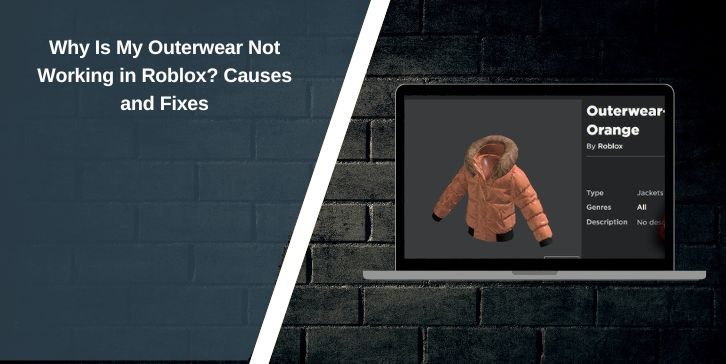
Outerwear is a popular clothing type in Roblox. Players use jackets, hoodies, and coats to give their avatars a layered look. Sometimes, though, outerwear does not appear at all, disappears after equipping, or only appears in the Avatar Editor but not in games.
This can be confusing and annoying, especially if Robux were spent on the item. In most cases, the outerwear itself is not broken. The issue usually comes from how Roblox handles layered clothing, avatar settings, or game-specific rules.
Why Is My Outerwear Not Working in Roblox?
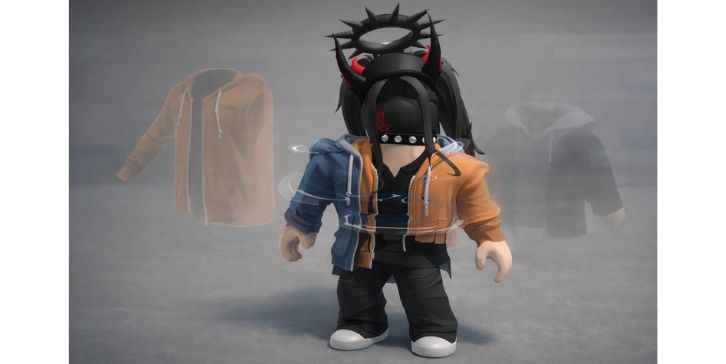
Roblox outerwear relies on the layered clothing system. This system adjusts clothing based on avatar type, body scaling, and clothing order. If any part of that setup is wrong, the outerwear fails to render. The item may be equipped but invisible, clipped, or removed when joining a game.
Some Roblox experiences also override avatar appearance for gameplay reasons. In those cases, outerwear may work perfectly in the Avatar Editor but never appear in that specific game.
Common Causes of Outerwear Not Working:
- Avatar is set to R6 instead of R15
- Body scaling is disabled or too low
- Layered outerwear conflicts with classic clothing
- Too many layered items are equipped at once
- The game blocks layered clothing
- Avatar failed to sync with the server
- The clothing asset has a creator-side issue
How to Fix Outerwear Not Working in Roblox
If your outerwear is not working, go through the fixes below carefully. Some fixes need only one change. Others require small adjustments.
Fix 1: Switch to an R15 Avatar (Required Fix)
Layered outerwear only works with R15 avatar. If your avatar is set to R6, outerwear will not appear at all. Even if the item equips, Roblox cannot render it on an R6 body.
Open Avatar Settings, switch to R15, save, and then re-equip the outerwear. This alone fixes the issue for many players.
Fix 2: Adjust Body Scaling
Outerwear reshapes itself around your avatar. If body scaling is turned off or set very low, Roblox has no space to fit the clothing. This causes the item to disappear or clip into the body.
Open the Avatar Editor, go to Body settings, and slightly increase height, width, or proportions. You do not need extreme changes. Even small adjustments can make the outerwear appear correctly.
Fix 3: Remove Clothing That Conflicts With Outerwear
Layered clothing follows an order. When too many items compete for the same layer, outerwear often loses.
Try this:
- Remove shirts and jackets first
- Equip only the outerwear
- Add other clothing items one by one
- Avoid stacking multiple outerwear items
This helps Roblox decide which layer should display.
Fix 4: Check if the Game Overrides Avatar Clothing
Some Roblox games control how avatars look. This is common in roleplay games, simulators, and competitive experiences.
You can test this easily:
- Join a basic Roblox game or test place
- Check if the outerwear appears there
If it works in one game but not another, the problem is not your avatar or clothing.
Fix 5: Re-equip and Refresh Avatar Data
Sometimes the issue is not settings but syncing. Roblox may fail to load clothing data properly when joining a server.
Try these steps:
- Unequip the outerwear
- Equip it again
- Leave the game and rejoin
- Restart the Roblox app
This refreshes avatar data on the server.
Fix 6: Check Whether the Outerwear Is Layered or Classic
Not all clothing items work the same way. Some outerwear items are layered clothing, while others are classic assets.
Layered clothing needs R15 and body scaling. Classic clothing does not. If the item type does not match your avatar setup, it may fail to appear. Always check the item description before assuming it is broken.
Fix 7: Consider the Possibility of a Broken Asset
In rare cases, the outerwear itself has a problem. The creator may have uploaded it incorrectly, or Roblox may have moderation or rendering issues with the asset.
If none of the fixes work:
- Try the item on a different avatar
- Check recent reviews or comments
- Consider reporting the item
This is uncommon, but it does happen.
Conclusion
Outerwear not working in Roblox is usually caused by avatar type, body scaling, clothing conflicts, or game restrictions. Most issues are fixable without rebuying anything. Switching to R15, adjusting body scaling, and removing conflicting items solve the problem for most players.
If this guide helped you fix your outerwear, share it with others.
If you found a different fix, leave a comment so other players can save their Robux.