Many people who use Cursor AI for coding wonder if the tool remembers past chats. This question comes up because Cursor feels smart inside a session and understands your files while you work. Users also worry about privacy and want to know if Cursor stores their code or tracks long-term conversation history. Understanding how Cursor handles memory helps you know what information stays in a session and what disappears once you close it.
Cursor AI uses context during the time you are chatting, but it does not build long-term memory. It does not learn from your past conversations or store your project details. Each session begins fresh unless you bring context back into the chat.
Why Users Wonder About Cursor AI’s Memory
Many users think Cursor might be tracking memory because:
- Cursor answers follow-up questions smoothly
- Cursor reads open files inside the workspace
- Chat history stays visible in the interface
- Some AI tools, like ChatGPT, offer long-term memory
- Users assume coding assistants store project details
- Cursor appears to “remember” earlier parts of the conversation
- There is concern about storing private code or personal data
These points make people think Cursor is saving information between sessions.
Does Cursor AI Track Memory Across Conversations?
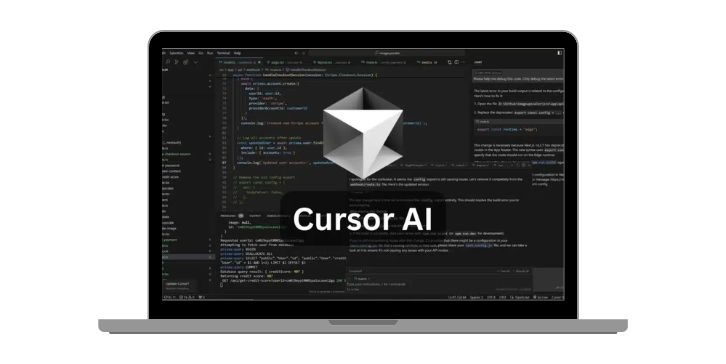
No. Cursor AI does not store long-term memory across conversations. When you close a chat and start a new one, Cursor does not recall what you said in the previous chat. It works only with the text, files and instructions you provide in the current session.
Cursor does not build a profile of you, your coding style or your previous prompts.
Each chat is a new, isolated session.
How Cursor AI Uses Short-Term Context Inside a Session
Cursor keeps track of messages only while your current chat window is open. This is short-term context. It allows Cursor to follow your coding steps, answer with clarity and continue from where you left off inside the same conversation.
This short-term memory helps with tasks like:
- Multi-step coding instructions
- Updates to your code based on earlier prompts
- Handling long files or multiple file interactions
- Tracking logic within the same chat
When the session ends, this context clears.
How Cursor Interacts With Project Files
Cursor can read your open files when you ask it to. This helps the AI understand your code structure and give accurate suggestions. But this is not memory. Cursor does not store these files for future sessions.
Inside a session, Cursor can:
- Read Python, JavaScript, TypeScript or other code files
- Scan project directories
- Understand functions, imports and dependencies
- Work with multiple files at once
Once the session closes, Cursor forgets the content unless you reopen the file and send it again.
Chat History vs Actual AI Memory
Cursor saves chat history so you can open past conversations manually. But this is not AI memory. Cursor does not use your old chats to improve, learn or shape its behavior.
Chat history:
- Stored for user convenience
- Lets you review or copy past messages
- Not used by AI for training or memory
AI memory:
- Stores personal preferences
- Tracks long-term behavior
- Remembers details across sessions
Cursor does not provide AI memory.
Why Cursor Cannot Remember Past Conversations
Cursor is designed to avoid long-term memory for privacy and security reasons. Your code stays private, and your conversations do not feed ongoing memory systems.
Cursor does not remember past chats because:
- It uses only short-term session context
- It does not write personal data into memory
- It does not store your project structure for later
- It does not reference past sessions when responding
- It resets context each time
This makes Cursor predictable and safe for coding work.
What Cursor “Remembers” Inside One Session
Cursor may seem like it has memory, but it only uses information currently in front of it. Examples include:
- Your last few messages
- Code you pasted or opened
- Instructions inside the same chat
- Edits it suggested earlier in the conversation
Once the chat ends or you switch away, this temporary context disappears.
Privacy and Data Handling in Cursor AI
Cursor focuses on user privacy. It reads files only when you share them and does not save them as memory for the future. Chat logs may exist for your own viewing, but the AI itself does not use them to “learn” about you.
Cursor typically handles:
- Local project access
- Temporary context for coding
- Non-persistent session data
Cursor does not store:
- Long-term user information
- Past project files
- Personal data for memory
- Behavioral patterns
- Coding styles across sessions
This design keeps your work secure.
How Cursor Differs from ChatGPT Memory
ChatGPT has an optional long-term memory feature to store user details and preferences. Cursor does not offer this. Cursor works more like a coding assistant that responds only to immediate context.
ChatGPT Memory:
- Records your preferences
- Remembers details across chats
- Offers personalization
Cursor AI:
- Only uses current-session context
- No long-term memory
- No saved user profile
This helps users avoid confusion when switching between AI tools.
Conclusion
Cursor AI does not track memory across conversations. It uses short-term context inside a session and reads open files only when needed. When you start a new chat, Cursor begins fresh with no stored data from earlier conversations. This makes Cursor safe for coding, private for users and predictable in behavior. If this guide helped you understand Cursor memory more clearly, feel free to share it or leave your thoughts.