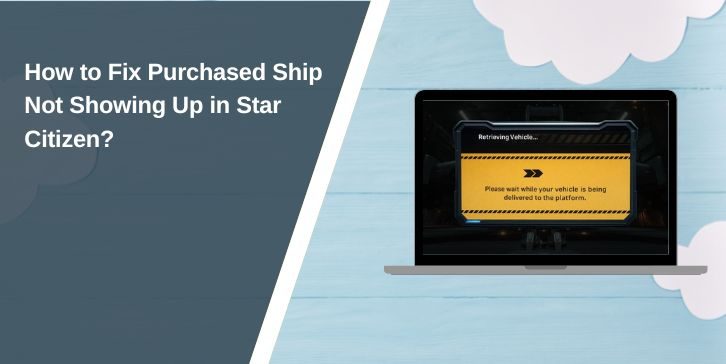
Buying a ship in Star Citizen feels exciting, until you log in and the ship is nowhere to be found. You check the ASOP terminal, refresh the screen, maybe relog, but the ship still doesn’t show. That’s stressful, especially since real money is involved.
This guide explains what it means when a purchased ship doesn’t appear, why it happens, and how to fix it using eight clear methods. You’ll also learn how to avoid this problem in the future.
What Does Purchased Ship Not Showing Up Mean in Star Citizen?
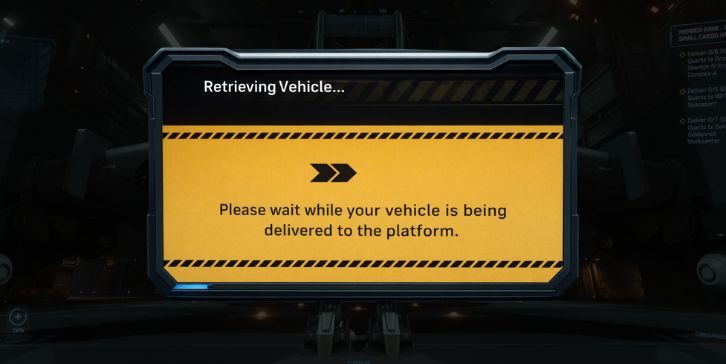
When this issue happens, Star Citizen fails to display a ship that is already tied to your RSI account. The ship exists as an account entitlement from the Pledge Store, but the game does not load it into your active ship list. This usually points to a sync or server-side issue, not a lost purchase.
Players usually notice this at the ASOP terminal, after logging in, or right after a patch. The hangar feels empty, even though the ship should be there.
Common Causes of Purchased Ship Not Showing Up
This issue can happen for several reasons, depending on account sync, servers, and recent updates.
- RSI account entitlements not synced with game servers
- Backend server delays after patches or free-fly events
- ASOP terminal not loading full ship list
- Ship stored at a different location
- Character data desync
- Temporary loaner replacing the purchased ship
- Purchase processing delay
- Known bugs after updates
How to Fix Purchased Ship Not Showing Up in Star Citizen?
Most fixes relate to syncing your account with the game or refreshing how the server loads your data. Start with the simple checks before moving to advanced options.
Fix #1: Check Your RSI Account Hangar
Your RSI account hangar confirms whether the purchase exists on your account. If the ship is missing there, the game cannot load it.
Follow the steps below to confirm your ship purchase.
- Go to the RSI website.
- Log into your RSI account.
- Open your Hangar page.
- Look for the purchased ship.
- Confirm the pledge status is active.
- Check if it lists a loaner ship.
Fix #2: Relog and Switch Servers
Star Citizen uses server shards. Sometimes your current server doesn’t sync new data correctly. Logging out forces a fresh session.
Here’s how you can refresh your game session.
- Exit to the main menu.
- Close the game completely.
- Restart the launcher.
- Log back into the game.
- Join a new server region if possible.
Fix #3: Check All ASOP Terminals at Your Location
Not all ASOP terminals load ship lists the same way. Some terminals bug out and hide ships.
Try these steps to check ship terminals properly.
- Go to another ASOP terminal nearby.
- Interact with it again.
- Scroll through the full ship list.
- Check ship filters if available.
- Move to another station if needed.
Fix #4: Verify Ship Location and Insurance Status
Ships persist across locations in Star Citizen. If you last stored the ship at a different station, it may not appear where you are now. Insurance claims can also hide ships temporarily while processing.
Travel to your last known ship location or wait for insurance timers to complete before checking again.
Fix #5: Wait for Backend Sync After Purchase or Patch
After major patches or high-traffic events, Star Citizen servers can take time to sync account entitlements. During this time, ships may not appear even though they are owned.
Waiting a few hours and logging in later often resolves this without any action.
Fix #6: Perform a Character Repair or Reset
Character repair refreshes your account data without deleting purchases. It often fixes missing ships caused by database desync.
Perform the following steps carefully to reset your character.
- Log into your RSI account.
- Go to account settings.
- Find the character repair option.
- Confirm the reset.
- Wait for the cooldown period.
- Log back into the game after completion.
Fix #7: Check If the Ship Was Replaced by a Loaner
Some ships are not always available in-game. Star Citizen may provide a loaner ship instead, which appears in the ASOP terminal.
Check your RSI hangar to see if a loaner is listed. If so, the original ship may not appear directly.
Fix #8: Contact Cloud Imperium Games Support
If none of the fixes work and the ship is missing from gameplay, support can manually verify your entitlement.
These are the exact steps to contact support successfully.
- Visit the RSI support page.
- Open a new support ticket.
- Include purchase confirmation details.
- Describe the issue clearly.
- Attach screenshots if possible.
Prevention Tips to Avoid Missing Ships in the Future
Prevention saves time and stress after purchases or updates.
- Always confirm purchases in the RSI hangar
- Log out fully after buying ships
- Avoid purchases during peak events
- Track ship storage locations
- Read patch notes after updates
- Keep screenshots of receipts
- Use only the official launcher
Conclusion
In short, when a purchased ship does not show up in Star Citizen, it usually means the game hasn’t synced your account data yet. The ship is rarely lost, even if it looks missing at first. Server delays, ASOP bugs, or character data issues are the most common reasons.
Try the fixes one by one and give the servers time to update. If the issue continues, Cloud Imperium Games support can confirm your purchase. If this guide helped you, share it with others and leave a comment about which fix worked for you.