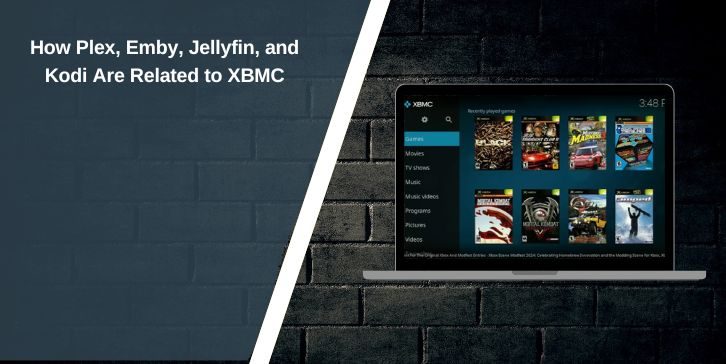
If you’ve used media apps for a long time, you’ve probably seen the name XBMC pop up. Maybe in old forum posts. Maybe inside Kodi settings. This article explains how XBMC connects to Kodi, Plex, Emby, and Jellyfin.
They are not the same thing, but they share a common history. Once you see that history, the confusion fades.
What XBMC Originally Was?
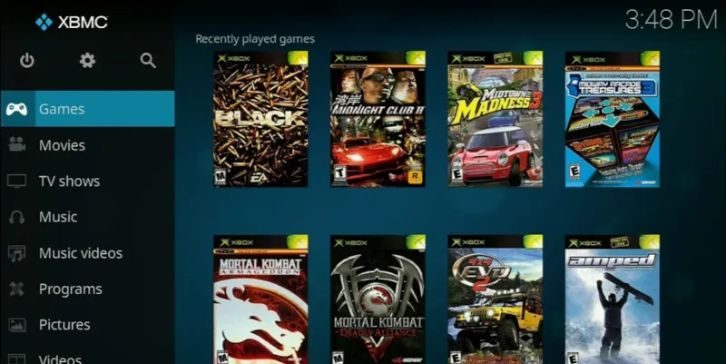
XBMC started as Xbox Media Center. It ran on the original Xbox console. People used it to play videos, music, and photos stored locally. Over time, developers pushed it beyond the Xbox. It began running on PCs and other systems.
XBMC mattered because it was open-source. Anyone could improve it. That openness helped it grow fast. Features such as library views, metadata scraping, and remote control support emerged from this early work. These ideas later shaped many other media tools.
Why XBMC Changed Its Name to Kodi?
As the software moved away from the Xbox, the name became a problem. XBMC still worked, but the name tied it to Microsoft hardware.
The project renamed itself to Kodi to:
- Remove Xbox branding
- Support more platforms
- Avoid legal and trademark limits
The software did not reset. The codebase continued. Kodi is not a new project. It is XBMC under a new name.
Kodi and XBMC Are the Same Line of Software
Kodi is the direct continuation of XBMC. Nothing branched here.
- Same open-source project
- Same media player focus
- Same add-on system roots
- Same goal of local playback
When people say “Kodi is based on XBMC,” they mean this literally. XBMC became Kodi.
How Plex Came From XBMC but Changed Direction
Plex started as a fork of XBMC. Early Plex developers used XBMC code and ideas, but they wanted a different result. They focused on streaming media across devices.
Plex moved toward a client-server model. One device stores and manages media. Other devices stream from it. Over time, Plex added user accounts, remote access, and cloud-linked features. That path pushed Plex away from the original XBMC goal of local playback.
Where Emby Fits Into the Picture
Emby did not fork directly from XBMC. Instead, it followed the same idea Plex popularized. Emby focuses on hosting your media in one place and streaming it to many clients.
Emby shares design ideas with Plex:
- Central media server
- Multiple device clients
- Library management and metadata
Later, parts of Emby became closed-source. That choice affected its community and led to another split.
Why Jellyfin Exists and How It Relates
Jellyfin is a fork of Emby. It exists because some developers wanted a fully open-source media server again.
Jellyfin keeps the server-client model but removes paid features and closed code. While Jellyfin does not use XBMC code directly, the influence still shows. Library layout, metadata handling, and playback ideas trace back to XBMC’s early design.
Media Player vs Media Server: The Key Difference
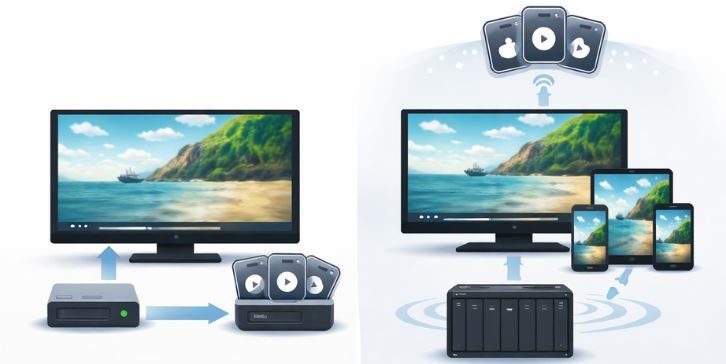
This is where many users get mixed up.
Kodi:
- Runs as a media player
- Plays files directly on the device
- Works best with local storage
Plex, Emby, Jellyfin:
- Run as media servers
- Stream content to other devices
- Separate server and client roles
XBMC started as a player. Kodi stayed that way. Plex and the others went server-first.
Why These Platforms Still Feel Similar
Even today, these apps feel related. That’s not random.
They share:
- Library-based browsing
- Poster and metadata layouts
- Episode and season grouping
- Similar playback controls
These ideas began with XBMC. Each project kept what worked, then moved in its own direction.
Which One Makes Sense Today?
Different tools suit different needs.
- Kodi works best for local playback on one device
- Plex suits remote streaming and sharing
- Emby fits users who want control with some extras
- Jellyfin suits users who want full open-source setups
None replaces the others completely. They just solve different problems.
One Root, Many Paths
XBMC sits at the root of this family. Kodi is its direct continuation. Plex branched off and built a server model. Emby followed that model. Jellyfin split to keep things open.
Once you know this, the names stop feeling random. If you use any of these tools, you’re still seeing ideas that started with XBMC years ago.
If you’ve used more than one of these platforms, share your experience in the comments. Others often learn faster from real setups than from specs alone.