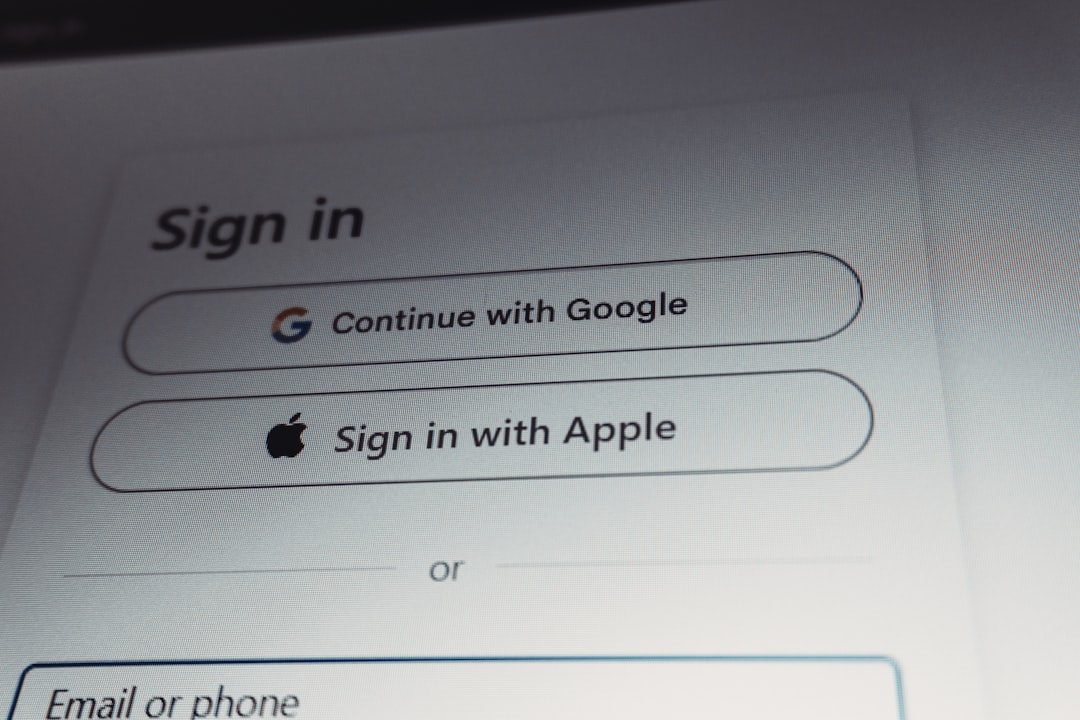
VRChat has grown into one of the most popular social virtual reality platforms in the world, connecting millions of users across diverse communities. As the platform expands, so do its safety and compliance requirements. Age verification has become an increasingly important topic, especially as VRChat introduces age-restricted spaces, mature content filters, and enhanced safety tools. Understanding how age verification works, what documents are required, and how to avoid common issues can help you navigate the process smoothly and securely.
TLDR: VRChat age verification is designed to confirm that users meet minimum age requirements and access appropriate content. You typically need a valid government-issued ID and may be asked to complete a facial verification step through a secure third-party provider. The process is straightforward but must be completed carefully to avoid delays. Most issues arise from unclear ID photos, mismatched account details, or unsupported documents.
Why Age Verification Matters in VRChat
Age verification in VRChat is not simply a formality. It plays a critical role in:
- Protecting minors from inappropriate or mature content
- Enforcing community guidelines and legal compliance
- Restricting access to age-gated worlds or features
- Maintaining trust among users and creators
As virtual environments grow more immersive, platforms face increased regulatory pressure to ensure age-appropriate access. In many jurisdictions, digital platforms must demonstrate reasonable measures to prevent underage users from accessing adult spaces. Age verification helps VRChat remain compliant while supporting a safer community.
Minimum Age Requirements
VRChat requires users to be at least 13 years old to create an account. However, certain experiences or worlds may require users to be 18+. Age verification becomes particularly relevant when accessing:
- Mature or adult-themed worlds
- Communities that enforce strict 18+ entry policies
- Features tied to verified age status
Users who misrepresent their age risk account suspension or permanent bans. Providing inaccurate information during verification can also permanently affect access to certain features.
Accepted ID Requirements
To complete age verification, users generally need a valid, government-issued photo identification document. While availability may vary depending on location and the verification provider VRChat uses, commonly accepted documents include:
- Passport
- Driver’s license
- National identity card
- State or provincial ID card
The ID must:
- Be valid and not expired
- Clearly display your full name and date of birth
- Show a recognizable photograph
- Be free from physical damage that obscures details
Temporary documents, school IDs, library cards, or digital screenshots of IDs are typically not accepted. Attempting to upload altered or edited documents can result in immediate account penalties.

Step-by-Step Verification Process
Although the exact workflow may evolve, age verification in VRChat generally follows these steps:
1. Initiating Verification
Users start the process through:
- Account settings on the VRChat website
- A notification prompting age confirmation
- Access attempts to age-restricted content
You may be redirected to a secure third-party verification service. VRChat typically partners with specialized identity verification providers to ensure compliance and data security.
2. Uploading Your ID
You will be asked to take a photo of your government-issued ID using your smartphone or webcam. For best results:
- Use good lighting without glare
- Place the ID on a flat, dark surface
- Ensure all corners are visible
- Avoid cropping or covering any part of the document
The system automatically scans the image to confirm authenticity and read key information.
3. Facial Verification (Selfie or Live Scan)
Most systems require a live facial scan or selfie to confirm that the person submitting the ID matches the document photo. This may involve:
- Taking a selfie
- Recording a short video
- Completing a brief movement prompt (turning your head, blinking)
This liveness detection step helps prevent identity theft and fraud.

4. Automated Review and Confirmation
Once submitted, the verification system reviews your information. In many cases, approval happens within minutes. However, manual review may be required if:
- The image is unclear
- The document type is less common
- System confidence levels are low
You will receive confirmation via email or directly in your account dashboard.
How Long Does Verification Take?
Most users complete verification within 5 to 15 minutes. Automated verification is typically fast, but manual review can take anywhere from several hours to a few business days.
Delays are more common during high-demand periods or when submitted images require additional checks.
Privacy and Data Security Considerations
A major concern for users is the safety of their personal information. Reputable verification providers typically:
- Encrypt personal data during transmission
- Store data securely and temporarily
- Limit information shared back to VRChat
- Comply with regional privacy laws such as GDPR or CCPA
In most cases, VRChat does not directly store your ID document. Instead, it receives confirmation that your age has been verified.
Carefully review privacy policies before submitting your documents, and always ensure you are on the official VRChat website.
Common Issues and How to Fix Them
Even though the process is designed to be simple, several common problems can prevent successful verification.
1. Blurry or Glare-Filled Photos
Problem: The system cannot read your ID details due to poor image quality.
Solution:
- Retake the photo in natural light
- Avoid flash reflections
- Clean your camera lens before capturing
2. Mismatched Account Information
Problem: The name or date of birth on your ID does not match what’s listed in your VRChat account.
Solution:
- Update your account details before verification if possible
- Contact VRChat support if changes are restricted
3. Expired Identification
Problem: Your ID is no longer valid.
Solution: Use a renewed document or an alternative accepted ID type.
4. Regional Restrictions
Problem: Certain identification types may not be supported in every country.
Solution: Check the verification provider’s list of accepted documents or contact support for clarification.
5. Facial Recognition Failure
Problem: The selfie does not match the ID photo sufficiently.
Solution:
- Remove hats or glasses
- Ensure proper lighting
- Maintain a neutral facial expression
What Happens If Verification Fails?
If your verification attempt fails, you are usually allowed to retry after addressing the issue. However, repeated failed attempts may temporarily lock the process. In such cases, contacting official support is the safest approach.
Avoid using someone else’s ID or attempting to manipulate images. Doing so almost always results in permanent account penalties.
Access After Successful Verification
Once verified, your account may receive:
- Access to 18+ worlds
- An age-verified status indicator
- Fewer access restrictions in age-gated communities
Verification does not override community rules. Individual world moderators may still enforce their own entry requirements.
Best Practices for a Smooth Experience
To complete the process efficiently, follow these guidelines:
- Use a modern smartphone with a high-resolution camera
- Ensure your legal name matches your account data
- Verify through the official VRChat website only
- Complete the process in one sitting if possible
- Use a stable internet connection
Preparation prevents most verification problems.
Final Thoughts
Age verification in VRChat reflects the platform’s ongoing effort to balance freedom of expression with responsible community management. While submitting identification can feel intrusive, it plays a crucial role in protecting users and maintaining access to mature or sensitive areas of the platform.
The process is typically fast, secure, and handled by professional verification providers. Most issues stem from simple technical mistakes that can be corrected with better lighting or updated information. By approaching verification carefully and honestly, users can ensure uninterrupted access and contribute to a safer virtual environment.
As VRChat continues to evolve, age verification standards may expand in response to new regulations and safety expectations. Staying informed and prepared will help you navigate these changes confidently and responsibly.