Starting a WordPress blog in 2026 is still one of the most practical ways for a beginner to build an online presence, publish helpful content, and create long-term income. Although social platforms change quickly, a self-hosted WordPress blog gives the publisher control over branding, content, search visibility, email growth, and monetization.
TLDR: A beginner should start with self-hosted WordPress.org, choose reliable hosting, install a lightweight theme, and use essential SEO and performance plugins only. Early success depends on publishing helpful content, optimizing for search intent, building an email list, and choosing monetization methods that fit the audience. The best approach in 2026 is to keep the site fast, trustworthy, and focused on a clear niche before chasing advanced tactics.
Why WordPress Is Still a Strong Blogging Platform in 2026
WordPress remains popular because it offers flexibility without requiring a beginner to become a developer. A blogger can start with a simple layout, then later add ecommerce, memberships, courses, display ads, affiliate content, or digital downloads. The platform has a large ecosystem of themes, plugins, tutorials, and hosting providers, which makes it easier to solve problems as the blog grows.
The biggest decision is choosing between WordPress.com and WordPress.org. For a serious blog, most beginners benefit from WordPress.org, which means the blogger owns the site files, controls monetization, and chooses a hosting provider. This option requires more setup, but it provides more freedom and long-term value.
Step 1: Choose a Profitable and Sustainable Niche
Before buying hosting or installing plugins, a beginner should define the blog’s niche. A niche does not need to be extremely narrow, but it should be clear enough that visitors understand what the blog is about. Strong beginner-friendly niches include personal finance, travel planning, home organization, parenting, food, fitness, software tutorials, career advice, local guides, and hobby education.
A good niche usually has three qualities:
- Audience demand: People are already searching for answers, reviews, comparisons, or tutorials.
- Content depth: The blogger can create dozens or hundreds of useful posts over time.
- Monetization potential: The niche supports affiliate products, ads, services, digital products, or sponsorships.
In 2026, search engines and readers reward sites that show experience, expertise, authority, and trust. A beginner does not need to be a world-class expert, but the blog should include original insight, real examples, transparent recommendations, and updated information.

Step 2: Pick the Right WordPress Hosting
Hosting is the foundation of a WordPress blog. Cheap hosting can work for testing, but poor speed, weak support, and frequent downtime can hurt growth. A beginner should look for hosting that balances affordability with reliability.
Important hosting features in 2026 include:
- Fast servers: Speed affects user experience, conversions, and search performance.
- Free SSL certificate: Every blog should load securely with HTTPS.
- Automatic backups: Backups protect the site from mistakes, hacks, and plugin conflicts.
- One-click WordPress installation: This simplifies setup for beginners.
- Staging environment: A staging site allows safe testing before changes go live.
- Helpful support: Responsive support is valuable when technical issues appear.
- Scalability: The host should allow upgrades when traffic increases.
For a brand-new blog, shared hosting or entry-level managed WordPress hosting is usually enough. Managed WordPress hosting often costs more, but it can handle updates, caching, security, and performance optimization more smoothly. A beginner with a serious publishing plan may find managed hosting worthwhile because it saves time and reduces technical stress.
Step 3: Register a Domain Name
A domain name should be simple, memorable, and easy to spell. Shorter names are usually better, but clarity matters more than cleverness. A beginner should avoid confusing spellings, unnecessary numbers, and names that are too close to existing brands.
A domain ending in .com is still widely trusted, but other extensions can work if they fit the brand. The name should also leave room for growth. For example, a blog name focused only on one product category may feel too limiting after the site expands into broader tutorials or reviews.
Step 4: Install WordPress and Set Up the Basics
Most hosts offer a guided WordPress installation. After installation, the blogger should complete several basic settings before publishing content:
- Set the site title and tagline.
- Choose a clean permalink structure, such as post name.
- Delete unused themes and plugins.
- Create essential pages, including About, Contact, Privacy Policy, and Disclaimer.
- Set up a professional email address connected to the domain.
A clean structure helps visitors and search engines understand the site. It also creates a more professional impression from the beginning.
Step 5: Choose a Lightweight Theme
A WordPress theme controls the appearance of the blog. Beginners often spend too much time changing colors, fonts, and layouts before creating content. A better approach is to choose a fast, mobile-friendly theme and keep the design simple.
In 2026, a strong theme should be responsive, accessible, compatible with the WordPress block editor, and optimized for Core Web Vitals. The blog should be easy to read on mobile devices, with clear headings, readable font sizes, obvious navigation, and minimal clutter.
A beginner should avoid installing many visual add-ons just to create a complex design. Heavy layouts can slow the site and distract from the main purpose: helping readers solve problems.
Step 6: Install Essential Plugins Only
Plugins add features to WordPress, but too many plugins can reduce speed and increase maintenance problems. A beginner should start with only the essentials and add more tools as the blog grows.
Useful plugin categories include:
- SEO plugin: Helps manage titles, meta descriptions, schema, sitemaps, and technical SEO settings.
- Caching and performance plugin: Improves loading speed and optimization.
- Security plugin: Helps block suspicious activity and protect login pages.
- Backup plugin: Creates restore points if something breaks.
- Image optimization plugin: Compresses images and supports modern formats.
- Analytics plugin: Connects the site to traffic data and user behavior insights.
The goal is not to collect tools. The goal is to keep the site stable, secure, fast, and easy to manage.
Best SEO Plugins for WordPress Beginners in 2026
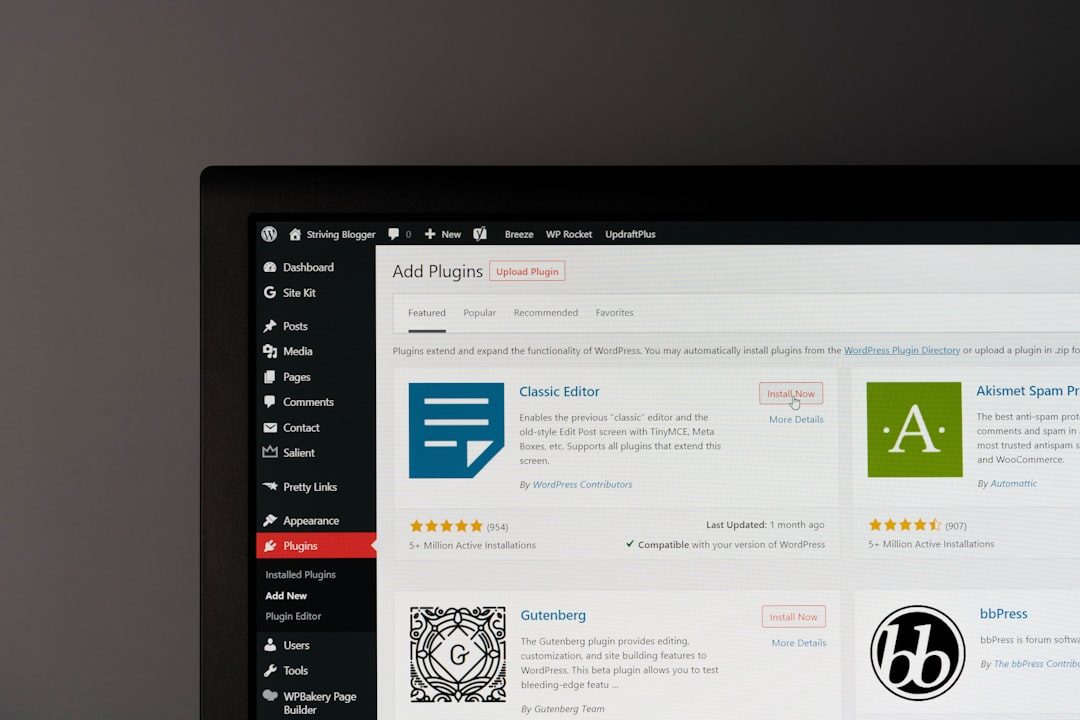
An SEO plugin does not guarantee rankings, but it helps a blogger avoid common technical mistakes. Popular choices include Yoast SEO, Rank Math, All in One SEO, and SEOPress. Each can help with metadata, XML sitemaps, canonical URLs, breadcrumbs, and structured data.
Yoast SEO is known for its beginner-friendly content analysis and long history in the WordPress ecosystem. Rank Math offers many features in a modern interface and is often attractive to users who want more built-in controls. All in One SEO provides a straightforward setup wizard and practical tools for small sites. SEOPress is a clean alternative for bloggers who prefer a less crowded interface.
A beginner should choose one SEO plugin, configure it properly, and avoid switching repeatedly. The most important settings include:
- Submitting an XML sitemap to search engines.
- Writing custom title tags for important pages.
- Creating helpful meta descriptions.
- Using schema markup where appropriate.
- Preventing thin or duplicate pages from being indexed.
Step 7: Create an SEO Content Strategy
A successful blog needs more than random posts. A beginner should create a simple content strategy based on search intent. Search intent means understanding what the reader wants when typing a query into a search engine.
Common types of blog content include:
- How-to guides: Step-by-step tutorials that solve a specific problem.
- Comparison posts: Articles comparing tools, products, methods, or services.
- Best-of lists: Curated recommendations for a defined audience.
- Reviews: Honest evaluations based on experience, testing, or research.
- Informational posts: Answers to common questions in the niche.
In 2026, low-effort content is unlikely to perform well. A beginner should focus on originality, clear formatting, updated facts, and practical examples. Articles should include internal links to related posts, descriptive headings, optimized images, and a clear next step for the reader.
Step 8: Optimize Blog Posts Before Publishing
Every post should follow a basic optimization checklist. The title should be clear and include the main topic naturally. The introduction should quickly explain what the article covers. Headings should organize the content into readable sections. Images should have descriptive file names and alt text. Internal links should guide readers to related resources.
The blogger should also consider readability. Short paragraphs, bullet points, examples, and summaries make content easier to scan. A post that is easier to read often keeps visitors engaged longer, which can support better performance over time.
Step 9: Build an Email List Early
An email list is one of the most valuable assets a blog can build. Search traffic can fluctuate, social algorithms can change, and ad platforms can become more expensive. Email gives the blogger a direct way to reach readers.
A beginner can start with a simple offer, such as a checklist, template, mini guide, printable, or short email course. The offer should match the niche and solve a small but meaningful problem. For example, a budgeting blog might offer a monthly expense tracker, while a food blog might offer a weekly meal planning template.
Monetization Tips for Beginner WordPress Bloggers
Monetization should match the blog’s audience and stage of growth. A brand-new blog may not earn much immediately, but it can be built with monetization in mind from the start.
Common monetization methods include:
- Affiliate marketing: The blogger earns a commission when readers purchase through tracked links. This works well for tutorials, reviews, comparisons, and resource pages.
- Display ads: Ads can generate passive income once the blog receives consistent traffic. Beginners may start with basic ad networks and later apply to premium networks.
- Digital products: Templates, ebooks, planners, courses, and workshops can offer higher profit margins.
- Sponsored content: Brands may pay for articles, newsletter mentions, or product features once the blog has an engaged audience.
- Services: A blog can attract clients for coaching, consulting, writing, design, marketing, or technical support.
Trust is essential. A blogger should disclose affiliate relationships, recommend only relevant products, and avoid filling every article with promotions. Readers are more likely to buy when the content is genuinely useful.

Common Beginner Mistakes to Avoid
Many new bloggers quit too early because they expect fast results. Blogging is usually a long-term strategy. Search engines may take months to trust a new site, and content often needs time to rank, gain links, and attract returning readers.
Beginners should avoid these mistakes:
- Choosing a niche only because it seems profitable, without genuine interest or knowledge.
- Publishing many shallow posts instead of fewer helpful, complete articles.
- Changing themes and plugins constantly.
- Ignoring site speed and mobile usability.
- Forgetting legal pages, disclosures, and privacy requirements.
- Relying only on one traffic source.
A Simple 30-Day Launch Plan
A beginner can make the process manageable with a 30-day plan. During the first week, the blogger can choose a niche, register a domain, buy hosting, and install WordPress. During the second week, the site can be configured with a theme, essential plugins, analytics, and legal pages.
During the third week, the blogger can write and publish the first three to five strong posts. During the fourth week, the focus can shift to internal linking, email signup forms, basic promotion, and planning the next content cluster. This simple schedule reduces overwhelm and creates momentum.
Conclusion
Starting a WordPress blog in 2026 is not about chasing every new feature or installing every popular plugin. It is about building a fast, trustworthy, useful website that serves a specific audience. With reliable hosting, a clean theme, the right SEO plugin, helpful content, and a realistic monetization plan, a beginner can create a blog that grows into a valuable digital asset.
FAQ
Is WordPress still worth using for blogging in 2026?
Yes. WordPress is still one of the best choices for bloggers who want ownership, flexibility, SEO control, and multiple monetization options.
How much does it cost to start a WordPress blog?
A beginner can often start with the cost of a domain, hosting, and possibly a premium theme or plugin. The exact amount depends on the hosting plan and tools selected.
Which hosting type is best for a beginner?
Entry-level managed WordPress hosting or reliable shared hosting is usually enough for a new blog. Managed hosting is often easier for beginners who prefer less technical maintenance.
What is the best SEO plugin for WordPress?
There is no single best option for every site. Yoast SEO, Rank Math, All in One SEO, and SEOPress are all strong choices. A beginner should choose one and learn how to configure it correctly.
How long does it take for a new blog to make money?
Many blogs take several months to earn consistent income. Results depend on niche, content quality, traffic, monetization strategy, and publishing consistency.
How many blog posts should be published before monetizing?
There is no fixed number, but a blog should have enough useful content to build trust. Many beginners start adding affiliate links early while waiting until traffic grows before focusing heavily on ads or sponsorships.
Can a beginner start a blog without technical skills?
Yes. Modern hosting dashboards, WordPress themes, and plugins make setup much easier. However, the blogger should still be willing to learn basic site management, SEO, and content planning.