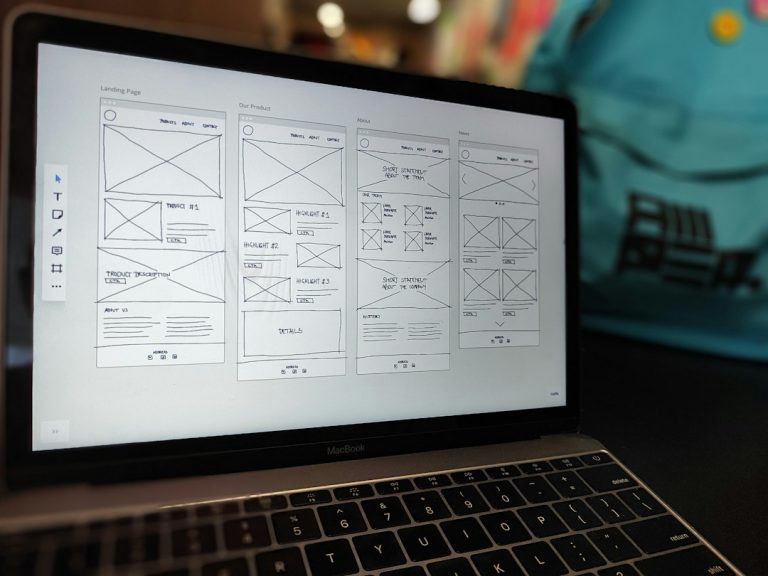
Figma Make saves more time for early product thinking, while code-to-design tools save more time when a real codebase already exists. Figma describes Figma Make as an AI tool that turns prompts and Figma designs into working prototypes [source: Figma]. That makes it useful when a team needs to test an idea fast, not rebuild production screens by hand.
TLDR: Figma Make is usually faster for new flows, pitch concepts, and clickable prototypes. Code-to-design tools are faster when the team needs to pull existing UI from React, HTML, or CSS into a design file. For example, a product team building an 8-screen onboarding flow may cut a 6-hour wireframe session to about 90 minutes with Figma Make, while a code-to-design tool may save 40% to 60% of cleanup time when updating a design system from live code. The better choice depends on whether the team starts from an idea or from shipped code.
Where Figma Make Wins
Figma Make is strongest when the work starts with a blank page. A product manager can describe a dashboard, a designer can add brand direction, and the tool can produce a rough working version. It will not be perfect. Still, it gives the team something to react to.
That matters. Blank screens eat time. Meetings stretch. People argue about labels before the layout even exists. With Figma Make, the first draft appears faster, so the team can attack the real problems sooner.
Figma Make is useful for:
- Rapid concept testing before design polish begins.
- Internal demos when stakeholders need to see an idea, not read a spec.
- Alternate flows such as checkout, signup, pricing, and onboarding.
- Early product discovery where speed matters more than clean structure.
The annoying part is that AI output still needs control. Text can be too generic. Spacing may feel off. Components may not match the design system. Honestly, it feels like getting a very quick junior draft: helpful, but not ready to ship.
Where Code-to-Design Tools Win
Code-to-design tools solve a different pain. They help teams turn coded interfaces into editable design layers. This is helpful when the product already exists, but the design file is stale.
It drives teams crazy when production has changed 20 times while the Figma file still shows last quarter’s version. In that case, Figma Make is not the best fix. The team does not need a new idea. It needs design files that match reality.
Code-to-design tools are better for:
- Auditing live UI against design system rules.
- Syncing shipped pages back into Figma or another design space.
- Recovering missing design files from an existing app.
- Documenting components already built by engineers.

The catch is cleanup. Imported layers can be messy. Auto layout may break. Names can look like “div div container copy.” Designers may still spend time fixing hierarchy, grouping elements, and replacing raw shapes with real components.
Which One Saves More Time?
The faster workflow depends on the starting point.
- Starting from an idea: Figma Make is usually faster.
- Starting from an existing app: code-to-design is usually faster.
- Starting from a messy design system: code-to-design helps expose gaps.
- Starting from a stakeholder request: Figma Make helps create a quick demo.
A simple rule works well: if the team needs to imagine, use Figma Make; if the team needs to match what exists, use code-to-design.
For a new mobile feature, Figma Make may cut the first draft from a full afternoon to under two hours. For a mature SaaS product with hundreds of screens, code-to-design may save days because no one has to redraw live pages screen by screen.
Best Workflow for Real Teams
The best teams do not treat these tools as rivals. They use both at different points.
- Use Figma Make first to create rough flows and test product ideas.
- Refine in Figma with real components, spacing, and content.
- Build in code once the flow is approved.
- Use code-to-design later to compare shipped UI with the design source.
This creates a cleaner loop. Ideas move faster at the start. Code stays closer to design after release. Nobody wastes a full day redrawing a page just because the source of truth drifted again.

Final Verdict
Figma Make saves more time during creation. It helps teams turn rough thoughts into something visible. That speed is useful for product managers, founders, designers, and anyone who needs feedback before spending serious design hours.
Code-to-design tools save more time during maintenance. They help teams bring real interfaces back into the design process. That is valuable when a product grows fast and design files fall behind.
The smartest answer is not one tool for every job. It is choosing based on the source material. New idea? Figma Make. Existing code? Code-to-design. Mixed workflow? Use both, but keep a human designer in charge.
FAQ
-
Is Figma Make a replacement for designers?
No. It speeds up early drafts, but designers still need to fix structure, usability, content, and visual quality. -
Are code-to-design tools accurate?
They can be helpful, but results often need cleanup. Layer names, grouping, and component mapping may still take time. -
Which tool is better for startups?
Figma Make is often better at the start because startups need fast prototypes and investor-ready demos. -
Which tool is better for large product teams?
Code-to-design tools can be more useful for large teams with shipped products, old files, and design system drift. -
Can both workflows be used together?
Yes. A team can use Figma Make for new concepts, then use code-to-design tools later to keep production screens aligned with design files.