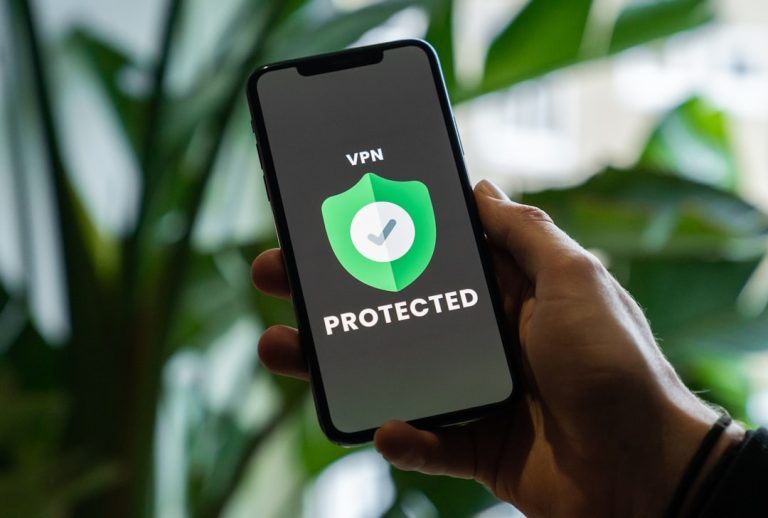
The fastest way to check an iPhone for viruses is to update iOS, review unknown apps, inspect VPN and device management profiles, check battery and data spikes, and scan for scam links with a trusted security app. A normal iPhone does not get “viruses” like a Windows PC because Apple uses sandboxing, code signing, and App Store review to limit what apps can touch [source: Apple]. The real risks are usually phishing, unsafe profiles, fake calendar spam, shady Wi-Fi, stolen Apple ID access, or spyware on a jailbroken device.
TLDR: Apple’s built-in security is the first line of defense, and for most iPhone owners it is enough. Malwarebytes is better for blocking scam sites, texts, and suspicious links, while Norton adds broader extras like VPN, Wi-Fi alerts, and identity tools. For example, if an iPhone usually loses 8% battery overnight but suddenly drops 35%, the owner should check battery usage, unknown profiles, and account logins before blaming a “virus.”
Can an iPhone Really Have a Virus?
An iPhone can be attacked, but a classic virus is rare. Apple blocks apps from freely reading other apps, system files, messages, and photos. That makes a normal virus scan almost impossible on iOS. It also makes common malware harder to run.
The catch is that “harder” does not mean “safe forever.” A user can still tap a fake delivery link, install a harmful configuration profile, reuse a stolen password, or approve a suspicious sign-in. Jailbroken iPhones are at much higher risk because many of Apple’s limits are removed.
How Apple Security Checks an iPhone
Apple does not offer a big red “scan for viruses” button. Instead, the owner checks for signs that something is wrong. The most useful steps are simple:
- Update iOS: Go to Settings > General > Software Update. Security fixes matter.
- Check unknown apps: Remove apps that look odd, were not installed on purpose, or ask for too many permissions.
- Review profiles: Go to Settings > General > VPN & Device Management. Delete any profile the owner does not recognize.
- Check battery usage: Go to Settings > Battery. An unknown app using heavy power is a warning sign.
- Check mobile data: Go to Settings > Cellular. Look for apps using strange amounts of data.
- Review Apple ID devices: Go to Settings > Apple ID. Remove unknown devices and change the password.
- Clear Safari trouble: Remove odd pop-ups, clear website data, and close scam pages.
Apple’s tools are strong, quiet, and built in. They are also limited in a frustrating way: they rarely explain what is happening. A user may see battery drain or pop-ups, but iOS does not always say, “This was caused by that app.” Honestly, it feels like Apple sometimes expects users to guess.
Malwarebytes for iPhone: Best for Scam Blocking
Malwarebytes for iOS is not a traditional antivirus scanner. It cannot dig through the iPhone file system and inspect every app. Apple does not allow that. Instead, it focuses on practical iPhone threats.
Its strengths include web protection, scam call and text filtering, and blocking links tied to phishing or fraud. That makes it useful for people who often receive fake bank texts, parcel scams, crypto bait, or suspicious calendar invites.
Malwarebytes is usually light and simple. It is a good fit for users who want fewer scam links without a heavy bundle of extras. The downside is clear: anyone expecting a deep “virus scan” may feel let down. On iPhone, that scan is not really possible in the desktop sense.

Norton for iPhone: Best for Extra Protection
Norton 360 for iOS takes a wider approach. It often includes web protection, Wi-Fi security alerts, VPN, SMS protection, and identity-related features, depending on the plan and region.
This can help frequent travelers, remote workers, or people who use public Wi-Fi in hotels, airports, or cafés. The VPN is useful when a user does not trust the network. Wi-Fi alerts can also warn about weak or risky connections.
The annoying part is the app can feel heavier than Malwarebytes. There are more panels, more settings, and more prompts. Expect to waste time turning off features that do not matter to every user. Still, for someone who wants an all-in-one security package, Norton is the stronger choice.
Apple Security vs Malwarebytes vs Norton
| Option | Best For | Main Limit |
|---|---|---|
| Apple Security | Built-in protection, app control, updates, privacy permissions | No simple full-virus-scan button |
| Malwarebytes | Phishing links, scam texts, unsafe websites | Not a full system scanner |
| Norton | VPN, Wi-Fi checks, web protection, identity tools | Can feel busy and subscription-heavy |
What To Do If an iPhone Seems Infected
If an iPhone acts strange, the owner should start with the basics. Restart it. Update iOS. Delete suspicious apps. Remove unknown profiles. Change the Apple ID password. Turn on two-factor authentication. Check trusted phone numbers and recovery email addresses.
If pop-ups keep returning, Safari website data should be cleared. If spam calendar events appear, the owner should remove unknown calendar subscriptions. If the phone is jailbroken, the safest fix is to back up important data and restore the iPhone to factory settings.

FAQ
Can an iPhone get a virus from a website?
It is rare, but scam websites can trick the owner into installing profiles, sharing passwords, or calling fake support numbers. The page itself usually is not the main danger. The action it pushes is.
Can Malwarebytes scan an iPhone for viruses?
Malwarebytes cannot scan the whole iPhone like a desktop antivirus. It mainly blocks scam websites, phishing links, and suspicious messages.
Is Norton better than Apple’s built-in security?
Norton is not a replacement for Apple security. It adds extras such as VPN, Wi-Fi warnings, and web protection. Apple still handles the core iOS defenses.
What is the biggest warning sign of iPhone malware?
Unknown profiles, sudden battery drain, strange data usage, repeated scam pop-ups, or Apple ID sign-in alerts are major warning signs.
Should every iPhone owner install antivirus?
Not always. Careful users may be fine with Apple’s built-in tools. Users who click many links, travel often, or receive lots of scam texts may benefit from Malwarebytes or Norton.