Creating a professional and memorable logo is a critical step for any brand or business. However, hiring a graphic designer can be expensive and time-consuming. This is where online logo makers come in — user-friendly tools that allow virtually anyone to design a logo quickly and affordably. But with so many options out there, how do you know which one is right for you?
TL;DR
Online logo makers offer a fast and cost-effective solution for businesses and individuals to create branding assets. Tools like Looka, Canva, and Wix Logo Maker provide customizable options, but differ in features, ease of use, pricing, and file formats. Some shine in AI assistance, others in design flexibility. This guide explores each tool’s strengths and weaknesses so you can make the best choice for your needs.
1. Looka (Formerly Logojoy)
Best for: AI-assisted logo generation with brand kit integration
Looka is an AI-powered logo maker that walks users through a step-by-step wizard that helps curate design preferences like color palette, icon style, and font type. It’s particularly useful for those who want a straightforward process and a polished, corporate-looking result.
- Features: AI-based logo generation, brand kit, social media assets, website and business card mockups
- Pricing: One-time fee of $20 for a basic logo, or $65 for a logo & brand kit bundle
- Pros: Quick and intuitive; extensive brand kit for a full identity package
- Cons: Limited customization after logo generation; additional costs for editable files

2. Canva Logo Maker
Best for: Creative flexibility and a vast library of design elements
Canva has quickly become one of the most popular graphic design tools online — its logo maker is an extension of the platform’s easy drag-and-drop interface. You can either start from scratch or pick from thousands of logo templates.
- Features: Full creative control, drag-and-drop editor, access to millions of stock assets, free downloadable logos
- Pricing: Free basic plan; Pro plan is $12.99/month and unlocks premium assets and tools
- Pros: Extremely user-friendly; highly customizable designs; useful for other graphic needs too
- Cons: Final logos aren’t always as ‘logo-first’ compared to more specialized tools; some graphics usage may be restricted under free version
3. Wix Logo Maker
Best for: Small businesses that also need a website
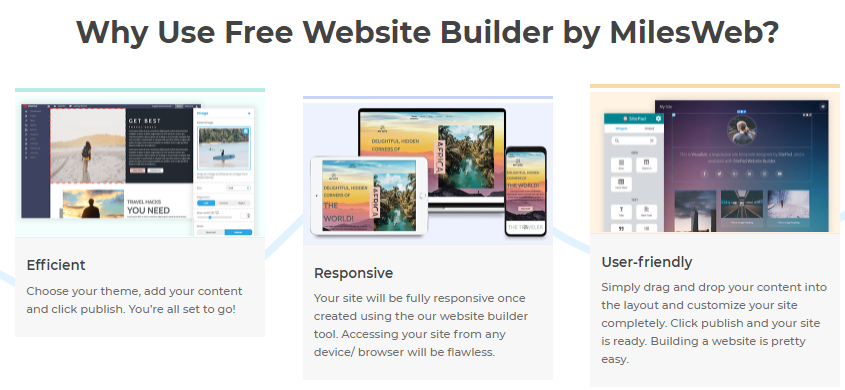
The Wix Logo Maker uses AI to generate logos based on your brand’s style and industry. What makes it unique is its seamless integration with Wix’s website builder, allowing businesses to achieve a consistent look across their digital presence.
- Features: AI-driven logo creator, full brand kit, easy website integration, social media files
- Pricing: Basic logo package starts at $20; full commercial use license is $50
- Pros: Cohesive branding through logo and website; easy for beginners
- Cons: AI sometimes produces generic results; requires payment to download high-res files
4. Hatchful by Shopify
Best for: Entrepreneurs and Shopify users looking for free tools
Hatchful is a free logo generator powered by Shopify and tailored toward small businesses and e-commerce entrepreneurs. While not as feature-packed as some others, it’s very accessible.
- Features: Customizable templates, industry-specific suggestions, drag-and-drop tools
- Pricing: Completely free
- Pros: No cost at all; quick setup; beginner-friendly interface
- Cons: Limited design flexibility; fewer customization options compared to competitors
5. Tailor Brands
Best for: Brand development and ongoing design needs
Tailor Brands isn’t just a logo maker — it’s a complete branding platform that offers business cards, social media tools, even LLC creation. The logo tool heavily relies on AI to match business goals and design aesthetics.
- Features: AI-powered design, brand books, vector files, business tools
- Pricing: Starts at $3.99/month (billed annually)
- Pros: Comprehensive branding suite; great for startups who plan to scale
- Cons: Subscription model can be pricey if you only need a logo
6. DesignEvo
Best for: Free, quick logo downloads without sign-up
DesignEvo offers 10,000+ templates and a no-frills logo editor perfect for quick ideas or budget-conscious users. You can download low-resolution logos for free or pay for high-res options.
- Features: 10,000+ templates, icon library, font customization, cloud saving
- Pricing: Free for low-res; Basic Plan at $24.99 for high-res files
- Pros: No registration required; vast template library
- Cons: Limited creative tools; better for concept logos than final designs
7. LogoMakr
Best for: DIY users who want maximum control over design
LogoMakr is a simple online editor where you start with a blank canvas and add elements manually. This gives the user full control, but it also means more effort is required compared to AI-assisted platforms.
- Features: Real-time editing, graphic search, PNG file export
- Pricing: Free with watermark; $29 for high-res versions
- Pros: Greater freedom in design; intuitive interface
- Cons: No templates; manual effort needed for best results
Final Thoughts
Online logo makers have revolutionized how entrepreneurs, freelancers, and businesses approach branding. Each platform has its strengths — whether it’s the AI-assisted convenience of Looka and Wix, the creative power of Canva, or the comprehensive branding suite in Tailor Brands. Your ideal choice will depend on your needs: Are you just starting out? Do you need more than just a logo? Is budget your top concern?
Here’s a quick comparison to help you decide: