
Google Docs is great. It is simple, free, and easy to share. But it is not perfect for every team. Some teams need better folders. Some need stronger security. Others just want a workspace that feels less like a blank page and more like mission control.
TLDR: Google Docs is not the only game in town. Tools like Microsoft Word Online, Zoho Writer, Notion, Dropbox Paper, and Coda can make teamwork smoother. Some are better for writing. Others are better for wikis, projects, or document control. Pick the one that fits how your team actually works.
Let’s look at 9 Google Docs alternatives that can help your team write, share, organize, and manage documents with fewer headaches.

1. Microsoft Word Online
Best for: Teams that live in Microsoft 365.
Microsoft Word Online feels familiar. Very familiar. If your team already uses Word, Excel, Outlook, or Teams, this is an easy switch.
You can co edit documents in real time. You can leave comments. You can track changes. You can also store files in OneDrive or SharePoint. That makes document management much stronger than a pile of random shared links.
Why it is fun: It feels like classic Word, but with fewer “Where did I save that file?” moments.
- Great formatting tools.
- Strong version history.
- Works well with Teams.
- Good for formal business documents.
2. Zoho Writer
Best for: Teams that want a clean writing tool with smart features.
Zoho Writer is smooth, simple, and surprisingly powerful. It has real time collaboration, comments, review tools, and document automation.
It also connects with other Zoho apps. So if your team uses Zoho CRM, Projects, or Mail, this can fit nicely into your workflow.
One cool feature is its focus mode. It clears the clutter. You just write. Like a tiny spa day for your document.
- Clean interface.
- Good review and approval tools.
- Useful templates.
- Works well for contracts and proposals.
3. Dropbox Paper
Best for: Creative teams and quick brainstorming.
Dropbox Paper is simple. It is not packed with buttons. That is the point.
You can write notes, plan ideas, assign tasks, add media, and mention teammates. It is great for messy early drafts. It is also nice for meeting notes and creative briefs.
If your team already stores files in Dropbox, Paper feels like a natural add on.
Why it stands out: It makes collaboration feel light. No heavy menus. No scary settings. Just words, ideas, and checklists.
4. Notion
Best for: Teams that want docs, wikis, and project tracking in one place.
Notion is not just a document editor. It is more like a digital LEGO set. You can build pages, databases, wikis, task boards, calendars, and knowledge bases.
That makes it very powerful for document management. Instead of storing docs in boring folders, you can connect pages together. You can tag things. You can create dashboards. You can make your team wiki look less like a dusty filing cabinet.

- Great for company wikis.
- Flexible databases.
- Good templates.
- Simple sharing options.
Just remember this. Notion can get messy if nobody owns the structure. Give it a little planning. It will love you back.
5. Confluence
Best for: Product, engineering, and large internal teams.
Confluence, made by Atlassian, is built for knowledge sharing. It is often used with Jira. So software teams tend to like it.
You can create product specs, process docs, meeting notes, and internal guides. It also has spaces, permissions, page trees, and templates. These help teams keep documents organized.
This is not the tool for writing a cute picnic invite. It is the tool for keeping serious team knowledge in order.
- Strong knowledge base features.
- Great Jira integration.
- Useful permissions.
- Good for large teams.
6. Quip
Best for: Sales teams and Salesforce users.
Quip mixes documents, spreadsheets, chat, and tasks. It is owned by Salesforce. So it works especially well for teams that already use Salesforce.
A sales team can build account plans, notes, reports, and deal documents. They can also work together right inside the document. No need to jump between five tabs like a caffeinated squirrel.
Best part: It keeps conversation close to the work. Comments and chats live where the document lives.
7. OnlyOffice Docs
Best for: Teams that want strong document editing and more control.
OnlyOffice Docs feels close to Microsoft Office. It supports common file formats very well, including DOCX, XLSX, and PPTX.
It has co editing, comments, track changes, version history, and permissions. It can also be self hosted. That is a big deal for teams that care about data control.
If your company has strict security rules, OnlyOffice may be worth a serious look.
- Great file compatibility.
- Can be self hosted.
- Strong editing tools.
- Good for regulated teams.
8. Coda
Best for: Teams that want docs that act like apps.
Coda is a little magical. It starts as a document. Then it can grow into a tracker, dashboard, workflow, or mini app.
You can add tables, buttons, automations, charts, and integrations. Need a content calendar? Build it. Need a product roadmap? Build it. Need a snack voting system for Friday? Yes, build that too.
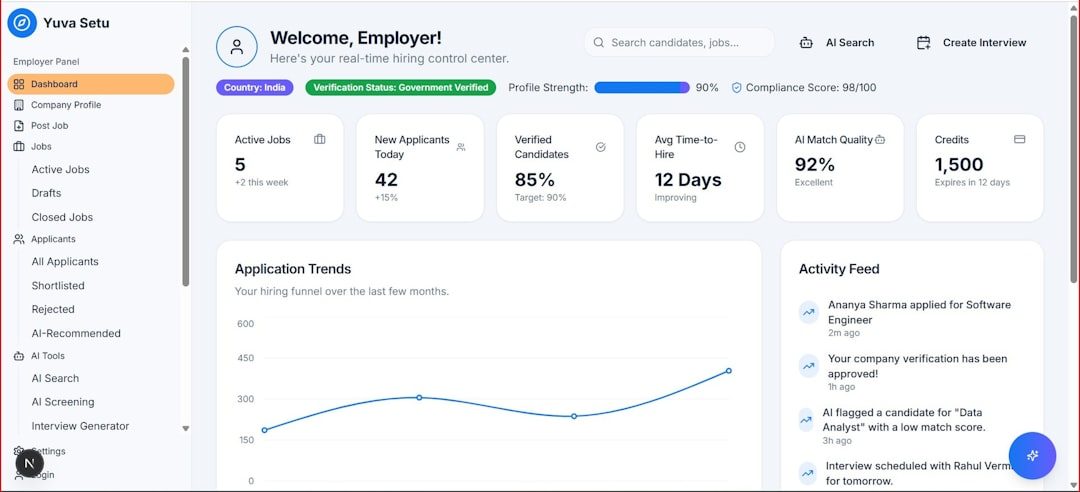
Coda is great when regular documents feel too flat. It brings structure and action into the page.
- Powerful tables.
- Useful automations.
- Fun interactive docs.
- Good for project workflows.
9. Slite
Best for: Remote teams that need a tidy knowledge base.
Slite is built for team documentation. It is clean, calm, and easy to use. Think of it as a friendly home for company knowledge.
You can create channels, docs, discussions, and decisions. It is especially good for remote teams that need clear written communication.
Slite also helps keep knowledge fresh. Old docs are a silent danger. They sit there. They smile. They lie. Slite makes it easier to review and organize them.
- Simple team wiki.
- Good for remote work.
- Clean writing experience.
- Helpful document organization.
How to Pick the Right Tool
Do not pick the shiniest tool. Pick the one your team will actually use.
Ask these questions:
- Do we need powerful formatting? Try Microsoft Word Online or OnlyOffice.
- Do we need a company wiki? Try Notion, Confluence, or Slite.
- Do we need fast creative notes? Try Dropbox Paper.
- Do we use Salesforce? Try Quip.
- Do we want docs with buttons and workflows? Try Coda.
- Do we want simple writing with approvals? Try Zoho Writer.
Final Thoughts
Google Docs is useful. But your team may need something different. Maybe you need cleaner knowledge management. Maybe you need stronger permissions. Maybe you need documents that connect to tasks, projects, and customer data.
The good news is simple. You have options.
Start with one pain point. Is it messy folders? Slow reviews? Lost notes? Confusing permissions? Then choose the tool that solves that problem best.
The best document tool is not the fanciest one. It is the one that helps your team write better, share faster, and find things without sending a “Hey, where is that doc?” message for the 47th time.