Use WordPress.com Free in 2026 only for simple publishing, testing ideas, or building a basic public profile. It is not a serious fit for custom development, client sites, ecommerce, advanced analytics, or plugin-heavy projects. The plan is reliable for hosting plain content, but its restrictions show up quickly once you need control.
TLDR: WordPress.com Free gives you managed hosting, a WordPress.com subdomain, basic themes, and enough tools to publish posts or pages without paying upfront. A small blogger publishing 4 articles a month may be fine with it, but a business expecting even 500 monthly leads will hit limits fast because there is no custom plugin support, no custom domain by default, and limited branding control. Expect WordPress.com ads, restricted code access, and no server-level development features. Treat it as a starter space, not a production platform for serious commercial work.
What the Free Plan Actually Gives You
The Free plan is best understood as hosted WordPress with training wheels. WordPress.com handles the servers, updates, security, backups, and core maintenance. You do not need to buy separate hosting. You do not need to configure a database. You can create an account, pick a theme, and start publishing within minutes.
Typical Free plan features include:
- A WordPress.com subdomain, such as yourname.wordpress.com.
- Managed WordPress hosting, with server maintenance handled by WordPress.com.
- Access to the block editor for posts, pages, images, embeds, and layouts.
- A limited theme selection, focused on safe, approved designs.
- Basic site stats, usually through WordPress.com or Jetpack-style reporting.
- Community support, rather than priority one-to-one support.
For a student portfolio, personal journal, nonprofit announcement page, or temporary project log, that may be enough. The platform removes technical friction. That is the good part.

The Main Free Plan Limitations in 2026
The biggest issue is control. You can publish content, but you cannot shape the site the way a developer, marketer, or business owner often expects. Honestly, it feels like you get close to a real WordPress setup, then the door shuts right when you need one extra feature.
No custom domain is included. Your site uses a WordPress.com-branded address unless you upgrade. For personal use, that may be acceptable. For a business, it can look unfinished. A bakery using sweetcorner.wordpress.com will not feel as credible as sweetcorner.com.
WordPress.com ads may appear. Free sites can display ads controlled by WordPress.com. You do not choose the advertisers, and you generally do not receive the revenue. That can be awkward for professional or sensitive content.
Storage is limited. Free storage is enough for text-heavy publishing and a modest image library. It is not built for large media archives, video hosting, high-resolution photography collections, or downloadable product libraries. If you upload 200 images at 2 MB each, you can burn through hundreds of megabytes fast.
Monetization is restricted. You cannot treat the Free plan like a full commercial stack. Advanced ad networks, affiliate tools, paid membership systems, and ecommerce workflows usually need upgraded plans or different hosting.
Plugin and Theme Restrictions
This is where many users get stuck. WordPress.org, the self-hosted version, lets you install thousands of plugins. WordPress.com Free does not work that way.
On the Free plan, you generally cannot install third-party plugins. That blocks common needs such as:
- Advanced SEO plugins.
- Custom form builders with CRM connections.
- Membership plugins.
- Learning management systems.
- Backup plugins.
- Security plugins with custom rules.
- Performance and caching plugins.
- Custom post type tools.
You also cannot upload custom themes on the Free plan. You must use approved themes and the design controls available inside WordPress.com. For casual publishers, that keeps things stable. For developers, it is a hard wall.
Custom CSS may also be limited or require a paid upgrade, depending on current plan rules. Custom JavaScript is heavily restricted for security reasons. Script tags can be stripped or blocked. That means third-party widgets, tracking snippets, chat tools, and custom front-end behavior may not work as expected.
Hosting Restrictions Developers Should Expect
The Free plan is not traditional web hosting. You do not get cPanel. You do not get full file access. You do not get a server dashboard. You are using a controlled platform.
Developers should expect these limits:
- No SFTP or SSH access for editing files directly.
- No database access through phpMyAdmin or similar tools.
- No wp-config.php editing for custom constants or environment settings.
- No custom PHP deployment for themes, plugins, or snippets.
- No server-level redirects through .htaccess or Nginx config.
- No custom cron control for scheduled background jobs.
- No staging environment included for safe testing.
Expect to waste time on workarounds if you approach it like a normal developer environment. A redirect that takes 30 seconds in an .htaccess file may turn into a plan comparison exercise. A small tracking script may fail because the editor removes it. A simple form integration may require an upgrade because the plugin cannot be installed.
SEO and Analytics Limits
You can create indexable pages and posts on the Free plan. Search engines can crawl your content if your privacy settings allow it. Basic SEO still matters: good titles, useful headings, descriptive image text, internal links, and clear writing.
But advanced SEO control is limited. You may not be able to install your preferred SEO plugin. You may have reduced control over schema markup, redirects, canonical tags, or technical audits. For a hobby blog, this is fine. For a site competing for commercial keywords, it is thin.
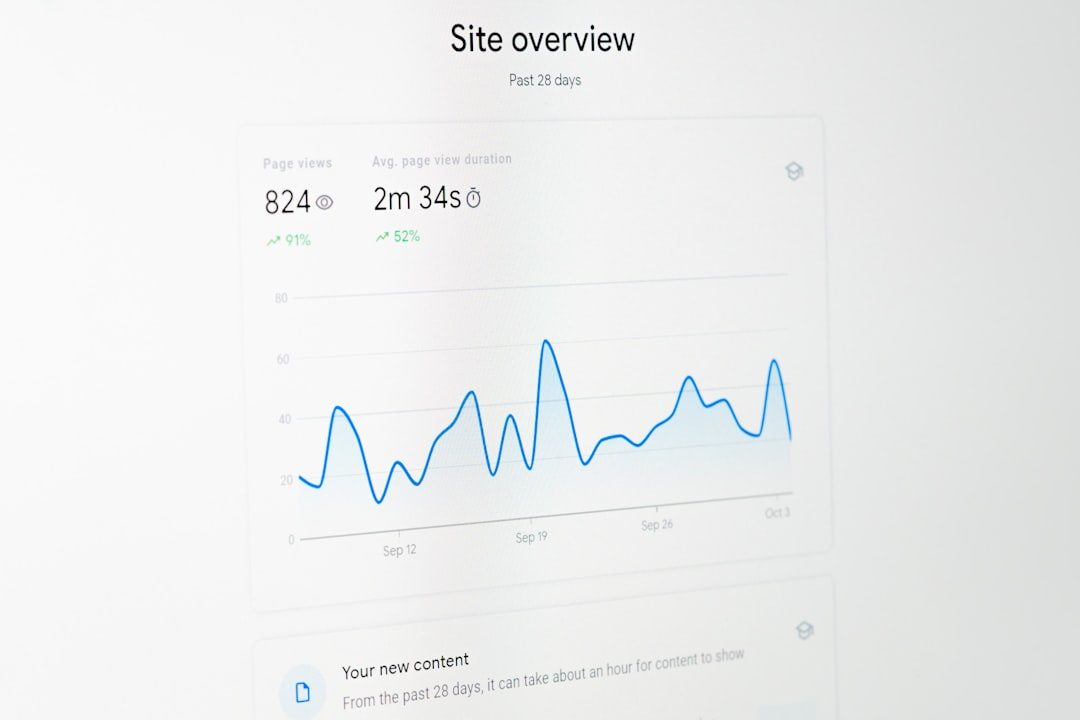
Analytics are also basic. WordPress.com stats can show views, visitors, referrers, and popular posts. That is helpful. Still, teams often need more. If a campaign spends $1,000 on ads and sends 2,000 users to a landing page, basic view counts are not enough. You need conversion tracking, event tracking, funnel data, and clean attribution.
Branding and Trust Issues
A Free plan site can look decent, but it carries signs of being free. The address includes WordPress.com. Ads may appear. Design options are narrower. Support is limited. For a résumé or small writing project, none of that is fatal.
For businesses, trust can suffer. A law office, medical clinic, consultant, or online store should not rely on a free subdomain and platform ads. Visitors notice. Even if they cannot explain the technical reason, the site can feel temporary.

Best Use Cases for WordPress.com Free
The Free plan makes sense when the risk is low and the budget is zero. Good fits include:
- Personal blogs with light traffic and simple posts.
- Class projects or writing assignments.
- Early content testing before buying a domain.
- Simple portfolios for students or hobby creators.
- Private drafts before moving content elsewhere.
It is less suitable for:
- Client websites.
- Online stores.
- Membership sites.
- Marketing funnels.
- Custom web applications.
- Sites that need plugin-based SEO, forms, or analytics.
When to Upgrade or Move Elsewhere
Upgrade when the site needs to earn money, represent a serious brand, or support custom features. A custom domain alone is usually enough reason for a paid plan. Plugin access, advanced themes, monetization, and stronger analytics are other common triggers.
Move to self-hosted WordPress if you need full development control. That means plugin installs, custom themes, database tools, Git-based deployment, staging, server logs, and direct performance tuning. Self-hosting adds maintenance duties, but it gives developers the room they need.
Final Recommendation
WordPress.com Free in 2026 is safe, stable, and useful for basic publishing. It is also intentionally limited. That is not a bug. It is the tradeoff for free managed hosting.
Use it to learn WordPress, publish simple content, or test an idea. Do not build a serious business process around it. If the site needs a custom domain, plugins, ecommerce, advanced SEO, or clean brand control, plan for a paid WordPress.com tier or a self-hosted WordPress setup from the start.