Choose WordPress.org with your own web host if you want full control, plugins, custom themes, and room to grow. Choose WordPress.com if you want a simpler setup and do not mind limits on design, plugins, and monetization.
TLDR: WordPress.org is the better pick for most business sites, serious blogs, shops, and client projects because you own the hosting setup. WordPress.com is easier at first, but many useful features sit behind paid plans. For example, a small bakery that starts on WordPress.com may pay more once it needs booking tools, SEO plugins, and custom code. With WordPress.org, a $10 to $30 monthly hosting plan can often cover those needs from day one.
WordPress.org vs WordPress.com: the tiny naming mess
Yes, the names are annoying.
WordPress.org is the free WordPress software. You download it through your web host, or install it with one click. You need your own hosting account and domain name.
WordPress.com is a hosted platform. It runs WordPress for you. You sign up, pick a plan, and build your site there.
Think of it like this:
- WordPress.org is like owning a food truck. You choose the engine, menu, paint, and where to park.
- WordPress.com is like renting a stall in a food court. It is tidy and simple, but rules apply.
Both can make a WordPress website. They just do it in very different ways.
What is WordPress.org web hosting?
WordPress.org web hosting means you use the WordPress software on a hosting service you choose.
Your host stores your site files. It runs your database. It serves pages to visitors. It also gives you tools for email, backups, security, staging, and speed.
Common hosting types include:
- Shared hosting: Cheap and fine for small sites.
- Managed WordPress hosting: Faster support and easier maintenance.
- VPS hosting: More power, more setup work.
- Cloud hosting: Flexible and strong for growing traffic.
For most beginners, managed WordPress hosting is the sweet spot. It costs more than bargain hosting, but it saves headaches. Fewer weird errors. Better speed. Better backups. Less yelling at your screen.
The big win with WordPress.org: control
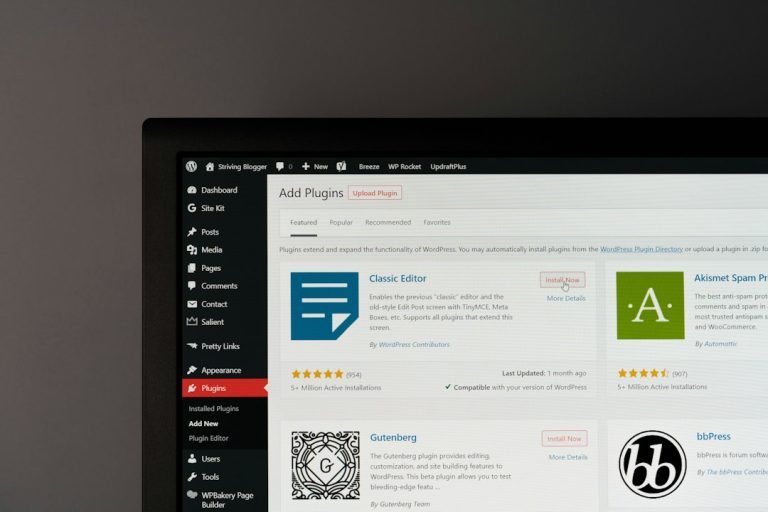
With WordPress.org, you can install almost any plugin. SEO tools. Contact forms. Booking systems. Online course tools. Membership plugins. Fancy product filters. Weird little widgets that do one oddly specific thing.
You can also use custom themes. You can edit files. You can add tracking scripts. You can connect outside tools. You can build a real business site without hitting a wall every five minutes.
Honestly, it feels like WordPress.com sometimes says, “Sure, you can do that,” then points at a pricier plan.
With WordPress.org, your host may still have rules. But the box is much bigger.
Where WordPress.com wins
WordPress.com is simple. That matters.
You do not need to pick a hosting company. You do not need to install WordPress. You do not need to think much about server settings. Updates, basic security, and core hosting are handled for you.
That is great for:
- Personal blogs
- Simple portfolios
- Class projects
- Small hobby sites
- People who hate tech setup
If you only want to write posts and share photos, WordPress.com can feel calm and friendly. No server talk. No control panel maze. No files named things like wp-config.php, which sounds like a robot sneezing.
Cost: cheap is not always cheap
WordPress.org software is free. But hosting is not. You also need a domain name.
A basic setup may look like this:
- Domain: About $10 to $20 per year
- Hosting: About $5 to $30 per month
- Premium theme: Optional, often $40 to $100
- Premium plugins: Optional, price varies
WordPress.com has a free plan, but it has limits. Your site may show WordPress.com branding. You get fewer design choices. You may not be able to use the plugins you want unless you pay for higher plans.
So the question is not, “Which one is cheaper today?”
The better question is, “Which one will still fit six months from now?”
A simple blog may cost less on WordPress.com. A growing business site may cost less, and work better, on WordPress.org hosting.
Plugins: the fun part and the trap
Plugins are little add-ons that give WordPress new powers.
Need a contact form? Plugin.
Need SEO help? Plugin.
Need to sell dog sweaters in five sizes? Plugin.
On WordPress.org, you can install plugins freely. That is one of its biggest strengths.
On WordPress.com, plugin access depends on your plan. This can be frustrating. You may build a site, get excited, then find out the tool you need is locked behind an upgrade.
Expect to waste time on plan pages if you do not check this early. It can turn a five-minute task into a 20-minute pricing hunt.
Design freedom: who holds the paintbrush?
WordPress.org gives you the paintbrush, the paint, the ladder, and maybe too many fonts.
You can use free themes. You can buy premium themes. You can hire a developer. You can create custom templates. You can build with page builders. You can also break the layout if you click wildly. Power comes with tiny gremlins.
WordPress.com gives you a cleaner setup. It guides you more. That can be nice. But it can feel tight if you want a very specific design.
If your site must match a brand, sell products, collect leads, and support advanced layouts, WordPress.org usually wins.
Speed and performance
Speed depends on many things. Hosting quality matters. Theme quality matters. Plugin choices matter. Huge images matter a lot.
With WordPress.org, you can choose a fast host. You can add caching. You can use a content delivery network. You can optimize images. You can remove bad plugins.
With WordPress.com, much of the server work is handled for you. That is nice. But you have less say in some technical details.
For small sites, both can be fast enough. For serious sites, WordPress.org gives you more tools to tune performance.
Ownership and portability
This part is boring, but huge.
With WordPress.org, you own your site files and database. You can move to another host. You can make full backups. You can change how things work.
With WordPress.com, you can export content. But moving a full site may take extra work, especially if you used platform-specific features.
If you are building a business asset, ownership matters. You do not want your website trapped like a toy in a vending machine.
Which one should you choose?
Pick WordPress.org with web hosting if you want:
- A business website
- An online store
- A membership site
- Advanced SEO tools
- Custom design
- Full plugin access
- More control over speed and backups
Pick WordPress.com if you want:
- A simple blog
- A quick personal site
- Less setup work
- Built-in hosting
- A guided experience
- Fewer technical choices
A simple example
Meet Sam. Sam runs a local fitness studio.
At first, Sam only needs a homepage, class times, and a contact form. WordPress.com works fine.
Three months later, Sam wants online payments, class bookings, coupon codes, email marketing, and better SEO. Now the site needs more power.
This is where WordPress.org hosting makes sense. Sam can install booking plugins, payment tools, analytics, and SEO software. The site can grow with the business.
No rebuild from scratch. No awkward feature hunt. No surprise wall right when things get exciting.
Final verdict
WordPress.org is best for control, growth, and serious websites. It takes a little more setup, but it gives you far more freedom.
WordPress.com is best for simplicity. It is easy to start. It is friendly for basic sites. But it can feel limiting when your needs grow.
If your website is just for fun, WordPress.com is fine. If your website supports a brand, income, clients, or sales, go with WordPress.org web hosting. Future you will probably be less annoyed.