
Google Gemini is a capable AI assistant, especially for users already working inside Google Search, Gmail, Docs, Sheets, and Android. However, it is not the only serious option. Depending on your priorities—research accuracy, coding, document analysis, privacy, workflow automation, or price—another assistant may be a better fit.
TLDR: The best Google Gemini alternative depends on what you need most: ChatGPT is strong for general productivity, Claude is excellent for long documents, and Perplexity is especially useful for research with source citations. For example, a consultant reviewing a 70-page proposal may save several hours by using Claude to summarize risks, while a marketer may prefer ChatGPT for campaign drafts and image ideas. In practice, many teams use two assistants: one for everyday writing and one for fact-checking or research.
How to Choose a Gemini Alternative
Before selecting an AI assistant, consider the following criteria. A tool that is impressive in a demo may not be the best choice for daily work.
- Accuracy and sourcing: Does the assistant provide citations or explain where information comes from?
- Writing quality: Can it produce professional, clear, and consistent text?
- File handling: Can it analyze PDFs, spreadsheets, images, or long documents?
- Coding ability: Is it useful for debugging, generating code, or explaining technical concepts?
- Integrations: Does it connect with email, office apps, browsers, or business systems?
- Cost: Is the free tier enough, or does the paid plan justify itself?
- Privacy and governance: Are enterprise controls, data retention settings, and compliance features available?
1. ChatGPT
Best for: everyday productivity, writing, brainstorming, coding, and multimodal tasks.
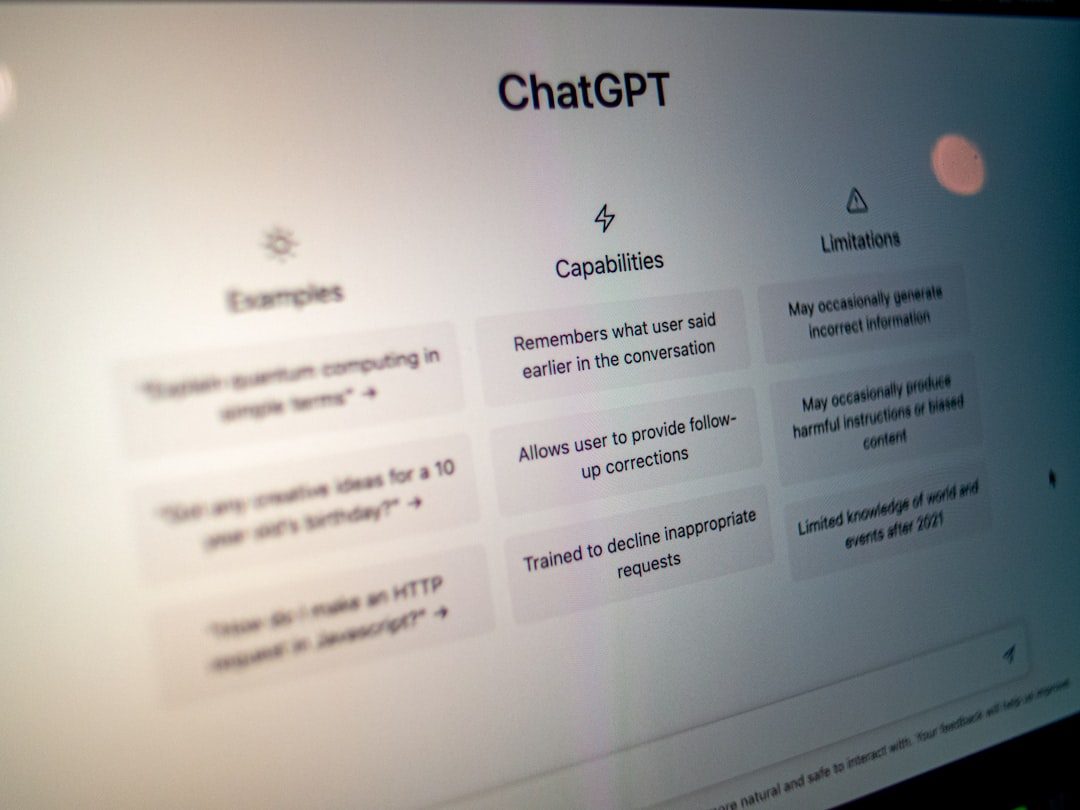
ChatGPT, developed by OpenAI, is one of the strongest all-purpose alternatives to Gemini. It can help draft emails, summarize documents, explain complex topics, generate code, create study plans, and analyze images. Its paid versions typically provide access to more advanced models, higher usage limits, file uploads, data analysis, and image generation features.
The main advantage of ChatGPT is versatility. It works well for individuals, students, marketers, product managers, developers, and executives. If you need one assistant for many different tasks, ChatGPT is a reliable starting point.
Potential drawback: Like all AI assistants, it can still make mistakes. For high-stakes work, users should verify claims, calculations, and legal or medical information.
2. Claude
Best for: long-form writing, document review, policy analysis, and careful reasoning.
Claude, developed by Anthropic, is known for a more measured writing style and strong performance with long documents. It is particularly useful for reviewing contracts, reports, research papers, internal policies, meeting transcripts, and lengthy briefs. Many users value Claude because it often produces structured, readable answers with a professional tone.
For teams handling large text files, Claude can be a serious productivity tool. For instance, a legal operations team might use it to summarize obligations across several vendor agreements, while still relying on human review for final decisions.
Potential drawback: Claude may be less integrated into everyday office ecosystems than some competitors, depending on the user’s workflow and region.
3. Microsoft Copilot
Best for: Microsoft 365 users, business workflows, meetings, documents, and spreadsheets.
Microsoft Copilot is a strong Gemini alternative for organizations already using Word, Excel, PowerPoint, Outlook, Teams, and Windows. Its value is not only in conversation, but in context. Copilot can assist with drafting emails, summarizing Teams meetings, creating presentation outlines, analyzing spreadsheet data, and improving business documents.
For companies standardized on Microsoft 365, Copilot may be more practical than a standalone chatbot. It can reduce time spent switching between tools and help employees work directly inside familiar applications.
Potential drawback: The most useful business features usually require paid Microsoft plans, and setup may involve IT administration.

4. Perplexity
Best for: research, source-based answers, market scanning, and quick fact discovery.
Perplexity is designed more like an AI-powered answer engine than a traditional chatbot. Its major strength is that it usually provides citations and links to sources. This makes it useful for competitive research, industry overviews, news tracking, academic starting points, and fact-checking.
Where Gemini and ChatGPT may be better for creative drafting, Perplexity is often preferred when the user needs to know where an answer came from. A startup founder researching pricing models in a new market, for example, can use Perplexity to gather cited summaries before reading the original material.
Potential drawback: Sourced answers are not automatically correct. Users should still inspect the linked references, especially if the topic is technical, financial, or time-sensitive.
5. Meta AI
Best for: casual assistance, social media users, image generation, and quick answers.
Meta AI is available across parts of Meta’s ecosystem, including Facebook, Instagram, WhatsApp, and Messenger in supported regions. For users who already spend time in these apps, Meta AI offers convenience. It can answer questions, help write captions, suggest ideas, and generate images.
Its biggest advantage is accessibility. A small business owner managing social posts, for example, may use Meta AI to brainstorm promotional captions without opening a separate productivity platform.
Potential drawback: It may not be the best option for sensitive business documents, deep research, or enterprise-grade workflows. Availability and features can also vary by country.
6. Mistral Le Chat
Best for: users interested in European AI models, fast responses, and technical experimentation.
Mistral’s Le Chat is an increasingly notable assistant, especially for users who want an alternative to major U.S.-based AI platforms. Mistral is known for efficient models and a growing presence in enterprise and developer markets. Le Chat can help with writing, summarization, coding, translation, and general Q&A.
For technical users, Mistral’s broader model ecosystem is also appealing because some models are available with more flexible deployment options. This can matter for businesses that care about infrastructure choices, latency, or data control.
Potential drawback: While improving quickly, its consumer ecosystem may feel less mature than ChatGPT, Copilot, or Gemini for some everyday users.
7. Poe
Best for: comparing multiple AI models in one place.
Poe, created by Quora, is not just one AI assistant. It is a platform that gives users access to multiple bots and models through a single interface. This makes it useful for people who want to compare answers from different AI systems without subscribing to several separate tools.
For example, a content strategist might ask the same question to several models and compare tone, structure, and factual detail. Developers and researchers may also find value in testing different models for specific prompts.
Potential drawback: Because Poe is an aggregator, features, limits, and model access can vary depending on the plan and the underlying model providers.
Free vs Paid: What Should You Choose?
Free AI assistants are often enough for casual use: quick writing help, simple explanations, brainstorming, and basic summaries. Paid plans become more compelling when you need higher limits, advanced reasoning, file analysis, better model access, image generation, team controls, or integrated workplace features.
As a practical benchmark, if an AI assistant saves you even two hours per month and your time is worth $30 per hour, a paid plan around $20 per month can be financially reasonable. For businesses, the calculation may be even clearer if AI reduces repetitive drafting, meeting follow-up, or research time across multiple employees.
Which Gemini Alternative Is Best?
For most general users, ChatGPT is the strongest overall alternative because it balances writing, reasoning, coding, file analysis, and creative work. For document-heavy professionals, Claude is a leading choice. For Microsoft-centered organizations, Copilot is often the most logical option. For research with citations, Perplexity stands out.
The sensible approach is to match the assistant to the job rather than searching for a single universal winner. Gemini is powerful, but the AI assistant market is now broad enough that users can choose based on workflow, budget, and trust requirements. Testing two or three tools on real tasks—such as summarizing a report, drafting a client email, or researching a market trend—is the best way to decide which one deserves a permanent place in your toolkit.