Magento is a powerful ecommerce platform, but that power comes with responsibility. A store that loads slowly does not only frustrate shoppers; it can reduce conversions, weaken search visibility, increase hosting costs, and make daily administration harder. Speed optimization should therefore be treated as an ongoing business priority, not a one-time technical cleanup.
TLDR: Magento performance depends on a combination of good hosting, clean code, efficient caching, optimized media, and regular maintenance. Store owners should focus first on the improvements that affect real shoppers: faster page rendering, lighter images, fewer unnecessary extensions, and reliable server resources. Measure performance before and after each change, and avoid guessing. A faster Magento store is usually a more profitable and more stable store.
Start With Reliable Performance Measurement
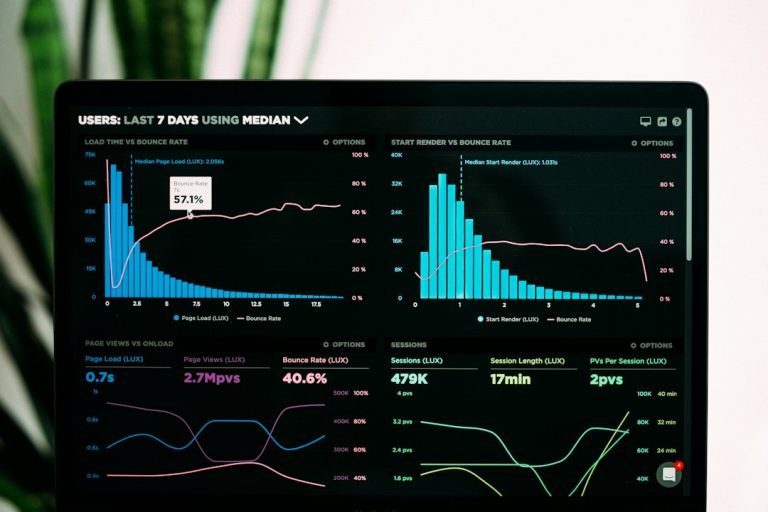
Before making changes, establish a clear baseline. Use tools such as Google PageSpeed Insights, Lighthouse, WebPageTest, and your hosting provider’s monitoring dashboard to understand how your store performs under real conditions. Pay close attention to Largest Contentful Paint, Time to First Byte, Cumulative Layout Shift, and overall server response time.
Do not rely on a single test. Magento stores can behave differently depending on traffic, cache status, product catalog size, third-party scripts, and customer location. Test your homepage, category pages, product pages, cart, checkout, and search results. These are the pages that matter most to revenue.
Choose Hosting Built for Magento
Magento is resource-intensive, especially for stores with large catalogs, multiple store views, custom modules, or heavy traffic. Cheap shared hosting is rarely appropriate for a serious Magento store. A strong hosting setup should include sufficient CPU, RAM, fast SSD or NVMe storage, proper PHP configuration, and support for technologies such as Redis, Elasticsearch or OpenSearch, and Varnish.
For growing stores, consider a managed Magento hosting provider or a well-configured cloud environment. The goal is not simply to buy the largest server; it is to use infrastructure that matches Magento’s architecture. A properly tuned server can make the difference between a store that struggles during campaigns and one that handles peak traffic confidently.
Enable and Configure Full Page Cache
Full Page Cache is one of Magento’s most important speed features. It stores generated pages so Magento does not have to rebuild them for every visitor. For production stores, Varnish is generally preferred over built-in file-based caching because it is designed to handle high volumes of requests efficiently.
Make sure cache is enabled in the Magento admin panel and verify that pages are actually being served from cache. A cache that is constantly being bypassed or invalidated will not deliver the expected benefit. Common causes include poorly written extensions, dynamic blocks, incorrect configuration, or custom code that prevents caching.
Use Redis for Sessions and Cache Storage
Redis is a fast in-memory data store that Magento can use for cache and session storage. When configured correctly, it reduces database load and improves responsiveness, especially on busy stores. Using Redis for sessions can also improve stability when many shoppers are browsing, adding products to cart, or checking out at the same time.
This is a technical configuration, so it should be handled carefully by a developer or hosting specialist. Incorrect settings may cause session issues or cache problems. However, for most professional Magento stores, Redis is a sensible and widely used performance improvement.
Optimize Images Without Damaging Quality
Images are often among the largest assets on an ecommerce site. Product photos, banners, category graphics, and promotional blocks can easily slow down pages if they are oversized or poorly compressed. Use properly sized images rather than uploading very large files and relying on the browser to shrink them.
Modern formats such as WebP can significantly reduce file size while preserving quality. Also consider lazy loading for images below the fold, so the browser loads them only when needed. This is especially useful on category pages with many products.
- Compress images before uploading them to Magento.
- Use consistent dimensions for product and category images.
- Avoid oversized banners on mobile devices.
- Implement lazy loading where appropriate.

Review Extensions Carefully
Magento extensions can add valuable functionality, but each extension also adds code, database queries, layout updates, JavaScript, CSS, or background processes. Poorly built extensions are a common cause of slow stores. Store owners should maintain a clear inventory of installed modules and remove anything that is no longer necessary.
Before installing a new extension, ask whether the feature is truly needed, whether the vendor is reputable, and whether the module is compatible with your Magento version. After installation, test performance again. A single problematic extension can slow down product pages, checkout, or admin operations.
Minimize and Bundle Frontend Assets Carefully
JavaScript and CSS files influence how quickly pages become visible and usable. Magento allows minification of CSS, JavaScript, and HTML, which can reduce file size. However, bundling JavaScript should be tested carefully, because in some cases it can increase the initial payload and make pages slower rather than faster.
The best approach is practical: enable safe optimizations, test them on a staging environment, and measure the result. Also audit third-party scripts such as chat widgets, tracking pixels, review tools, advertising scripts, and personalization services. These scripts may be useful, but they should not be allowed to damage the shopping experience.
Use a Content Delivery Network
A Content Delivery Network, or CDN, distributes static files such as images, CSS, and JavaScript across servers located closer to your customers. This reduces latency and improves load times, particularly for international stores or stores serving customers across large geographic regions.
A CDN can also reduce load on your origin server and provide additional reliability during traffic spikes. For best results, configure it correctly with Magento’s static and media URLs, and confirm that assets are being delivered from CDN locations rather than directly from your main server.
Keep Magento and PHP Updated
Updates are not only about security. Newer Magento versions often include performance improvements, bug fixes, cache enhancements, and compatibility updates. Similarly, supported PHP versions typically offer better performance than older releases. Running an outdated stack can leave your store slower, less secure, and harder to maintain.
Updates should never be rushed directly into production. Use a staging environment, test critical workflows, check extension compatibility, and confirm that custom code still behaves correctly. A disciplined update process protects both performance and revenue.
Clean the Database and Indexes
Over time, Magento databases can accumulate logs, old records, abandoned cart data, temporary information, and unnecessary bloat. Large or poorly maintained databases can slow down searches, admin actions, product saves, and order processing. Regular database maintenance helps keep the store responsive.
Magento also relies on indexes to display product, price, catalog, and inventory data efficiently. Make sure indexers are running correctly and cron jobs are properly configured. Broken cron jobs can cause outdated data, performance problems, and operational issues that are difficult to diagnose later.
- Check cron status regularly.
- Reindex when needed, especially after catalog changes.
- Archive or clean old data according to business requirements.
- Back up the database before major maintenance work.
Pay Special Attention to Checkout Speed
Checkout is where performance problems become directly expensive. If this area is slow, customers may abandon their carts even after deciding to buy. Review payment modules, shipping rate calculations, address validation services, tax integrations, and fraud tools. Each third-party request can add delay.
Keep checkout as simple and stable as possible. Remove unnecessary fields, avoid excessive scripts, and monitor errors closely. A smooth checkout experience builds trust and reduces abandonment.

Make Speed Optimization an Ongoing Process
Magento performance is not something to fix once and forget. New products, extensions, campaigns, themes, tracking tools, and integrations can all affect speed. Establish a regular review schedule and include performance testing before major releases or seasonal promotions.
The most successful store owners treat speed as part of operational discipline. They measure carefully, make controlled changes, work with qualified developers, and prioritize improvements that affect revenue-critical pages. With the right approach, Magento can be both feature-rich and fast, giving customers a better experience and the business a stronger foundation for growth.