Automation has moved from a technical luxury to a strategic necessity in 2026. Businesses of all sizes rely on workflow automation platforms to connect apps, eliminate repetitive tasks, and unlock efficiency. Two tools consistently dominate the conversation: Make.com and n8n. While both provide powerful workflow automation capabilities, their philosophies, pricing structures, and technical flexibility differ in meaningful ways. Choosing the right one depends on technical skill level, budget structure, scalability requirements, and long-term automation strategy.
TLDR: Make.com is a highly visual, user-friendly automation platform ideal for non-technical users and businesses that want fast deployment with minimal setup. n8n offers deeper customization, self-hosting flexibility, and more control for technical teams. Pricing differs significantly, with Make.com charging by operations and n8n offering execution-based pricing plus open-source self-hosting. In 2026, the better choice depends on whether ease of use or full automation control matters more.
Platform Overview
Make.com (formerly Integromat) is a cloud-based automation builder known for its intuitive visual interface and structured workflow designer. It allows users to connect thousands of apps with minimal coding experience. Make positions itself as a flexible but accessible solution for marketers, operations teams, and growing companies.
n8n, on the other hand, is a source-available workflow automation tool built with a developer-first mindset. It provides robust customization capabilities and can be self-hosted. While it offers a cloud version, its self-hosted flexibility is one of its main differentiators.
Ease of Use and Interface
One of the biggest distinctions between the two platforms lies in usability.
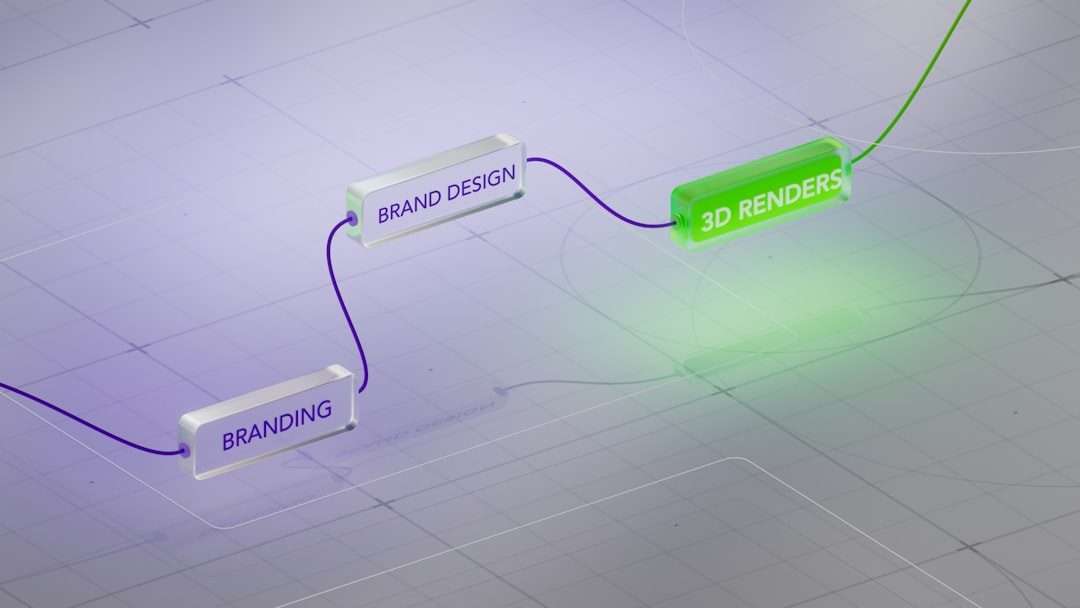
- Make.com: Offers a polished drag-and-drop visual builder with clearly defined modules and connection flows. It’s highly intuitive, making it accessible to non-developers.
- n8n: Provides a node-based workflow editor that resembles developer tools. While visual, it assumes users understand APIs, JSON, and data structures.
Make excels in guided configuration. App modules often include pre-configured triggers and actions. n8n, in contrast, frequently exposes lower-level settings and raw data controls, enabling greater flexibility but requiring more technical comfort.
Verdict: Businesses without technical resources typically prefer Make. Teams with developers often lean toward n8n.
Features and Capabilities in 2026
Both platforms have evolved considerably, adding AI integrations, improved error handling, and enterprise-level monitoring.
Core Automation Features
- Multi-step workflows
- Conditional logic and branching
- Error handling and retry mechanisms
- Webhooks and API integrations
- Scheduling triggers
However, their implementations differ.
Make.com Strengths
- Advanced visual data mapping tools
- Built-in app ecosystem with thousands of prebuilt modules
- Native scheduling flexibility
- Strong real-time execution monitoring
n8n Strengths
- Self-hosted deployment option
- Custom JavaScript within workflows
- Full API access and custom node creation
- Open architecture with community extensions

Notably in 2026, n8n’s AI node integrations allow direct connection to LLM APIs with extensive prompt manipulation control, while Make provides simplified AI modules designed for plug-and-play usage.
Scalability and Performance
Scalability is where platform philosophy significantly impacts business decisions.
Make.com runs exclusively in the cloud (with enterprise solutions available). Businesses are limited by operation quotas tied to pricing tiers. Scaling means purchasing higher operation limits.
n8n offers both cloud and self-hosted scaling. With self-hosting, companies can scale infrastructure independently, potentially reducing costs at high workflow volumes.
For startups with unpredictable growth, self-hosting can offer long-term cost predictability. However, it introduces server management responsibilities.
Pricing Comparison (2026)
Pricing structures differ substantially and often become the deciding factor.
| Feature | Make.com | n8n Cloud | n8n Self Hosted |
|---|---|---|---|
| Free Plan | Yes limited operations | Yes limited executions | Yes open source |
| Pricing Basis | Operations per month | Workflow executions | Infrastructure cost only |
| Entry Paid Tier | Mid range small business pricing | Lower starting price | Server hosting fees |
| Enterprise Option | Yes | Yes | Custom infrastructure |
| Best For | Non technical teams | Small to mid teams | Developers and high volume automation |
Make Pricing Model: Charges per “operation,” meaning each action inside a workflow counts toward usage. Complex workflows can consume operations quickly.
n8n Pricing Model: Charges based on workflow executions (cloud version). One execution can include many internal steps, making it more predictable for complex automations.
Cost Insight: High-volume automation with frequent branching can become expensive on Make, while n8n may remain cost-efficient if self-hosted properly.
Customization and Developer Control
This is where the tools diverge most clearly.
Make.com limits deep backend manipulation. While powerful for structured workflows, it offers less direct server-level customization.
n8n allows:
- Custom node development
- Embedded JavaScript functions
- Full database access when self-hosted
- Integration with internal systems securely behind firewall infrastructure
For enterprises concerned with data sovereignty in 2026, self-hosted automation remains extremely attractive.
Security and Compliance
Both platforms provide enterprise-grade security features, including:
- Encryption in transit and at rest
- Role-based access control
- Audit logs
- SSO for enterprise tiers
However, n8n’s self-hosted option gives companies maximum compliance flexibility, especially in industries with strict data regulations.
Community and Ecosystem
Make.com maintains a polished, centralized ecosystem with official integrations and structured documentation.
n8n benefits from an open-source community that develops custom nodes and plugins. Its documentation has significantly improved by 2026, yet it still assumes technical familiarity.
If innovation through community extensions is important, n8n may have the edge. If stability and standardized modules are preferred, Make leads.
AI Automation Power in 2026
AI integration has transformed both platforms.
Make:
- Prebuilt AI modules
- Easy prompt configuration
- Simplified AI workflow embedding
n8n:
- Direct LLM API integration
- Multi-model orchestration flexibility
- Advanced data transformation before AI calls
- Lightweight agent style workflow creation
While Make simplifies AI adoption for business users, n8n excels in building complex AI-driven systems.
When to Choose Make.com
- If the team is non-technical
- If quick deployment is critical
- If visual workflow clarity matters
- If infrastructure management is not desired
When to Choose n8n
- If developer control is important
- If self-hosting is required
- If high-volume automation needs cost flexibility
- If custom integrations are a priority
Final Verdict: Which Automation Platform Wins?
There is no universal winner in 2026. Make.com dominates in usability, speed, and business-friendly design. It reduces automation complexity and empowers non-technical teams quickly.
n8n, however, delivers unmatched flexibility and long-term scalability for technical teams. Its open architecture and self-hosting model create freedom that Make cannot fully replicate.
The real decision depends on whether an organization values simplicity and ready-to-run modules or control and infrastructure independence.
Frequently Asked Questions (FAQ)
1. Is Make.com easier to use than n8n?
Yes. Make is generally more intuitive for non-technical users due to its guided interface and polished visual builder.
2. Can n8n be completely free?
Yes, if self-hosted using the open-source version. However, hosting costs and maintenance responsibilities still apply.
3. Which platform is better for AI workflows?
Make is better for simple AI integrations, while n8n offers deeper customization for advanced AI automation systems.
4. Is self-hosting necessary with n8n?
No. n8n offers a cloud version. Self-hosting is optional but provides cost and compliance advantages.
5. Which is more cost-effective in 2026?
For simple workflows, Make’s pricing is competitive. For high-volume or complex workflows, n8n—especially self-hosted—can be more economical.
6. Can both tools integrate with most SaaS platforms?
Yes. Both support extensive integrations, webhooks, and API connections, although Make typically offers more prebuilt modules out of the box.
Ultimately, both platforms remain leaders in workflow automation. The smart choice in 2026 is not simply about features, but about how well the platform aligns with technical capability, automation volume, and long-term business strategy.