Managing email campaigns is much easier when you can access your mailing platform quickly, securely, and without confusion. Whether you use RocketMailer for newsletters, promotional campaigns, subscriber management, or analytics, knowing how to log in properly is the first step toward keeping your workflow smooth. This RocketMailer login guide walks you through the sign-in process, common login issues, security tips, and practical ways to make your account access more reliable.
TLDR: To log in to RocketMailer, visit the official login page, enter your registered email address and password, and complete any security verification if prompted. For example, a small online store sending weekly offers to 5,000 subscribers might log in every Monday to review open rates, update a campaign, and schedule a new email. If login fails, the most common fixes are resetting your password, checking your email address for typos, clearing browser cache, or confirming two-factor authentication codes. For best results, use a password manager and enable extra security features when available.
Understanding the RocketMailer Login Process
The RocketMailer login process is designed to give users direct access to their email marketing dashboard. Once signed in, you can usually manage mailing lists, design campaigns, check reports, review subscriber behavior, and adjust account settings. While the process is simple, login problems can still happen due to forgotten passwords, expired sessions, browser issues, or account security settings.
Before logging in, make sure you are using the official RocketMailer website or app. This is especially important if you manage sensitive customer data, such as email addresses, names, purchase histories, or campaign analytics. Avoid clicking login links from suspicious emails, popups, or unfamiliar websites, as these may be phishing attempts.
How to Log In to RocketMailer
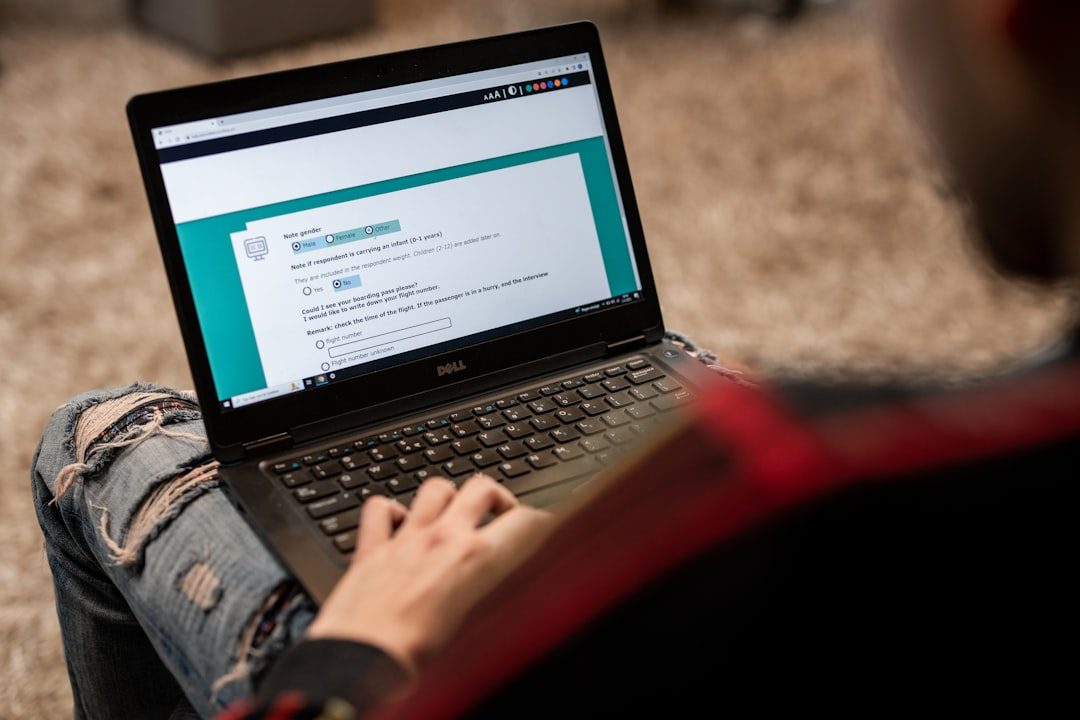
Although the exact interface may vary depending on updates to the platform, the standard login steps are usually straightforward. Follow this basic process:
- Go to the RocketMailer login page. Open your browser and navigate to the official RocketMailer sign-in page.
- Enter your registered email address. Use the email connected to your RocketMailer account, not necessarily your general business inbox unless it was used during registration.
- Type your password. Make sure Caps Lock is off and check for accidental spaces before or after the password.
- Complete verification if required. If two-factor authentication is enabled, enter the code sent to your email, phone, or authenticator app.
- Click the login button. Once authenticated, you should be redirected to your RocketMailer dashboard.
If you use RocketMailer frequently, you may see an option such as Remember me or Keep me signed in. Use this only on personal, trusted devices. Avoid selecting it on public or shared computers, such as those in libraries, coworking spaces, or hotel business centers.
What You Can Access After Logging In
Once you are inside your account, the RocketMailer dashboard typically becomes your central workspace. Depending on your subscription and permissions, you may be able to access several important tools:
- Campaign builder: Create, edit, schedule, and send marketing emails.
- Subscriber lists: Add contacts, segment audiences, remove inactive users, and import new leads.
- Analytics reports: Review open rates, click-through rates, bounces, unsubscribes, and conversions.
- Templates: Save reusable layouts for newsletters, sales campaigns, announcements, and onboarding emails.
- Account settings: Update billing, users, sender information, authentication, and integration preferences.
For example, if your last campaign had a 32% open rate but only a 4% click-through rate, logging in allows you to compare subject lines, review link placement, and test a stronger call to action. This type of analysis is one reason regular account access matters: the dashboard is not just for sending emails, but for improving them.
Common RocketMailer Login Problems
Login issues can be frustrating, especially when you need to launch a campaign on schedule. Fortunately, most problems have simple explanations. Here are the most common ones:
- Incorrect email or password: A mistyped address or outdated password is the most frequent cause.
- Forgotten password: If you have not logged in for a while, use the password reset option.
- Expired verification code: Two-factor authentication codes often expire within a few minutes.
- Browser cache problems: Stored cookies or outdated cache files can interfere with login sessions.
- Account lockout: Too many failed attempts may temporarily lock your account for security reasons.
- Permission restrictions: Team users may lose access if an administrator changes account roles.
If your login attempt fails, avoid repeatedly entering random passwords. This can trigger additional security checks or lock your account. Instead, pause and use the password recovery process.
How to Reset Your RocketMailer Password
If you cannot remember your password, look for a Forgot password? link on the login page. You will usually be asked to enter your registered email address. RocketMailer should then send a password reset link or code to that inbox.
When creating a new password, choose one that is strong and unique. A good password should include:
- At least 12 characters
- A mix of uppercase and lowercase letters
- Numbers and symbols
- No obvious words, names, birthdays, or company slogans
- No reuse from other accounts
A password manager can make this much easier. It can generate strong passwords and fill them in automatically, reducing the chance of typing errors while improving security.

Using Two-Factor Authentication
Two-factor authentication, often called 2FA, adds another layer of protection to your RocketMailer account. Instead of relying only on a password, 2FA requires a second proof of identity, such as a code from an authenticator app or a message sent to your phone.
This is especially useful for email marketing platforms because they contain valuable data. If someone gains unauthorized access, they may be able to export lists, send spam, damage your sender reputation, or view private campaign results. Even a small subscriber database of 2,000 contacts can represent years of customer acquisition work.
If RocketMailer offers 2FA, enable it from your account security settings. Also make sure you store backup codes in a safe place. Backup codes can help you regain access if you lose your phone or cannot access your authenticator app.
Tips for a Safer and Faster Login Experience
A smooth login routine saves time and reduces stress. Consider these best practices:
- Bookmark the official login page so you do not accidentally visit a fake page.
- Use a secure browser and keep it updated to the latest version.
- Clear cache and cookies if the login page keeps refreshing or showing errors.
- Avoid public Wi-Fi when accessing sensitive campaign or subscriber data.
- Log out after each session when using a shared or work device.
- Review team access regularly and remove users who no longer need account permissions.
For teams, it is better to create individual user accounts rather than sharing one login. Shared credentials make it difficult to track changes, identify mistakes, or remove access when someone changes roles. Individual logins also support better accountability.
Mobile Login Considerations
If RocketMailer supports mobile access, logging in from a phone or tablet can be useful when you need to monitor performance on the go. For instance, a marketing manager might check campaign results during a product launch and notice that mobile clicks are rising faster than desktop clicks. Quick access can help the team respond with a timely follow-up campaign.
However, mobile login requires extra caution. Keep your device locked with a PIN, fingerprint, or face recognition. Avoid saving passwords in unprotected note apps, and be careful when opening email links on mobile devices because phishing attempts can be harder to spot on smaller screens.
When to Contact Support
If password reset does not work, verification codes never arrive, or your account appears disabled, it may be time to contact RocketMailer support. Before reaching out, gather useful information such as your account email, approximate time of the issue, browser type, device type, and any error message shown on screen.
Do not send your password to support. A legitimate support team should never ask for it. They may verify your identity through account details, billing information, or secure confirmation methods instead.
Final Thoughts
The RocketMailer login process is simple, but the way you manage account access has a direct impact on your productivity and security. By using the official login page, maintaining a strong password, enabling two-factor authentication, and knowing how to troubleshoot common problems, you can protect your campaigns and subscriber data more effectively.
For anyone who depends on email marketing, login access is more than a routine step. It is the gateway to audience insights, campaign performance, customer engagement, and business growth. A secure and reliable login habit helps ensure that when it is time to send the next message, your account is ready.