For Spectrum internet, a device-based VPN app is usually the safer first choice; use a router VPN only when you need whole-home coverage for gadgets that cannot run apps. Spectrum’s own Advanced WiFi router focuses on app-based WiFi controls, security, and device management, not a built-in VPN client [source: Spectrum]. That means most users either install VPN apps on phones, laptops, and tablets, or add their own VPN-ready router behind the Spectrum modem.
TLDR: If you use Spectrum, VPN apps are easier, faster to set up, and better for daily use. A router VPN is best when you want to protect devices like smart TVs, consoles, cameras, and streaming boxes. For example, in a home with 12 connected devices, one VPN router can cover all 12, while app-based VPNs may only protect the 4 or 5 devices where the app is installed. Expect router VPN speeds to drop more often, sometimes by 10% to 40%, depending on the router chip, VPN protocol, and server distance.
Router VPN vs VPN app: the quick split
A device-based VPN app runs on one device. You install it on a Windows laptop, iPhone, Android phone, Mac, or tablet. You sign in, pick a server, and connect.
A router VPN runs on the router. Every device connected to that router can use the VPN tunnel. No app needed on each device.
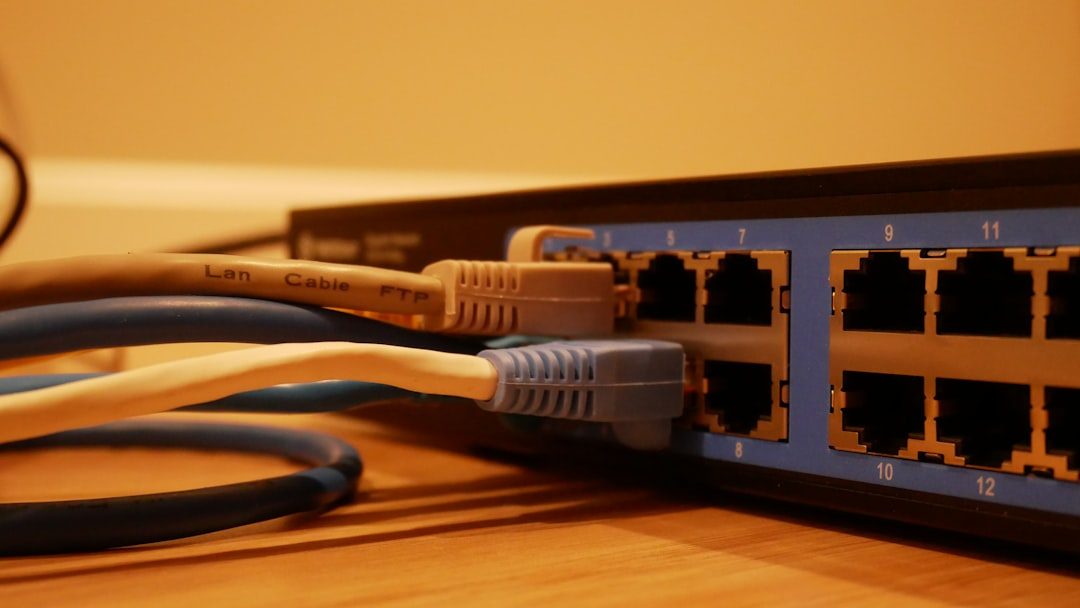
The catch is that Spectrum’s standard gateway is not usually the router you want for this. Most Spectrum-provided routers support normal VPN traffic passing through them. That is different from acting as a VPN client. For a real router VPN, you usually need your own router from brands like Asus, GL.iNet, TP-Link, Netgear, or a box running OpenWrt, DD-WRT, pfSense, or OPNsense.
When device-based VPN apps make more sense
For most Spectrum customers, VPN apps are cleaner. You do not have to replace hardware. You do not have to change DNS settings. You do not have to fight with router firmware at 11 p.m. because Netflix stopped loading.
- Best for speed: Phones and laptops often have stronger processors than basic routers. That helps with VPN encryption.
- Best for control: You can use a U.S. server on your laptop and a local server on your phone.
- Best for travel: The app protects you on hotel WiFi, airport WiFi, and mobile hotspots.
- Best for beginners: Install, sign in, tap connect. Done.
Device apps also handle updates better. WireGuard, OpenVPN, kill switches, split tunneling, and leak protection are usually easier to manage inside an app than inside router menus.
The annoying part? You must install the VPN on every device you care about. Miss one tablet or old laptop, and that device still uses the regular Spectrum connection.
When a router VPN is the better fit
A router VPN shines when your home has devices that do not support VPN apps. Think Roku, Apple TV, PlayStation, Xbox, smart TVs, smart speakers, and some security cameras.

It is also useful for families. Kids do not need to remember to turn anything on. Guests connect to WiFi and use the VPN automatically. That can be handy if you want one privacy layer across the whole home.
- Best for whole-home coverage: One setup protects many devices.
- Best for app-free gadgets: Great for TVs, consoles, and streaming sticks.
- Best for always-on privacy: The VPN starts at the router, not after someone opens an app.
Still, router VPNs can be fussy. It drives me crazy that one weak router can turn a 500 Mbps Spectrum plan into a 90 Mbps VPN connection. Cheap routers may struggle with encryption. A better router can help, but it costs more.
Compatibility issues Spectrum users should expect
Spectrum internet works fine with most major VPN services. The problem is rarely the Spectrum line itself. The problem is usually the hardware setup.
If you use a Spectrum modem only, you can connect your own VPN router behind it. If you use a Spectrum modem-router combo, you may need bridge mode, passthrough settings, or a support call. If both the Spectrum gateway and your own router are routing traffic, you may get double NAT. That can cause gaming, port forwarding, and remote access headaches.
Also watch for IPv6 leaks. Some VPN routers handle IPv6 poorly. If your VPN does not fully protect IPv6 traffic, disable IPv6 on the router or use a VPN service with strong IPv6 support.
Streaming and Spectrum TV concerns
VPNs can confuse streaming apps. Some services block VPN servers. Others show the wrong local channels. The Spectrum TV app may also care whether you are on your home Spectrum network for certain channels and features.
With a device VPN app, this is simple. Turn the VPN off for that app or use split tunneling. With a router VPN, it can be more annoying. You may need a second WiFi network, policy routing, or device exclusions.
Best setup for most homes
- Start with VPN apps on your main devices: phone, laptop, tablet, and desktop.
- Test speeds on nearby VPN servers before changing router gear.
- Add a VPN router only if you need smart TV, console, or whole-home coverage.
- Keep the Spectrum modem simple if possible. Use your own router for advanced settings.
- Create two WiFi networks if you can: one VPN network and one regular Spectrum network.
Bottom line: Spectrum is compatible with VPN use, but the best method depends on your devices. Apps are simpler and usually faster. Router VPNs cover more gear, but they bring setup pain, slower speeds, and more troubleshooting. If you just want privacy on your main devices, use apps. If you want every screen and box in the house covered, buy a proper VPN-ready router and expect a little tinkering.