Marketers improve landing page conversions fastest when they pair Figma’s planned changes with Hotjar and Microsoft Clarity’s behavioral proof. Figma shows what should change before developers touch the page. Hotjar and Clarity show what visitors actually do after the page goes live. Microsoft Clarity offers free heatmaps and session recordings, which makes it useful for teams that need behavior data without another paid tool in the stack [source: Microsoft].
TLDR: Figma helps marketers design and test landing page ideas before launch, while Hotjar and Microsoft Clarity reveal friction after launch. A SaaS team might see that 42% of visitors stop near the pricing section, then use Figma to test a shorter pricing block and clearer CTA. After the update, scroll depth could rise from 58% to 73%, with demo requests increasing by 18%. The best results come when these tools are used together, not as separate reports that nobody acts on.
Why UX Should Matter to Marketers
Landing pages do not fail only because of weak copy or bad ad targeting. They often fail because the experience feels confusing, slow, cluttered, or risky. A visitor arrives with intent, then gets hit with vague headlines, buried proof, too many buttons, or a form that asks for too much.
That is where UX becomes a marketing issue. Conversion rate optimization is not just about button colors. It is about reducing doubt. It is about helping people understand the offer, trust the brand, and act without overthinking.
Figma, Hotjar, and Microsoft Clarity support that process from three angles:
- Figma helps teams plan and present UX changes visually.
- Hotjar helps explain user behavior through heatmaps, recordings, surveys, and feedback.
- Microsoft Clarity helps spot rage clicks, dead clicks, scroll issues, and confusing page behavior.
Together, they give marketers a practical workflow: design, observe, fix, test, repeat.
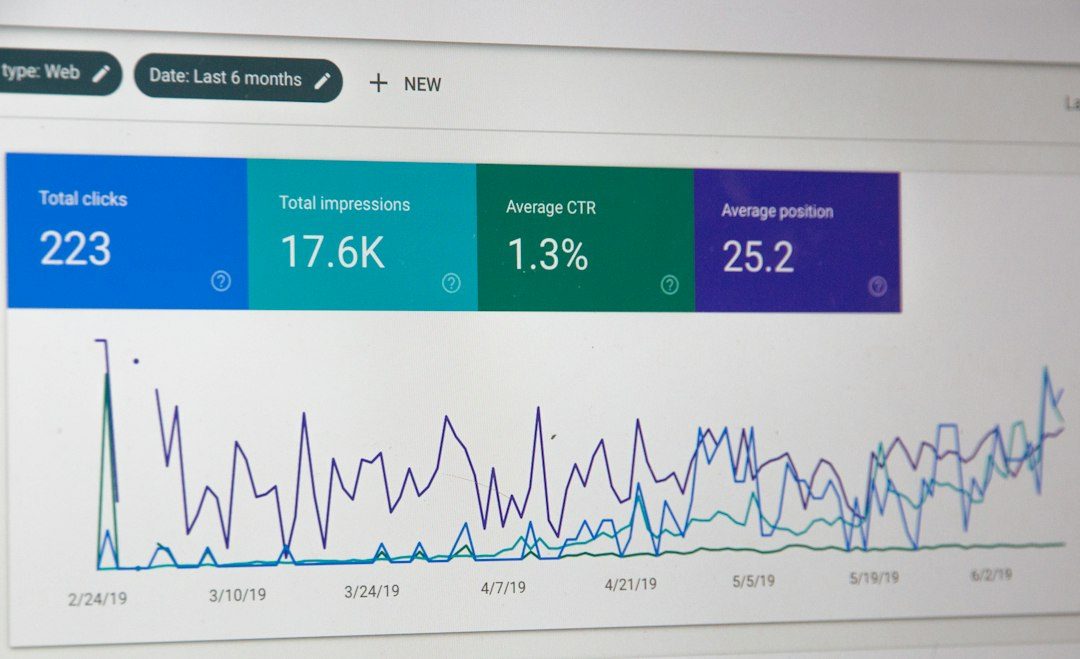
Figma: Turning Marketing Ideas Into Testable Page Concepts
Figma is where rough conversion ideas become visible. A marketer can use it to map hero sections, CTA placement, testimonial blocks, pricing layouts, mobile screens, and lead form flows. The gain is speed. Instead of sending a vague request like “make the page cleaner,” the team can show exactly what cleaner means.
For landing pages, Figma helps with:
- Wireframes: quick layouts that show the structure before visual polish.
- CTA planning: testing button placement, size, copy, and repetition.
- Mobile layouts: checking whether the offer still makes sense on small screens.
- Form design: reducing fields, grouping inputs, and removing friction.
- Stakeholder reviews: collecting comments in one place before build time.
The catch is that Figma can make weak ideas look polished. A beautiful mockup can still hide a confusing message. That is why marketers should not treat Figma as proof. It is a planning tool. The proof comes later, when real visitors interact with the page.
A good Figma workflow starts with a conversion question. For example: Are visitors missing the primary CTA because the hero section is too packed? The team can then create two focused versions. One may keep the current layout. Another may simplify the headline, place proof near the CTA, and remove extra links. This keeps design tied to a measurable problem.
Hotjar: Finding the “Why” Behind Poor Conversions
Hotjar is useful when a page has traffic but the numbers feel off. Analytics may show that conversion rate dropped from 4.1% to 2.9%. Hotjar helps explain why that might be happening.
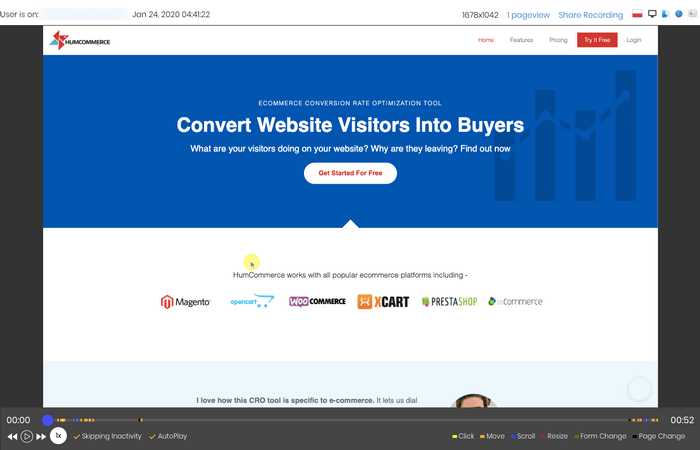
Heatmaps show where people click, move, and scroll. Session recordings show individual visits. Surveys and feedback widgets ask users what stopped them. This is helpful because conversion problems are rarely obvious from a dashboard alone.
Common Hotjar signals include:
- Low scroll depth: the main offer or proof may appear too far down.
- Clicks on non clickable elements: visitors may expect images, cards, or icons to open details.
- Repeated form abandons: the form may feel too long or too personal.
- Slow movement around pricing: pricing may need clearer comparison or stronger reassurance.
- Exit after FAQ views: objections may not be answered well enough.
Honestly, it feels like Hotjar recordings can become a pile of noise if nobody filters them. A team can waste an hour watching random sessions and learn very little. Better filters help. Marketers should segment by source, device, campaign, returning visitors, and converters versus non converters.
For example, paid search visitors may scroll straight to pricing, while social visitors may spend more time near testimonials. That difference matters. The same landing page can serve two intent levels badly if the structure ignores both.
Microsoft Clarity: Spotting Friction Without Heavy Setup
Microsoft Clarity is especially useful for finding interaction problems. It tracks session recordings, heatmaps, rage clicks, dead clicks, excessive scrolling, and other behavior signals. For marketers, the biggest benefit is speed. It can reveal issues that would otherwise sit hidden behind a decent looking conversion rate.
A dead click happens when a visitor clicks something that does not respond. A rage click happens when a visitor clicks repeatedly in frustration. On a landing page, both are bad signs. They suggest that the page is making promises through design that it does not keep.
Clarity can help answer questions such as:
- Are users clicking an image because it looks like a video?
- Are mobile users tapping the menu instead of the CTA?
- Are visitors repeatedly clicking a disabled form button?
- Are users scrolling up and down because pricing is unclear?
It drives teams a little mad when a page looks simple in a design file but behaves badly on mobile. Clarity is good at exposing that gap. A sticky CTA may cover content. A pop up may block the form. A cookie banner may hide the main button on small screens. These small details can quietly hurt conversions.
How the Three Tools Work Together
The strongest workflow starts with behavior, not opinions. A marketing team can review Hotjar and Clarity data first, then use Figma to create a focused fix. After launch, the team reviews the same behavior metrics again.
A simple process could look like this:
- Audit the page: review conversion rate, traffic source, device split, scroll depth, and form starts.
- Watch behavior: use Hotjar and Clarity to find drop off points, dead clicks, and confusing sections.
- Define one problem: avoid fixing five things at once unless the page is clearly broken.
- Design the change in Figma: create a clear version that solves the observed issue.
- Launch and measure: compare conversion rate, CTA clicks, form completion, and scroll depth.
- Repeat: build a habit of small, evidence based updates.
This workflow keeps design debates grounded. The question shifts from “Which layout does the manager like?” to “Which version removes the user problem?” That shift saves time and reduces random redesigns.
Landing Page Areas Marketers Should Study First
Not all UX issues deserve the same attention. Marketers should start with sections that affect trust and action.
- Hero section: The headline should explain the offer fast. The CTA should be visible without effort.
- Social proof: Testimonials, logos, ratings, and case results should appear before doubt grows.
- Pricing or offer details: Users need clarity before they commit.
- Forms: Every field should earn its place.
- Mobile experience: Many landing pages are designed on desktop but judged on phones.
Figma helps improve these areas before launch. Hotjar and Clarity show whether the changes helped after launch. That loop matters more than any single tool feature.
Common Mistakes to Avoid
Marketers often collect behavior data but fail to convert it into action. Reports pile up. Screenshots get shared. Then nothing changes.
The most common mistakes include:
- Watching too many recordings without a question: this creates busywork.
- Changing too many elements at once: this makes results hard to read.
- Ignoring mobile recordings: mobile friction is often worse than desktop friction.
- Designing only for aesthetics: clean design still needs clear persuasion.
- Skipping post launch review: a redesigned page still needs proof.
FAQ
How can marketers use Figma for landing page conversions?
They can use Figma to create wireframes, test CTA placement, simplify page sections, review mobile layouts, and share proposed changes with stakeholders before development begins.
Is Hotjar better than Microsoft Clarity?
Neither tool is always better. Hotjar is strong for feedback, surveys, and behavior research. Microsoft Clarity is strong for quick session insights, heatmaps, rage clicks, and dead clicks. Many teams use both.
What should marketers check first in heatmaps?
They should check CTA clicks, scroll depth, ignored sections, clicks on non clickable elements, and behavior around forms or pricing blocks.
Can UX changes really improve conversion rates?
Yes. Better UX can reduce confusion, increase trust, and make the next step easier. Even small fixes, such as shortening a form or moving proof closer to the CTA, can improve results.
How often should landing pages be reviewed?
High traffic pages should be reviewed at least monthly. Campaign pages should be checked soon after launch, especially once enough traffic has arrived to show reliable behavior patterns.