When the PA Compass website is not working today, it can cause real stress. Many people use this site to check benefits, upload documents, or finish important applications. If the page does not load or login fails, it feels like everything is stuck. This issue matters because programs like SNAP and Medicaid depend on timely access.
This guide explains what the problem means, why it happens, and what usually causes access issues on the COMPASS website, so you can understand the situation clearly.
What Does “PA Compass Website Not Working Today” Mean?
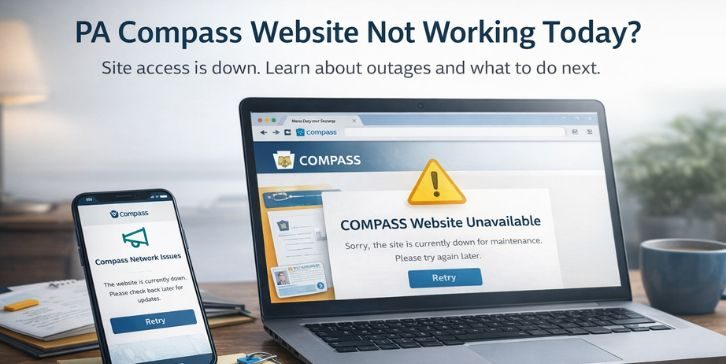
When people say the PA Compass website is not working today, they usually mean the site does not load, shows errors, or blocks login even with correct details. The system itself may still exist, but users cannot reach the pages they need. This can include blank screens, timeouts, or pages that keep refreshing without opening. In many cases, the problem affects access only and does not change benefit status or eligibility.
Most users notice this issue when trying to log in, submit a renewal, upload documents, or check benefit messages. The problem often appears on the login page or after clicking a service option. Sometimes the site opens partially but stops responding, which signals a temporary access issue rather than a permanent account problem.
Common Causes of PA Compass Website Not Working
Government service portals can face access problems for different reasons. Some causes affect all users at once, while others happen only on certain devices or networks. Understanding these reasons helps avoid panic and prevents unnecessary actions like repeated submissions.
Common causes include:
- Scheduled system maintenance
- Unexpected server outage
- High traffic during peak hours
- Browser cache or cookie corruption
- Outdated or unsupported web browser
- Network or firewall restrictions
- Temporary login system issues
How to Fix PA Compass Website Not Working Today?
When the PA Compass website does not work, the issue is often temporary. Some fixes help you confirm whether the problem is system-wide, while others solve local access issues on your device or network.
Try the fixes below in order, because each step helps rule out a common cause without creating new problems.
Fix #1: Check If PA Compass Is Down for Everyone
Sometimes the website is unavailable for all users due to maintenance or server issues. In this case, nothing on your device is broken.
Here’s how you can check site status in a few minutes.
- Open a trusted website status checker
- Search for PA Compass website status
- Check recent outage reports
- Look for official notices from COMPASS
- Wait and retry if an outage is confirmed
If many users report the same issue, waiting is usually the best option.
Fix #2: Refresh the Page and Try Again After a Short Wait
High traffic can cause the site to load slowly or fail. Refreshing right away may not help.
Follow these easy instructions to retry safely.
- Close the browser tab
- Wait 5 to 10 minutes
- Reopen the browser
- Visit the official PA Compass website
- Try logging in again
This often works once traffic drops slightly.
Fix #3: Clear Browser Cache and Cookies
Corrupted cache or cookies can block login pages or forms from loading correctly.
Follow the steps below to easily clear browser data.
- Open browser settings
- Go to privacy or history options
- Clear cache and cookies
- Close the browser completely
- Reopen and try the site again
This removes stored data that may cause loading errors.
Fix #4: Try a Different Browser or Device
Some browsers do not handle government portals well after updates. Switching can help quickly.
You can perform the following steps to test another option.
- Try a different web browser
- Use a phone or tablet if available
- Avoid public or restricted computers
- Make sure JavaScript is enabled
- Access the site again
If it works elsewhere, the issue is browser-related.
Fix #5: Disable VPN or Network Restrictions
VPNs, firewalls, or workplace networks may block secure government websites.
Try these simple steps to rule this out.
- Turn off any active VPN
- Disconnect from restricted networks
- Use a home or mobile connection
- Restart the browser
- Revisit the site
This helps restore normal access to secure pages.
Fix #6: Use Official Alternative Contact Options
If the website stays unavailable, you still have ways to manage your benefits. The system outage does not stop support services.
You can contact the Pennsylvania Department of Human Services through:
- Local county assistance offices
- Official phone support lines
- Mail or in-person appointments
These options help with urgent cases when online access fails.
Fix #7: Contact PA Compass Support Directly
If the site loads but your account still does not work, the issue may be account-specific. At this stage, direct help is the safest step.
Prepare your details before contacting support:
- Username or registered email
- Error messages seen on screen
- Date and time of the issue
- Pages that failed to load
Support staff can check account access and guide you safely.
Prevention Tips to Avoid PA Compass Access Issues in the Future
Website access problems cannot always be avoided, but small habits can reduce stress during deadlines. Preparing ahead helps ensure you still have options when the site becomes slow or unavailable. These steps focus on readiness rather than technical changes.
Here are some helpful prevention tips:
- Avoid logging in during peak morning and evening hours
- Keep your web browser updated
- Save confirmation numbers after submissions
- Take screenshots of important pages
- Upload documents early when possible
- Bookmark only official state pages
- Keep contact details for support ready
Conclusion
In short, when the PA Compass website is not working today, the issue usually relates to maintenance, high traffic, or temporary system problems. This does not mean your benefits are lost or canceled. Most access issues resolve on their own once traffic lowers or systems stabilize under the oversight of the Pennsylvania Department of Human Services.
If the site does not load, stay calm and avoid repeating actions that may cause errors. Checking later or using official contact options is often the safest approach. If this article helped you understand what is happening, consider sharing it with others or leaving a comment about your experience.