The modern web feels immediate in ways that would have seemed unrealistic in its early years. Pages that once took many seconds to load now appear almost instantly, video starts without long waits, and applications in the browser can rival desktop software. This progress did not happen because of one invention. It came from many practical ideas, each aimed at reducing delay, saving bandwidth, and making better use of networks and devices.
TLDR: The web became faster through a combination of smarter networking, better file compression, caching, content delivery networks, and improved browser engines. Technologies such as HTTP/2, HTTP/3, image optimization, and JavaScript performance improvements reduced unnecessary waiting. The most important lesson is that speed is usually gained by removing waste: fewer round trips, smaller files, better prioritization, and closer delivery of content to users.
1. Caching: Remembering Instead of Repeating
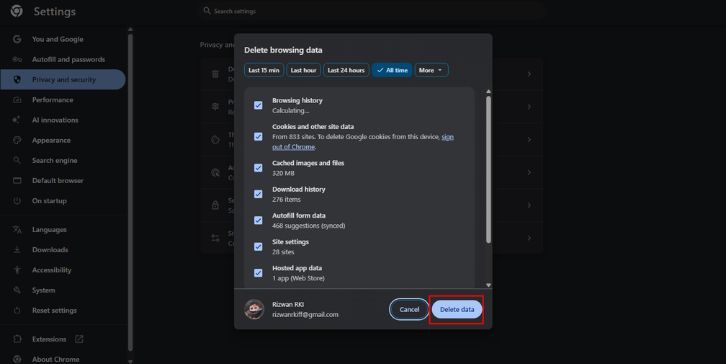
One of the earliest and most effective ideas for speeding up the web was caching. Instead of downloading the same logo, stylesheet, script, or image every time a user visits a page, browsers can store files locally and reuse them. Servers can tell browsers how long a file is safe to keep through headers such as Cache-Control and ETag.
This may sound simple, but its impact is enormous. A repeat visitor does not need to fetch every asset again. The page feels faster, the server handles less traffic, and the network carries less duplicated data. Caching also works at other levels, including company proxies, search engine systems, and content delivery networks.
Good caching depends on discipline. Developers must decide which files change often and which can be stored for weeks or months. A stable font file or versioned JavaScript bundle can be cached aggressively, while frequently updated content needs a shorter lifetime. When used carefully, caching is one of the most reliable performance tools on the web.

2. Compression: Sending Less Data
The web also became faster because files became smaller in transit. Text-based assets such as HTML, CSS, JavaScript, JSON, and SVG compress extremely well. Technologies such as Gzip and later Brotli reduce file sizes before transmission and allow the browser to decompress them quickly after arrival.
Compression is powerful because network transfer is often slower than local processing. It is usually cheaper to spend a little CPU time compressing and decompressing than to send a larger file over the internet. Brotli, in particular, often provides better compression ratios for web assets than older methods, especially when configured properly.
Compression also influenced how developers think about code. Minification removes extra spaces, comments, and unused syntax from production files. Tree shaking helps remove code that is never used. Together, these methods support the same principle: do not send bytes that the user does not need.
3. Content Delivery Networks: Moving Content Closer
A user in São Paulo should not always have to wait for files from a server in Frankfurt. Distance matters. Even at high speeds, data cannot escape the limits of physics. Content delivery networks, or CDNs, improved web performance by placing copies of content in many locations around the world.
When a user requests a file, the CDN can serve it from a nearby edge server. This reduces latency, improves reliability, and helps websites handle sudden spikes in traffic. CDNs are especially useful for static assets such as images, fonts, scripts, stylesheets, and video segments.
CDNs also became more intelligent over time. Many now provide automatic compression, image resizing, bot filtering, TLS optimization, and edge computing features. In practice, they are no longer only storage systems; they have become a major part of modern web infrastructure.
4. Better Protocols: From HTTP/1.1 to HTTP/2 and HTTP/3
The rules used by browsers and servers to communicate have changed significantly. Under HTTP/1.1, browsers often needed multiple connections to download many files efficiently. Each connection carried overhead, and some requests could block others. Developers responded with workarounds such as image sprites, file concatenation, and domain sharding.
HTTP/2 introduced multiplexing, allowing many requests and responses to share one connection more efficiently. It also added header compression and better prioritization. This reduced the need for older tricks and made complex pages easier to load quickly.
HTTP/3 went further by using QUIC, a transport protocol built on UDP rather than TCP. One of its key advantages is improved behavior when packets are lost. In older systems, packet loss could stall multiple streams of data. HTTP/3 helps reduce that kind of delay, particularly on mobile networks where connections may be unstable.
The move from HTTP/1.1 to HTTP/2 and HTTP/3 shows an important pattern in web performance: speed is not only about faster servers. It is also about better coordination between browsers, networks, and servers.

5. Image Optimization: Making the Heaviest Assets Lighter
Images are often the largest part of a web page. Making them smaller without unacceptable quality loss has been one of the most important performance improvements. Older formats such as JPEG, PNG, and GIF still matter, but newer formats such as WebP and AVIF can deliver similar visual quality at smaller file sizes.
Modern image delivery is not only about format. It also involves sending the right dimensions for the user’s screen. A phone should not download a large desktop hero image if a smaller version will look the same on that device. HTML features such as srcset and sizes allow browsers to choose the most appropriate image.
Lazy loading is another practical improvement. Images below the fold can be downloaded only when they are likely to be needed. This reduces the initial page weight and helps meaningful content appear sooner.
- Responsive images prevent waste on small screens.
- Modern formats reduce file size while preserving quality.
- Lazy loading prioritizes what the user can actually see.
6. Faster JavaScript Engines
As websites became applications, JavaScript performance became critical. Browser makers invested heavily in faster engines, just in time compilation, better garbage collection, and optimized execution pipelines. Engines such as V8, SpiderMonkey, and JavaScriptCore helped make interactive web applications more practical.
This progress enabled complex tools to run in the browser: document editors, design software, maps, dashboards, games, and video conferencing. However, faster engines did not remove the need for restraint. Large JavaScript bundles can still delay rendering, block interaction, and drain battery life on mobile devices.
The best performance improvements combine engine advances with careful engineering. Code splitting, deferred loading, server side rendering, and hydration strategies all aim to reduce the amount of JavaScript needed before a user can interact with a page.
7. Asynchronous Loading and Prioritization
Early web pages often loaded resources in a blocking sequence. If a script took too long, the rest of the page could wait. Over time, browsers and developers adopted better ways to load assets asynchronously. Attributes such as async and defer allow scripts to load without unnecessarily blocking HTML parsing.
Resource hints also improved performance. Developers can use techniques such as preconnect, preload, and prefetch to help the browser prepare for important work. Used correctly, these hints reduce waiting time. Used carelessly, they can compete for bandwidth and make performance worse.
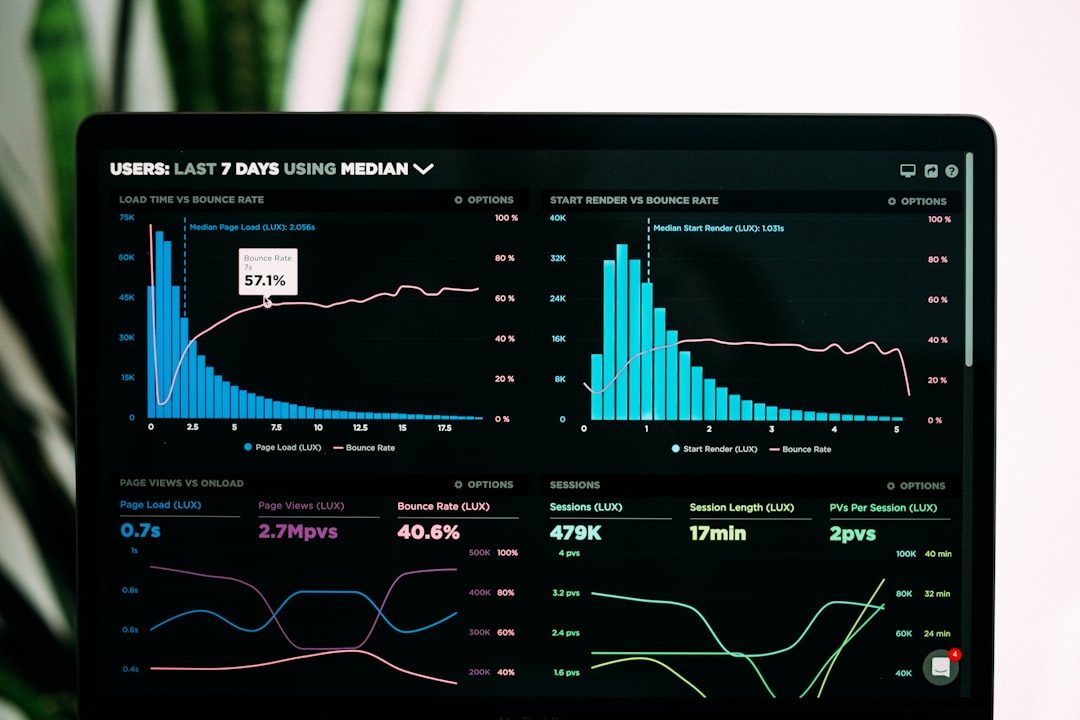
This is why measurement matters. Serious performance work depends on tools such as browser developer panels, synthetic tests, real user monitoring, and metrics including Largest Contentful Paint, Interaction to Next Paint, and Cumulative Layout Shift. Speed must be observed, not guessed.
8. Fonts, CSS, and Rendering Improvements
Performance is also shaped by how quickly a browser can render visible content. CSS became more powerful, but complex styles can still affect layout and painting. Browser engines improved their rendering pipelines, while developers learned to avoid unnecessary reflows, oversized stylesheets, and expensive visual effects.
Web fonts introduced both design flexibility and performance risk. If fonts are too large or loaded poorly, text may appear late or shift unexpectedly. Subsetting fonts, using modern formats such as WOFF2, and setting font display behavior can make pages feel faster and more stable.
Small rendering decisions add up. A fast website is not merely one that downloads quickly; it is one that becomes readable and usable quickly.
9. The Larger Lesson: Remove Friction
Most ideas that made the web faster share a common purpose: remove avoidable friction. Caching avoids repeated work. Compression avoids unnecessary bytes. CDNs reduce distance. HTTP/2 and HTTP/3 reduce communication delays. Image optimization avoids oversized media. Faster JavaScript engines and smarter loading strategies reduce processing bottlenecks.
There is no single permanent solution to web speed. As devices, networks, and user expectations change, performance work continues. New image formats, edge rendering, improved browser APIs, and better measurement standards will keep shaping the web.
Still, the core principles remain stable. Send less data. Send it from closer locations. Prioritize what matters first. Avoid blocking the user. Measure real experience. The web became faster because engineers repeatedly applied these principles at every layer, from protocols and servers to browsers and page design. That steady accumulation of practical improvements is what made today’s fast, interactive web possible.