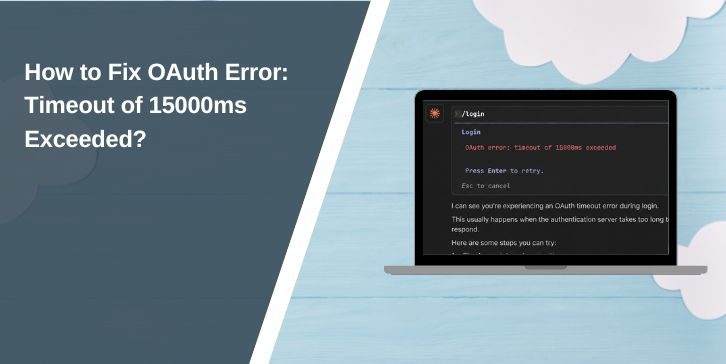
If you see “OAuth error: timeout of 15000ms exceeded”, it means an OAuth-related request did not finish within 15 seconds. The timeout may happen while contacting the identity provider, exchanging an authorization code for a token, loading user profile data, or waiting on something inside your own backend.
The important part is that 15000ms is only the timeout value. It does not tell you which OAuth step failed. Before increasing the timeout, first find the request that is taking too long. That usually leads to a much cleaner fix.
What Does “OAuth Error: Timeout of 15000ms Exceeded” Mean?
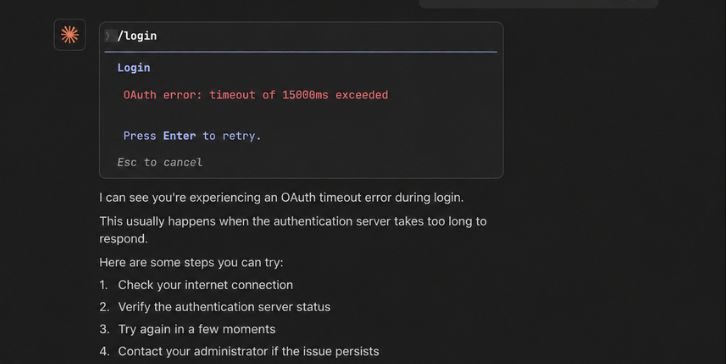
15000 milliseconds equals 15 seconds. The error means an HTTP request connected to the OAuth flow took longer than the timeout allowed by your app, HTTP client, framework, proxy, or another layer.
OAuth itself does not have one universal 15-second timeout. One application may allow 10 seconds while another waits much longer. So if you see this exact message, the 15000ms value usually comes from your own software stack or a dependency rather than OAuth as a protocol.
The request that timed out could be the authorization step, token exchange, callback processing, or a later profile request. You need to identify that step before deciding what to change.
Why Does the OAuth Timeout of 15000ms Happen?
An OAuth timeout usually means something in the authentication flow is taking too long or cannot be reached at all. Sometimes the identity provider is slow. In other cases, your server cannot reach the token endpoint because of DNS, firewall, proxy, or networking problems.
Common causes include:
- Slow OAuth or identity provider service
- Token endpoint taking too long to respond
- High network latency
- VPN or proxy problems
- Slow DNS resolution
- Firewall blocking outbound OAuth traffic
- Backend server unable to reach the provider
- Slow user-info or profile request
- Reverse proxy or API gateway timeout
- Heavy application or server load
- HTTP client timeout set too low
- Temporary provider outage
A bad client ID or redirect URI can also break login, but those problems often return a clear OAuth error instead of waiting exactly 15 seconds. That is why timing and request logs matter so much here.
How to Fix OAuth Error: Timeout of 15000ms Exceeded?
Do not start by changing the timeout from 15000ms to some huge number. First find the slow request. Then check the network, OAuth configuration, provider response, and backend before changing timeout values.
1. Retry the OAuth Login and Check Provider Status
Try the OAuth login once again. A temporary network problem or short service slowdown can make one authentication request fail even when the setup is correct.
If the second attempt works, the problem may have been temporary. If the same timeout keeps returning, check whether the OAuth provider has a service status page. A provider outage or degraded authentication service cannot be fixed by changing cookies or increasing your local timeout.
Avoid repeatedly clicking the login button. If the same request keeps taking more than 15 seconds, move on and find where the delay happens.
2. Find Which OAuth Request Is Timing Out
This is the most useful step. OAuth login is not one single request. It is a chain of redirects and server calls, and the timeout may happen at any one of them.
Check the flow in order:
- Does the browser reach the OAuth provider’s login page?
- Does the user finish sign-in successfully?
- Does the provider redirect back to your callback URL?
- Does your callback endpoint receive the authorization code?
- Does your backend send a request to the token endpoint?
- Does the token endpoint return an access token?
- Does a later user-info or profile request complete?
If the browser never returns from the provider, focus on redirect, provider, or network problems. If the callback runs but your app then hangs, the token exchange or another backend request becomes more likely.
Use server logs and browser network tools where they make sense. The error text alone cannot tell you which step crossed the 15-second limit.
3. Test the OAuth Token Endpoint From the Same Server
A common mistake is testing OAuth from your own computer while the real login request runs from a production server. Your laptop may reach the provider perfectly while the server cannot.
Test whether the production environment can connect to the provider’s token endpoint over HTTPS. You are looking for basic reachability and response time, not trying to expose credentials in logs or command history.
If the token endpoint responds quickly from your local machine but takes too long from production, focus on the production network. DNS, firewall rules, outbound proxy settings, or cloud networking may be slowing or blocking the request.
Also check whether the connection itself is slow or whether the provider accepts the connection quickly but delays the response. Those are different problems.
4. Check DNS, VPN, Proxy, and Firewall Settings
OAuth depends heavily on outbound HTTPS connections. Your backend may load normally in a browser while still being unable to reach the identity provider from the server side.
Start by checking DNS resolution. If the provider hostname takes several seconds to resolve, that delay already uses part of the 15-second timeout.
Then check:
- Optional VPN connections
- Outbound proxy configuration
- Corporate firewall rules
- Cloud firewall or security rules
- DNS resolver performance
- TLS or SSL connection delays
A proxy can be especially easy to miss. Your application may be configured to send outbound traffic through one, while other parts of the server use a direct connection.
Do not bypass required company or hosting security rules just to make OAuth work. If the environment is managed, ask the administrator whether connections to the identity provider are allowed and responding normally.
5. Verify the Redirect URI and OAuth Callback
The redirect URI tells the OAuth provider where to send the user after authentication. If it points to the wrong host, path, port, or environment, the login flow can break in confusing ways.
Check the redirect URI registered with the provider and compare it with the callback used by your application. Pay attention to the full value, including HTTPS, hostname, port, and path.
For example, a development callback and production callback may look almost the same but still be treated as different addresses.
A redirect URI mismatch often returns a specific OAuth error rather than a timeout. Still, callback routing can cause a 15-second timeout higher up in your application if the callback itself waits on another service or does not complete properly.
It is also worth checking how quickly the callback endpoint responds. If the provider redirects back immediately but your callback spends 20 seconds doing database work, the real problem is inside your application.
6. Check Client ID, Client Secret, and OAuth Configuration
Review the OAuth client settings before going deeper into server tuning. The client ID should belong to the correct application and environment, and the client secret must be current where the chosen OAuth flow requires one.
Also check:
- Registered redirect URI
- Requested OAuth scopes
- Authorization and token endpoint settings
- PKCE configuration if your flow uses it
- Environment-specific OAuth variables
Invalid credentials often return an error response quickly instead of a pure timeout. Still, some libraries or middleware can retry failed requests or spend extra time processing a bad setup, so configuration is worth checking.
Do not print client secrets, access tokens, or authorization codes while debugging. Logs tend to live much longer than expected.
7. Increase the OAuth HTTP Timeout Carefully
If you have confirmed that the request is valid and simply needs more than 15 seconds under normal conditions, increasing the timeout may help.
Do it in a controlled way:
- Identify the exact request that crosses 15000ms.
- Measure how long that request normally takes.
- Find the timeout setting for the HTTP client or OAuth library making that request.
- Increase it by a reasonable amount.
- Test both normal and slower conditions again.
Do not assume the setting belongs to Axios just because the wording looks familiar. Several HTTP clients and wrappers can produce similar timeout messages.
A larger timeout can fix a client that gives up too early. It cannot fix a token server that never responds, a blocked firewall connection, or a broken callback. If a healthy token request normally takes under a second and suddenly needs 20 seconds, investigate that first.
8. Update the OAuth Library or HTTP Client
Older OAuth libraries can have problems with redirects, proxies, token exchange, or timeout handling. Check which version your application uses and compare it with the current supported release for that library.
Read the release notes before upgrading production code. Authentication libraries can change defaults, callback handling, security requirements, or dependency versions between releases.
If the timeout started after an update, the reverse test matters too. Compare the current version with the last working one and check whether timeout or proxy behavior changed.
Updating is not a guaranteed fix. It is simply one way to remove an old client bug from the list of possible causes.
9. Check Reverse Proxy, API Gateway, and Serverless Time Limits
Your application may have a 30-second HTTP timeout while another layer allows only 15 seconds. When that happens, changing the application’s setting alone does nothing.
The OAuth callback request may travel through several layers:
Browser → reverse proxy → gateway or load balancer → application → OAuth provider
Check infrastructure settings such as:
- Upstream request timeout
- Backend connection timeout
- Maximum request duration
- Serverless execution limit
- Keep-alive behavior
Serverless platforms deserve special attention because request execution limits can stop a callback or token exchange even when the OAuth library itself would wait longer.
Try to make timeout values sensible across the full request path. One short limit hidden in a proxy can still end the flow before the backend finishes.
10. Check Backend Load and Slow Middleware
The OAuth provider may not be slow at all. Your own application can create the delay before or after talking to it.
For example, your callback might receive the authorization code quickly, then run database queries, session creation, logging hooks, or other middleware before returning. If one of those steps stalls, the user sees an OAuth failure even though token exchange worked.
Measure each stage separately. Check database response time, session storage, external logging services, middleware hooks, and worker load.
This is especially important when the error appears only during busy periods. A callback that finishes in two seconds under light traffic may suddenly take much longer when the database or session store is overloaded.
11. Check the User-Info or Profile Request After Token Exchange
OAuth login does not always end when the access token arrives. Many applications immediately use that token to request the user’s profile, email, or other account information.
That second API call can time out too.
So check the logs carefully. If the token endpoint responds successfully but the error appears a few seconds later, the failing request may be the user-info endpoint instead of OAuth token exchange itself.
This matters because increasing the token timeout would not help. You need to troubleshoot the profile request, its network path, or the provider endpoint that serves user data.
For OpenID Connect flows, also check whether the app is using an ID token directly or calling a separate user-info endpoint. The exact behavior depends on the library and provider.
12. Add Logging Around Each OAuth Step
When the error keeps happening, timing logs are much more useful than guessing. Record where the OAuth flow starts and how long each part takes.
A useful sequence is:
- OAuth login started
- User redirected to provider
- Callback received
- Token request started
- Token response received
- User-info request started
- User-info response received
- Application session created
You do not need to log the sensitive values themselves. Log timestamps, request IDs, endpoint names, and success or failure states.
Never log client secrets, refresh tokens, access tokens, or authorization codes in plain text.
Once you have timing around each step, the 15-second error becomes much easier to understand. If the token request always reaches about 15 seconds, focus there. If token exchange takes one second but session creation takes 14 more, the provider is probably not the real issue.
How Can You Prevent OAuth Timeout Errors?
Once the immediate issue is fixed, keep monitoring the OAuth flow instead of waiting for the next login failure. Token endpoints, DNS, proxies, callback middleware, and application dependencies can all become slower over time.
A few habits help:
- Keep OAuth libraries and HTTP clients updated
- Monitor token endpoint response times
- Keep DNS and outbound networking healthy
- Use reasonable HTTP timeout values
- Avoid unnecessary slow work inside the callback
- Monitor reverse proxy and gateway limits
- Log timing around each authentication stage
- Check provider status when failures suddenly increase
Do not solve every delay by raising the timeout again. That can turn a 15-second failure into a 60-second wait without fixing the real problem. A healthy OAuth flow should be measured so you know what normal looks like.
Final Thoughts
The OAuth error: timeout of 15000ms exceeded means an OAuth-related HTTP request took longer than 15 seconds. The number itself is not the cause. Start by finding which request is slow, then check the token endpoint, DNS, network, callback configuration, backend work, and any proxy or gateway in the middle.
Only increase the timeout after you know the request is valid and still making progress. If the token endpoint responds quickly but the app continues waiting, look at user-info calls, middleware, session storage, or other backend work instead.
If you’re still getting the error, comment with one detail: does the timeout happen before the OAuth callback, during token exchange, or after the access token is received?